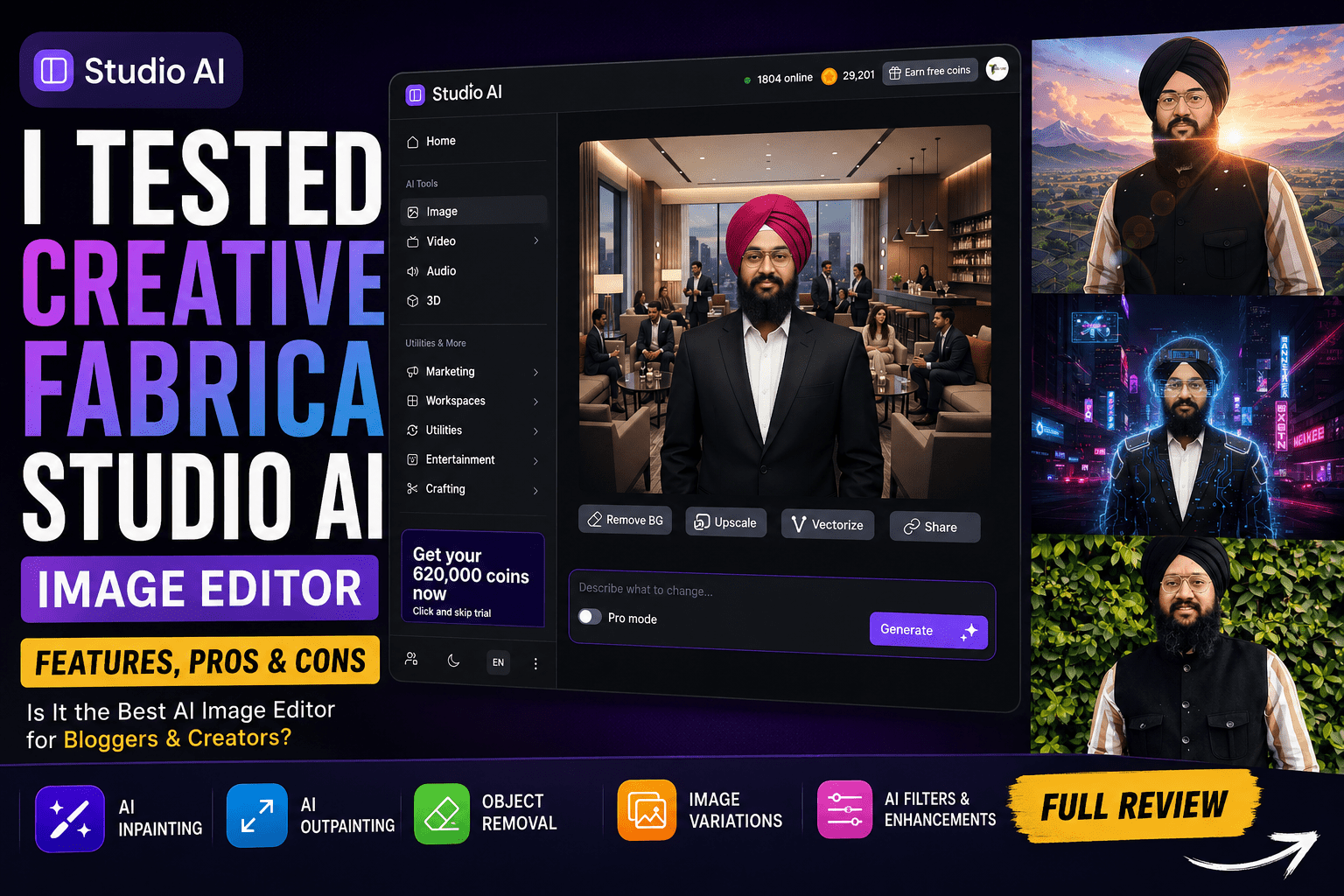

AI image editors have replaced normal editors like Photoshop in 2026; but they still are not easy and requires skills. I spent some time testing Creative Fabrica Studio AI Image Editor to see whether it can actually replace tools like Canva, Adobe Express, and other AI editors for bloggers and content creators. Here’s what I found from my testing.
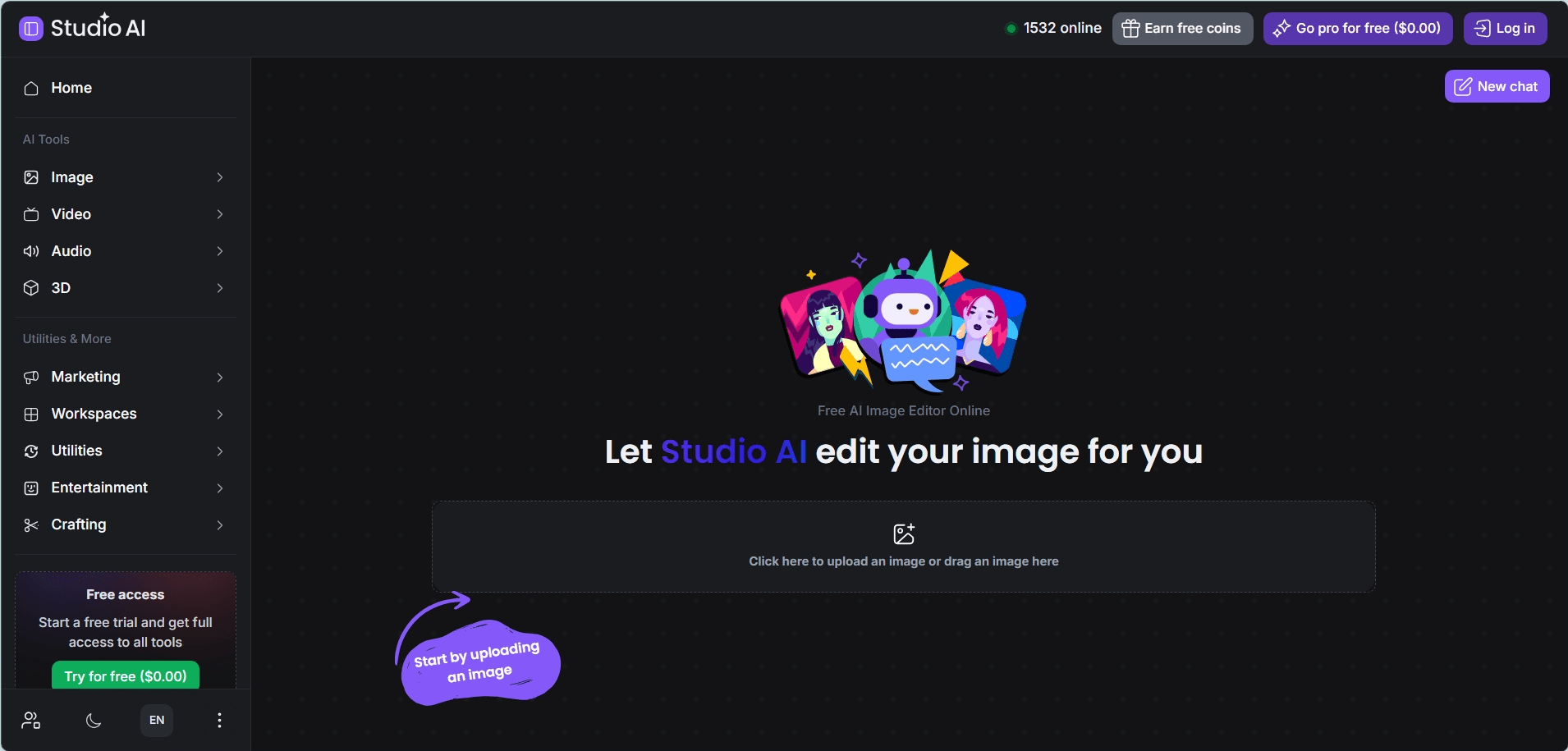
What is Creative Fabrica Studio AI Image Editor?
AI Image Editor is a Prompt based AI Image Editing tool, that accepts prompts and helps you edit the images you upload to the site. There are many AI tools like AI Image generator and AI Image Styler plus more tools. But the Image Editor is the one tool that can be used by everyone for basic and advance editing, using simple prompts to multi line prompts with advanced conditions like “Replace the background with Office or Greenery”, “Change dress to Suit or Jeans and shirt” and many more Prompt based edits. The main point of the tool is there no manual edit, only Prompt, so better your prompt, better will be your image edits.
Some Edits using AI Image Editor
As we mentioned before, we can use easy prompts to do the edits. I then tried a few Prompts on my image to check how it works. Lets check how the prompts and image edits worked by the AI Photo Editor from Creative Fabrica.
Note: All the edits were done using Trial Version and Free Credit Points. You can also try before having paid license. Each generation cost some credits. Once you Sign up, you will get bonus Credits to use, and you can always get more from the plans.
Editing Original Image to Some different Background
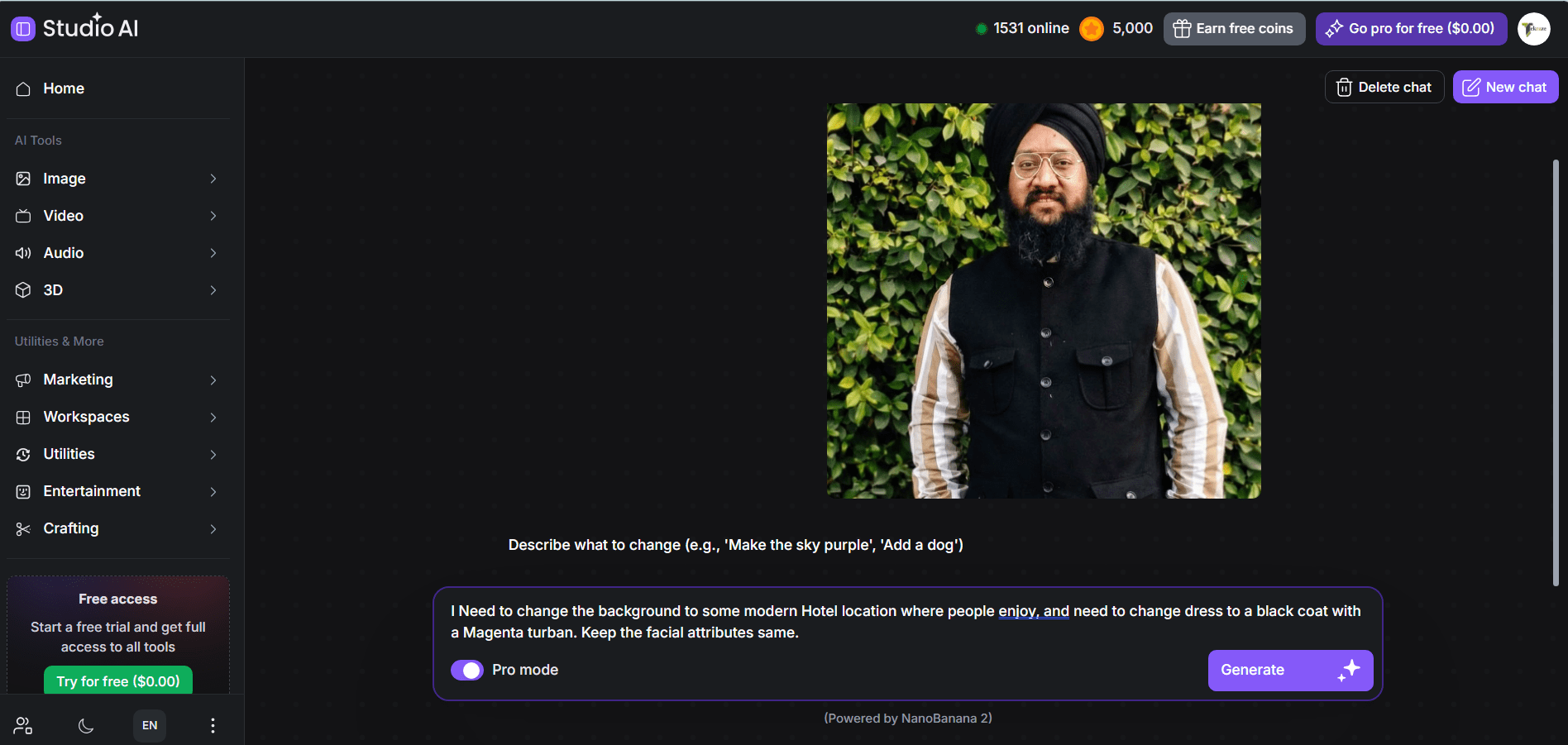
Prompt 1
I Need to change the background to some modern Hotel location where people enjoy, and need to change dress to a black coat with a Magenta turban. Keep the facial attributes same.
Generated Response (Nano Banana Model)
If you check below, it generated a nice hotel lobby and me standing. This is not perfect but looks good for a start.
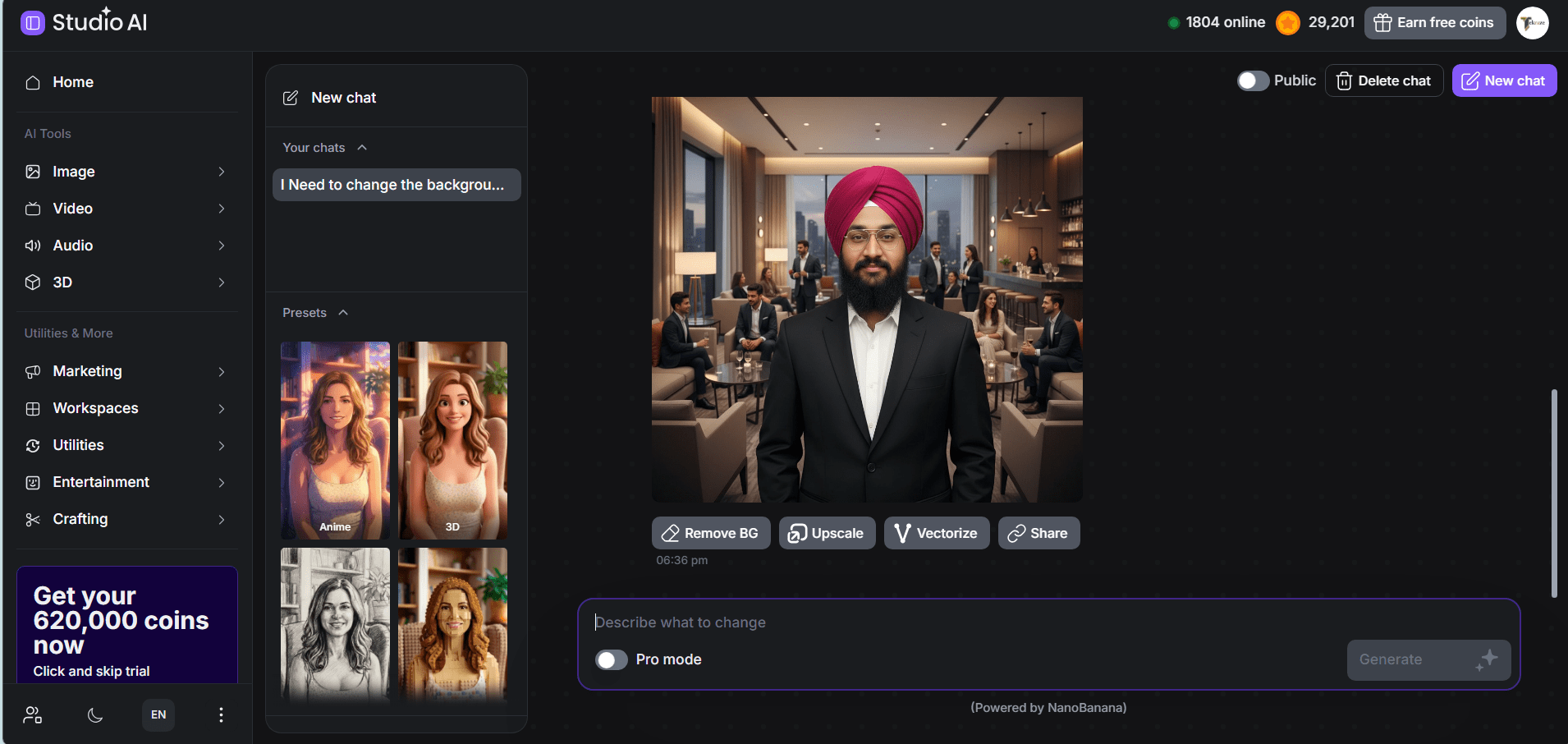
Prompt 2 (Suggested Utility feature on AI Image Editor)
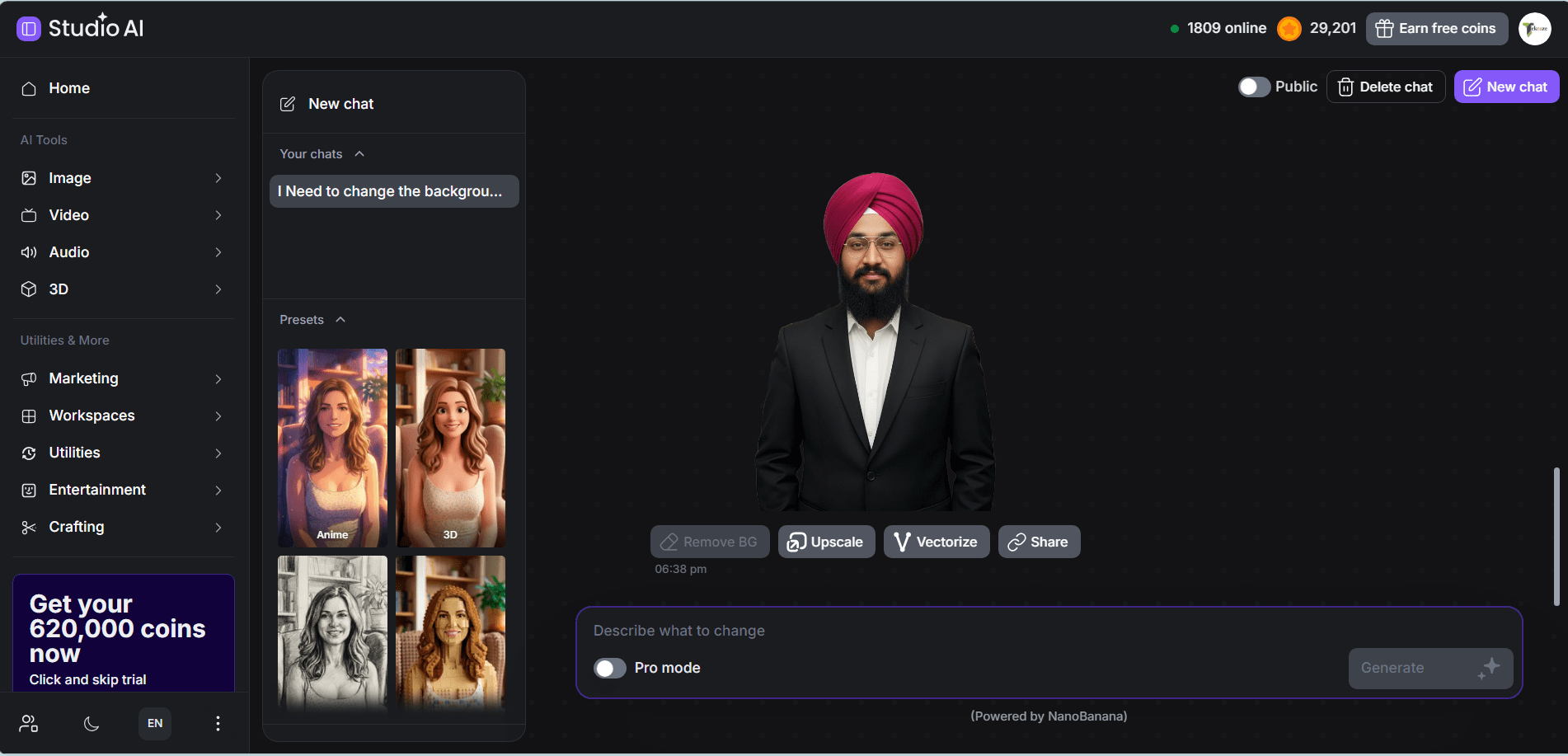
Remove BG
Generated Response (Nano Banana Model)
Same way as before, it worked well. With the suggested features, like Upscale, vectorize we can further make the edits as needed. Few features are already there, that will add predefined prompts for edits, like a normal image editor would do.
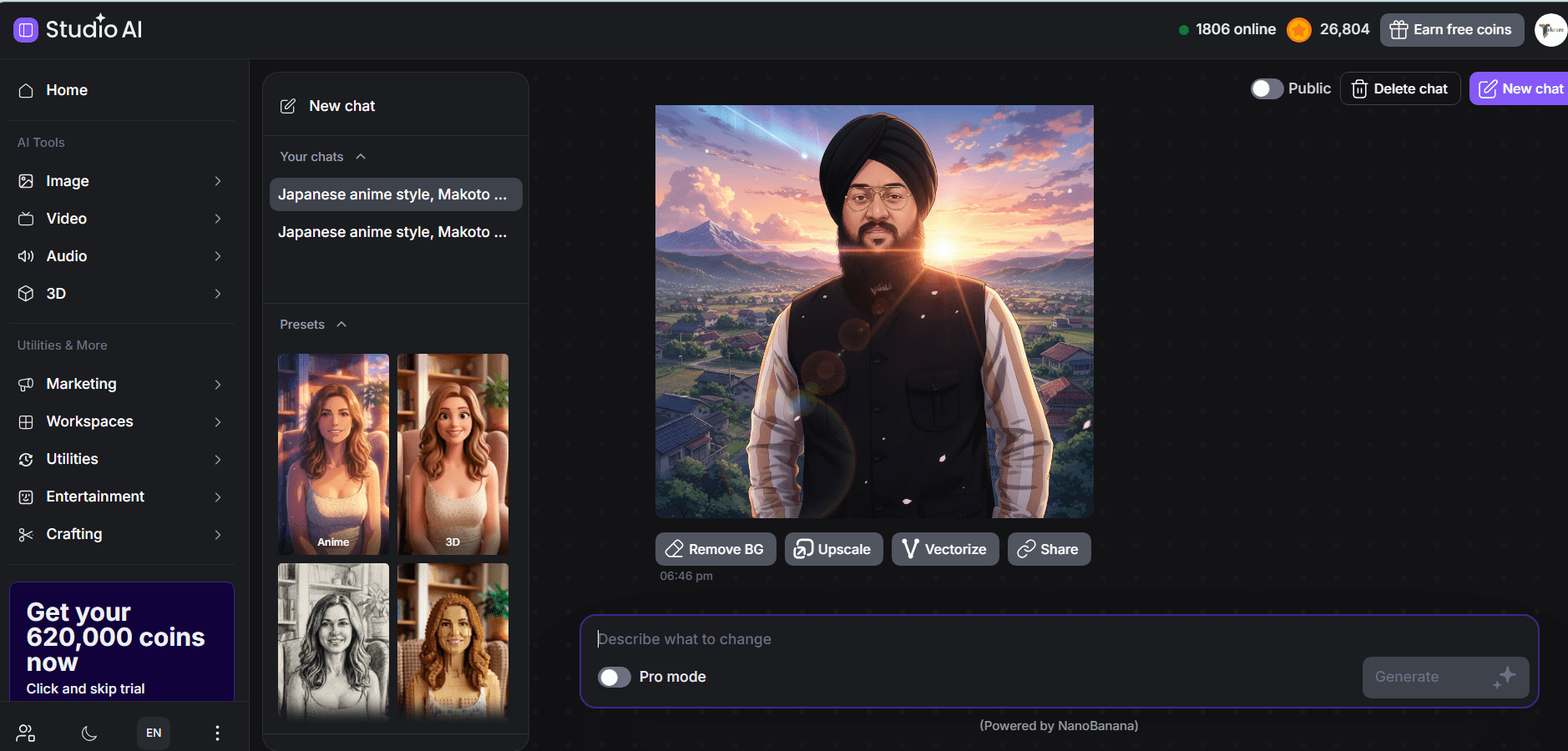
Prompt 3 (From Presets)
Japanese anime style, Makoto Shinkai aesthetic, vibrant colors, dramatic lighting, highly detailed, 4k resolution, 2d masterpiece
Anime Preset
Generated Response (Nano Banana Model)
In the background we can see anime village, but our image is only Cartoonized(Animated). The Prompt was with multiple keywords and not detailed. So based on the prompt generation seems good.
Prompt 4
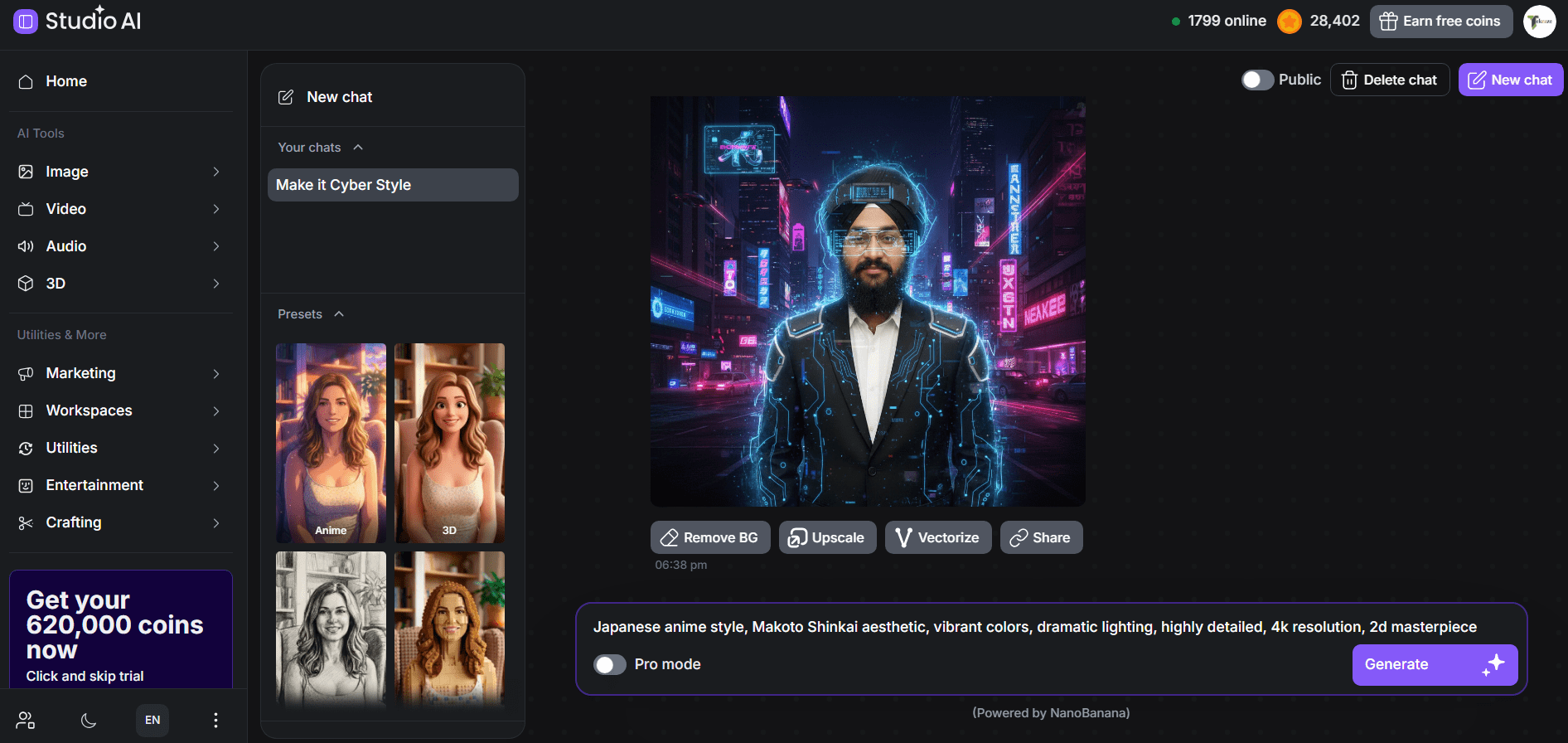
Make It Cyber Style
Generated Response (Nano Banana Model)
This one is actually futuristic but if you see, its overlapping tech gear, that doesn’t look good. But still the prompt followed the theme.
My Observation from the above edits and prompts at first impression is like Great. I have used other tools, and I know editing is not that good of each tool, or if edit is good, that tool might be costly to have. If both, then it might be limited to a functionality only.
But this AI Image Editor tool provides multiple AI Models like Nano Banana and Nano Banana2(PRO) from google. And other tools including Video Edit and generation models like Seedance 2.0.
Who Should Use Creative Fabrica Studio?
There are various tools, so everyone can find a tool that they need from editing simple image to video and then also image or video generation, below are some use cases for each type of users
Bloggers/Content creators
- Featured images for Blog Posts/Social media
- Pinterest graphics/Infographics
- Social media creatives, Ad Banners, Promotion Materials
- YouTube thumbnails
- X post supporting Images or just Touch Up edits
- Instagram graphics and short Videos
Print-on-Demand Sellers
- Product Mockups
- Design concepts
- Product imagery
The wider Studio ecosystem is aimed at creators, designers, educators, and print-on-demand users.
Advantages of AI Image Editor+ Studio AI
- Very beginner friendly and easy to Use
- Browser based application so no need to Install
- Strong AI editing tools for Images and Video both
- Inpainting & out painting effects with preset Filters that generate Prompts
- Multiple AI creative tools in one platform
- Access to creative assets ecosystem like Graphics, Videos, Templates for Content
Creative Fabrica vs Canva
This is just a simple comparison and doesnt mean Canva is bad, we just shown How capable Studio AI tools are:
| Feature | Creative Fabrica | Canva |
|---|---|---|
| AI Image Editing | ✅ | ✅ |
| Inpainting | ✅ | Limited |
| Outpainting | ✅ | Limited |
| AI Variations | ✅ | ❌ |
| Design Assets | Huge Library | Huge Library |
| POD Focus | Strong | Moderate |
| Team Collaboration | Limited | Strong |
Pricing and Costs
The tools here are Credit based that you get on buying subscription. The base package that includes images, templates and graphics icons usually starts at around 50$ per year. and then you can buy more credits by upgrading to paid plan after Trial is over.
Credits are different for each function and without using Pro, base point deduction was 799 Credits per image edit. and surprisingly, even when we are adding prompts; actions Like Removing background which is a Preset haven’t consumed any Credits, which is good for a tool targeted on AI Image Edits.
Final Conclusion
If you’re a blogger, content creator, or print-on-demand seller looking for a simple AI image editor that doesn’t require Photoshop skills, Creative Fabrica Studio is surprisingly capable. The standout feature isn’t just the AI editing itself, but the combination of editing tools, creative assets, image generation, and design workflows inside a single platform.
If I take into picture availability of all AI tools at one place under a single subscription, I would say its a good subscription one must have. Even if Credits system seems bad as one can exhaust credits easily and not unlimited usage, still its a good and justifiable. One with proper prompts, can make a good use of it.
In the end I would say, dont just trust me but go checkout yourself and give a try, once sign up with card, you will instantly get free Credits to try out the model. Just keep an eye on the credit usage, before clicking generate to avoid consuming all points at once. You can do multiple Image edits, but only 1-2 Video Edits with Initial Credits, so use it wisely and then continue to paid.
Thanks for visiting our blog.