
When I modded games, I always felt like I was working inside someone else’s house, because I never understood the game engine holding the whole building up. I could repaint a wall, swap a texture or tweak how fast a car went, but I never saw what carried the weight. I am not a game developer yet. I have modded games and vibe coded a few small ones, and this Game Dev Series is me learning the real pieces one at a time and sharing what I find.
In the first post of the series we looked at how game maps work, with tiles, layers, chunks and noise. A map is just data though. Something has to load it, draw it 60 times a second, push the player around with physics and play a sound when a coin is picked up. That something is the game engine. In this post I want to understand what a game engine actually does, why almost everyone uses Unity, Godot or Unreal instead of writing their own, and I will build a tiny toy engine in plain Python so the idea stops being magic.
Also Read: How Game Maps Work: Tiles, Layers, Chunks and Noise
What is a game engine in simple words?
A game engine is a big reusable toolbox that already knows how to do the boring and hard parts of every game. It draws pictures on the screen, simulates physics, plays sound, reads the keyboard or controller, loads images and models, and runs your scripts at the right moment. You bring the parts that make your game unique, like the player, the enemies, the levels and the rules.
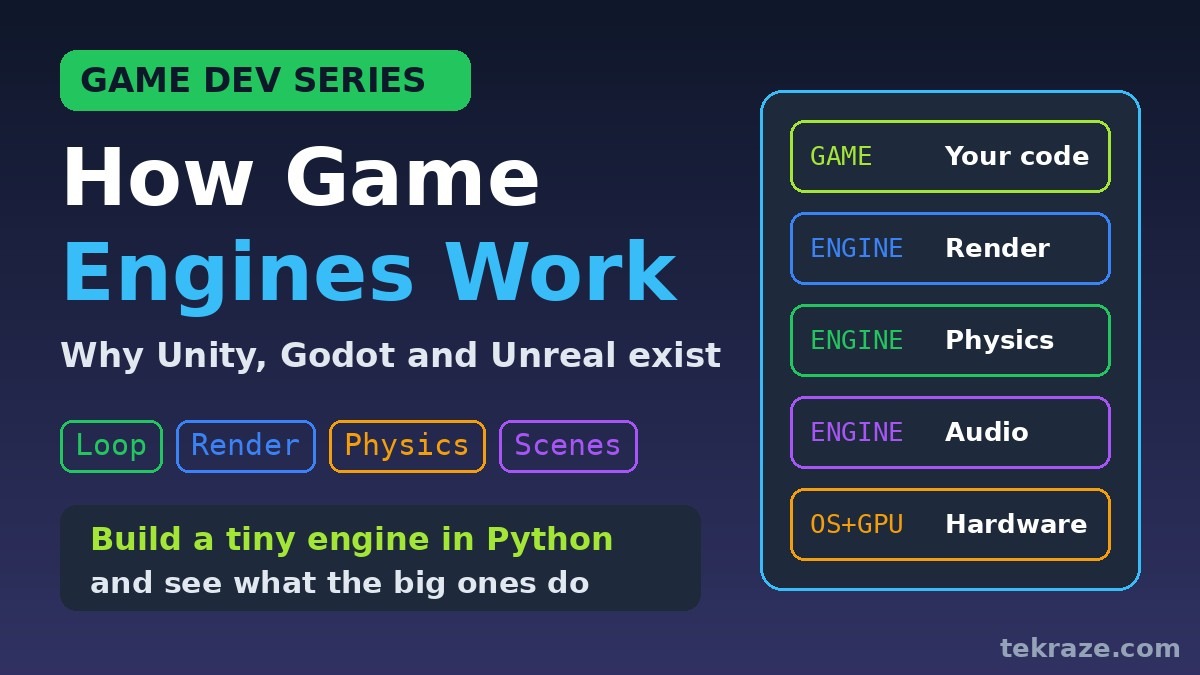
The layers inside a game engine
I like to think of it in layers. Your game code sits on top. Under it sit the engine systems, each one a big project on its own. Under those is the platform layer that talks to Windows, Android, consoles or the browser. At the very bottom is the actual hardware: the CPU, the GPU, the speakers and the gamepad.
Layers of a game engine
The editor is part of the game engine too
What surprised me is that the editor is part of the engine too. When you open Godot or Unity you get a window where you drag things into a scene, tune numbers and press play. That editor is built on the same systems your game engine uses, which is why what you see while editing looks like the real game.
How is a game engine different from a library or framework?
This one clicked for me because of web development. We already wrote about the difference between a library and a framework on the frontend side, and the same idea applies to games. With a library, you are in charge. You write the main loop and you call the library when you need it. With a game engine, the engine owns the main loop and calls your code when something happens, like a new frame or a collision.
Library (pygame)
You are in charge.
Game engine (Godot)
The engine is in charge.
A good example of a library is pygame in Python. You write a while loop, check events, move things and call draw functions yourself. In Godot you never write that loop. You write a function called _process and the game engine calls it every frame. The Godot docs on idle and physics processing explain that physics processing runs at a fixed rate, 60 times per second by default, separate from the drawing frame rate. Unity and Unreal follow the same pattern with their own function names.
What happens inside one frame of a game engine?
A game at 60 frames per second has about 16.7 milliseconds to do everything for one frame. That number became very real to me once I started looking at it. Inside that small window the game engine reads input, runs your scripts, steps the physics, updates animations, renders the scene, mixes the audio and finally shows the picture on screen. Then it starts all over again.
One frame at 60 FPS = 16.7 ms (example)
The timings in the diagram are only an example to show the idea, not measurements from a real game. What matters is the shape. Rendering is often one of the hungriest steps, physics runs in fixed small steps so it stays stable, and if the total goes over the budget the game drops frames and starts to feel choppy.
This is also why the time complexity basics from our DSA series suddenly matter in games. A slow loop over every enemy each frame is something players can actually feel.
Also Read: DSA Series: Daily Problems in Java, Python and Rust
Can you build a tiny game engine yourself?
Yes, you can build a toy game engine, and I think it is the best way to understand what the real engines do. The code below is split into two clear parts. Part one is the engine, which knows nothing about coins or players. It only knows about entities, a physics step with gravity and a floor, and a renderer that draws characters into a text grid. Part two is the game, which spawns a player and a coin, and hooks a small script into the engine to handle jumping, wrapping around the screen and collecting coins.
The toy game engine in Python
# tiny_engine.py : a toy game engine in about 70 lines of plain Python
# Part 1 is the ENGINE (reusable). Part 2 is the GAME (your code).
# ---------------- PART 1: THE ENGINE ----------------
class Entity:
    """A thing in the world. It is just a name plus a bag of components."""
    def __init__(self, name, **components):
        self.name = name
        self.c = components          # e.g. pos, vel, sprite, collider
class Engine:
    def __init__(self, width=20, height=6, fps=60):
        self.w, self.h, self.dt = width, height, 1 / fps
        self.entities, self.scripts = [], []
    def spawn(self, name, **components):
        e = Entity(name, **components)
        self.entities.append(e)
        return e
    def physics(self):               # engine system 1: move + gravity + floor
        for e in self.entities:
            if "vel" in e.c:
                vx, vy = e.c["vel"]
                if e.c.get("gravity"):
                    vy += 30 * self.dt
                x, y = e.c["pos"]
                x, y = x + vx * self.dt, y + vy * self.dt
                if y >= self.h - 1:  # hit the floor
                    y, vy = self.h - 1, 0
                e.c["pos"], e.c["vel"] = (x, y), (vx, vy)
    def render(self):                # engine system 2: draw sprites to text
        grid = [["." for _ in range(self.w)] for _ in range(self.h)]
        for e in self.entities:
            if "sprite" in e.c:
                x, y = e.c["pos"]
                if 0 <= int(x) < self.w and 0 <= int(y) < self.h:
                    grid[int(y)][int(x)] = e.c["sprite"]
        return "\n".join("".join(r) for r in grid)
    def run(self, frames, show_every):
        for f in range(frames):
            for script in self.scripts:   # your game logic hooks in here
                script(self, f)
            self.physics()
            if f % show_every == 0:
                print(f"frame {f}")
                print(self.render())
# ---------------- PART 2: THE GAME ----------------
eng = Engine()
player = eng.spawn("player", pos=(2, 5), vel=(6, 0), sprite="P", gravity=True)
coin = eng.spawn("coin", pos=(12, 5), sprite="o")
score = {"coins": 0}
def jump_and_collect(engine, frame):
    if frame == 20:                      # pretend the player pressed jump
        vx, _ = player.c["vel"]
        player.c["vel"] = (vx, -12)
    px, py = player.c["pos"]
    if px >= engine.w:                         # walk off the right edge, come back on the left
        px = 0
        player.c["pos"] = (px, py)
    cx, cy = coin.c["pos"]
    if abs(px - cx) < 1 and abs(py - cy) < 1:  # touching the coin?
        score["coins"] += 1
        coin.c["pos"] = ([3, 8, 17][score["coins"] % 3], 5)
eng.scripts.append(jump_and_collect)
eng.run(frames=181, show_every=45)
print("coins collected:", score["coins"])
Running it with plain Python 3 prints a few frames. P is the player and o is the coin. You can see the jump around frame 45, the coin being picked up and moved, and the player wrapping back to the left edge.
frame 0
....................
....................
....................
....................
....................
..P.........o.......
frame 45
....................
....................
......P.............
....................
....................
............o.......
frame 90
....................
....................
....................
....................
....................
...........Po.......
frame 135
....................
....................
....................
....................
....................
........o......P....
frame 180
....................
....................
....................
....................
....................
P.......o...........
coins collected: 1
Look at how little the game part needs to know. It never draws anything and never applies gravity itself. It only says what should happen in this particular game. That split between reusable engine and specific game is exactly what Unity, Godot and Unreal give you, just with thousands of systems instead of two, and real graphics instead of dots.
How do engines organise everything in a game?
Once a game has more than a handful of things, you need a way to organise them. A game engine mostly does this in one of two styles. Godot uses nodes and scenes, where everything is a node in a tree. A Level node holds a Hero node, which holds a Sprite, a Health node and a Camera. Unity uses GameObjects that carry components such as a Transform, a renderer, a Rigidbody and your own script, and Unreal does something similar with Actors and components.
Godot: tree of nodes
- Level
- Hero
- Sprite
- Health
- Camera
- Coin
- Hero
Unity: object + components
A scene tree example in Python
Here is a small Python version of the scene tree idea. The engine calls tick on the root once per frame, and the call flows down through every child. Each node can override process to do its own thing, like spinning a coin or draining health.
# scene_tree.py : how an engine walks a tree of nodes every frame
# Godot calls this a scene tree. Unity and Unreal use objects with components.
class Node:
    def __init__(self, name, children=()):
        self.name, self.children, self.parent = name, list(children), None
        for ch in self.children:
            ch.parent = self
    def process(self, dt):            # override this in your own nodes
        pass
    def tick(self, dt, depth=0, show=False):      # the ENGINE calls this, not you
        self.process(dt)
        if show:
            print("  " * depth + f"- {self.name}")
        for ch in self.children:
            ch.tick(dt, depth + 1, show)
class Spinner(Node):                  # a node with its own behaviour
    def __init__(self, name, speed):
        super().__init__(name)
        self.angle, self.speed = 0.0, speed
    def process(self, dt):
        self.angle = (self.angle + self.speed * dt) % 360
class Health(Node):
    def __init__(self, name, hp):
        super().__init__(name)
        self.hp = hp
    def process(self, dt):
        self.hp = max(0, self.hp - 1)  # poison: lose 1 hp per frame
coin_spin = Spinner("CoinSprite", speed=180)
hero_hp = Health("Health", hp=3)
level = Node("Level", [
    Node("Hero", [Node("Sprite"), hero_hp, Node("Camera")]),
    Node("Coin", [coin_spin]),
    Node("UI", [Node("ScoreLabel")]),
])
for frame in range(3):
    print(f"frame {frame}")
    level.tick(dt=1 / 60, show=(frame == 0))  # print the tree once
    print(f"  coin angle={coin_spin.angle:.0f} deg, hero hp={hero_hp.hp}")
The output shows the tree once and then the values changing frame by frame.
frame 0
- Level
  - Hero
    - Sprite
    - Health
    - Camera
  - Coin
    - CoinSprite
  - UI
    - ScoreLabel
  coin angle=3 deg, hero hp=2
frame 1
  coin angle=6 deg, hero hp=1
frame 2
  coin angle=9 deg, hero hp=0
This is the same tree structure from the data structures cheat sheet in our DSA series. When I first saw a Godot scene, I honestly did not realise I was looking at a tree. Now I cannot unsee it.
Why do Unity, Godot and Unreal exist instead of everyone building their own?
Because building a real game engine is enormous. Rendering alone covers lighting, shadows, shaders and support for many GPUs. Physics, audio, animation, networking, asset importing and exporting to many platforms are each huge too. Big studios sometimes still build their own engine for full control, but most teams, and almost every beginner, are better off using one that already exists and spending their time on the game itself.
Each of the big three grew to solve a slightly different need. Unity became very popular with mobile and indie developers and uses C#. Unreal Engine came from high end 3D games, uses C++ and also offers Blueprints visual scripting so you can build logic by connecting nodes. Godot is a free and open source engine with its own Python like language called GDScript, plus C# support, and it is light enough to open quickly on almost any laptop.
Which game engine costs what?
All three are free to start. Pricing terms change over time, so check the official pages before you commit.
| Game engine | Main language | Best for | Free tier and cost terms |
|---|---|---|---|
| Unity | C# | Mobile and indie games | Free for individuals and small organisations under $200K USD of revenue and funds raised in the last 12 months. See Unity Personal. |
| Unreal Engine | C++ and Blueprints | High end 3D games | Free until a product passes $1 million USD in lifetime gross revenue, then a 5% royalty applies. See the Unreal Engine license. |
| Godot | GDScript and C# | Small 2D experiments | Free and open source under the MIT license, with no royalties. See the Godot license page. |
Which game engine should you pick first?
For me, Godot first for small 2D experiments, because it is quick to open and the scene tree maps nicely to how I already think about code. If you mostly want mobile or indie jobs, Unity is a very common ask. If you dream of big 3D worlds, Unreal and C++ are worth the steeper climb. The good news is that the ideas in this post carry over to every one of them: a loop, a frame budget, a tree of nodes or objects with components, and systems that update them.
6 tips for learning a game engine
- Learn the frame functions first. In any engine, find the per frame function and the fixed physics function. Most beginner bugs come from putting code in the wrong one.
- Always multiply movement by delta time. Delta is the time since the last frame, and using it keeps speed the same on fast and slow machines.
- Keep scenes small and reusable. Build a player, a coin or an enemy as its own scene or prefab, then drop copies into levels.
- Open the profiler early. Every big engine has one. Watching where the 16.7 ms goes teaches more than any article, including this one.
- Read the demo projects. Official sample games show how the engine’s own developers expect you to structure things.
- Ask AI to explain, not just to write. When I vibe coded, I learned the most by asking why the game engine called a function at that moment.
What common mistakes do beginners make with a game engine?
- Writing their own game engine first when the goal is to make a game.
- Switching engines every few weeks instead of finishing one small project.
- Putting physics movement in the per frame function instead of the fixed physics function.
- Making one giant script that controls everything instead of small nodes or components.
- Ignoring the frame budget until the game is already slow on real phones.
Frequently asked questions about the game engine
What is a game engine?
A game engine is a reusable set of systems for rendering, physics, audio, input, scripting and asset loading, plus usually an editor. It runs the main game loop and calls your game code every frame, so you can focus on what makes your game unique.
How does a game engine work every frame?
Each frame the engine reads input, runs your scripts, steps the physics, updates animation, renders the scene and mixes audio. At 60 frames per second all of that has to fit in about 16.7 milliseconds.
What is the difference between a game engine and a library like pygame?
With a library like pygame you write the main loop and call the library yourself. With an engine like Godot, Unity or Unreal the engine owns the loop and calls your functions when a frame starts or something happens.
Is Godot, Unity or Unreal Engine free?
All three are free to start. Godot is open source under the MIT license with no royalties. Unity Personal is free for individuals and small organisations under $200K USD of revenue and funds raised in the last 12 months. Unreal Engine is free until a product passes $1 million USD in lifetime gross revenue, then a 5% royalty applies.
Should a beginner build their own game engine?
Building a tiny toy engine is a great way to learn, like the Python example in this post. For making an actual game, using an existing engine is usually much faster, because rendering, physics and platform support are huge projects on their own.
Conclusion
That is how I now understand game engines, from a modder who finally peeked under the floorboards. Pick one game engine, find its frame function and build one small thing this week. Next in the Game Dev Series we look at the game camera and how it decides what you actually see on screen, with viewports, scrolling and culling, and then carry on with physics, weapons, sound and enemy AI.