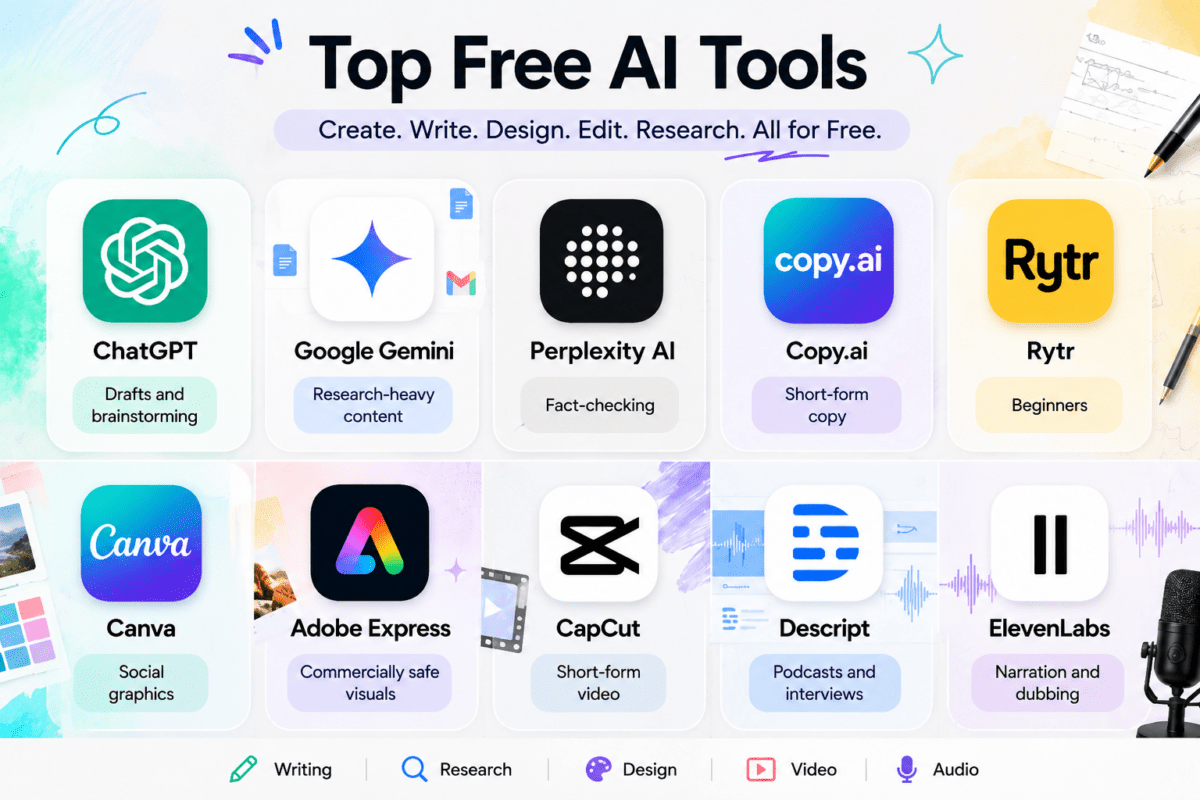

Free AI tools for content creators have now become the essential element of contemporary publishing. There’s no more need for marketing budgets and stacks of subscriptions to publish written and edited material; what you need is the perfect mix of freely available tools and an understanding of where each tool performs its role effectively.
I’ve spent the last few months testing tools across writing, design, video, audio, and SEO research to see which free tiers genuinely hold up for daily use versus which ones dangle a feature and then wall it off after your third generation. This list sticks to what’s actually usable without a credit card.
Why Free AI Tools Are Worth Taking Seriously in 2026
A few years ago, “free AI tool” usually meant a stripped-down demo built to funnel you toward a paid plan within minutes. That’s changed. Competition among AI companies has pushed free tiers to include genuinely capable models, not just gimmicks.
Now the Google Gemini free version processes actual research work using live internet. In ChatGPT’s free offering, you get GPT-4o-mini that is plenty good to make outlines, edits, and first drafts. The Canva free plan has everything that a single user or small teams need for making their social media graphics and thumbnails. The difference between the free and paid versions isn’t intelligence, but volume and automation mostly.
That matters if you’re a student, freelancer, or small business owner who needs to publish consistently without burning through a budget before you’ve even proven the content works.
Best Free AI Writing Tools for Content Creators
Writing is usually where the AI tool hunt starts, so let’s begin there.
ChatGPT (Free Tier)
ChatGPT is still the most versatile way to start off your writing. With the free version, you get access to GPT-4o-mini, which helps you with brainstorming, organizing, writing, and even editing, all without hiccups. You can upload files, go online for quick research, and use the GPT Store for specialized writing helpers.
Best for: Blog outlines, first drafts, brainstorming headlines, quick research Limitation: Hourly message caps on the free tier during peak usage
Google Gemini
Gemini’s inclusion is owed to the seamless integration that it has with Google Docs, Sheets, and Workspace. For anyone working on content within Google’s ecosystem, Gemini makes things far more efficient by removing the need for copy-and-pasting. The tool is also great for researching content, as it pulls in current data from the internet.
Best for: Research-driven articles, teams already using Google Workspace Limitation: Some deeper reasoning features are reserved for the paid tier
Perplexity AI
Perplexity does not fit into the conventional mold as a writing instrument. Imagine it as a researcher’s assistant who will always give references for its statements. This is actually helpful for people who write articles requiring numbers, citations, and claims, as they can trace all answers to their origin.
Best for: Fact-checking, sourcing statistics, competitive research Limitation: Free tier limits the number of queries per day
Copy.ai
Copy.ai began as a shortcut for writing copy and has evolved into a much more complete content generation platform. Even the free version is able to cover all the basic needs, such as writing introductions for blogs, advertisements, product descriptions, and social media captions in a few styles. It even works with several AI backends.
Best for: Short-form marketing copy, ad variations, quick drafts Limitation: Long-form article generation works better on other tools
Rytr
Rytr relies on templates, hence its appropriateness for individuals who require a certain structure from the text writing service. The forever-free plan is provided along with restricted monthly word quota; however, for a user who posts only occasionally, this may be sufficient.
Best for: Beginners, structured content types like product descriptions Limitation: Monthly word limit runs out fast for high-volume writers
Free AI Tools for Design and Visual Content
Text alone rarely carries a piece of content across platforms. These tools cover the visual side.
Canva (Magic Design and Magic Studio)
The AI capabilities provided by Canva come above its existing drag-and-drop interface, making it unnecessary for one to learn how to use anything new. The Magic Design creates graphics, presentation slides, and social media posts from just a few prompts while Magic Studio handles all background removal, resizing, and cropping.
Best for: Social graphics, presentations, quick brand-consistent visuals Limitation: Some premium templates and stock assets sit behind Canva Pro
Adobe Express
Adobe Express integrates some of Adobe’s generative AI, which includes image creation using Firefly into an easy-to-use editor available for free. This app is a good choice if commercial security is important for you as Firefly avoids the copyright issues that plague other apps.
Best for: Logos, marketing graphics, commercially safe AI images Limitation: Free tier includes a capped number of monthly AI credits
Looka
However, if you just need logos to test your idea without creating any brand identity yet, the Looka website offers you an option of generating infinite amount of logos that you can use free of charge. You will only be charged in case of downloading them.
Best for: Early-stage logo and brand exploration Limitation: Downloads require payment
Free AI Tools for Video and Audio Content
Video and audio production used to require real equipment and editing skill. AI has lowered that bar considerably.
CapCut
The free version of CapCut includes features such as automatic caption generation, background removal, and machine learning-powered editing, which would normally have taken several hours in conventional software applications. This tool has gained immense popularity among short-form video makers due to the ease of use and high-quality output despite being free.
Best for: Short-form video editing, auto-subtitles, quick cuts Limitation: Some advanced effects and export options are paywalled
Descript
In Descript, editing audio and videos is no different than editing a Word document. The process includes recording the audio, automatically generating a transcript and then editing the transcript to edit the audio. It’s quite a new concept and can prove beneficial for podcasters.
Best for: Podcast editing, interview-based video content, transcription Limitation: Free tier caps transcription minutes per month
ElevenLabs
In terms of voiceover work, the ElevenLabs tool provides one of the most realistic artificial voices on offer, and it even gives you some characters per month for free. If you have no money to spend on a voiceover actor yet, this is your best bet for explainer videos or any kind of narration.
Best for: AI voiceovers, narration, dubbing Limitation: Monthly character limit is fairly tight on the free plan
How to Choose the Right Free AI Content Creation Tools
Not every creator needs the same stack. A solo blogger writing long-form articles has different needs than a social media manager producing daily Reels. Before adding a tool to your workflow, ask three questions:
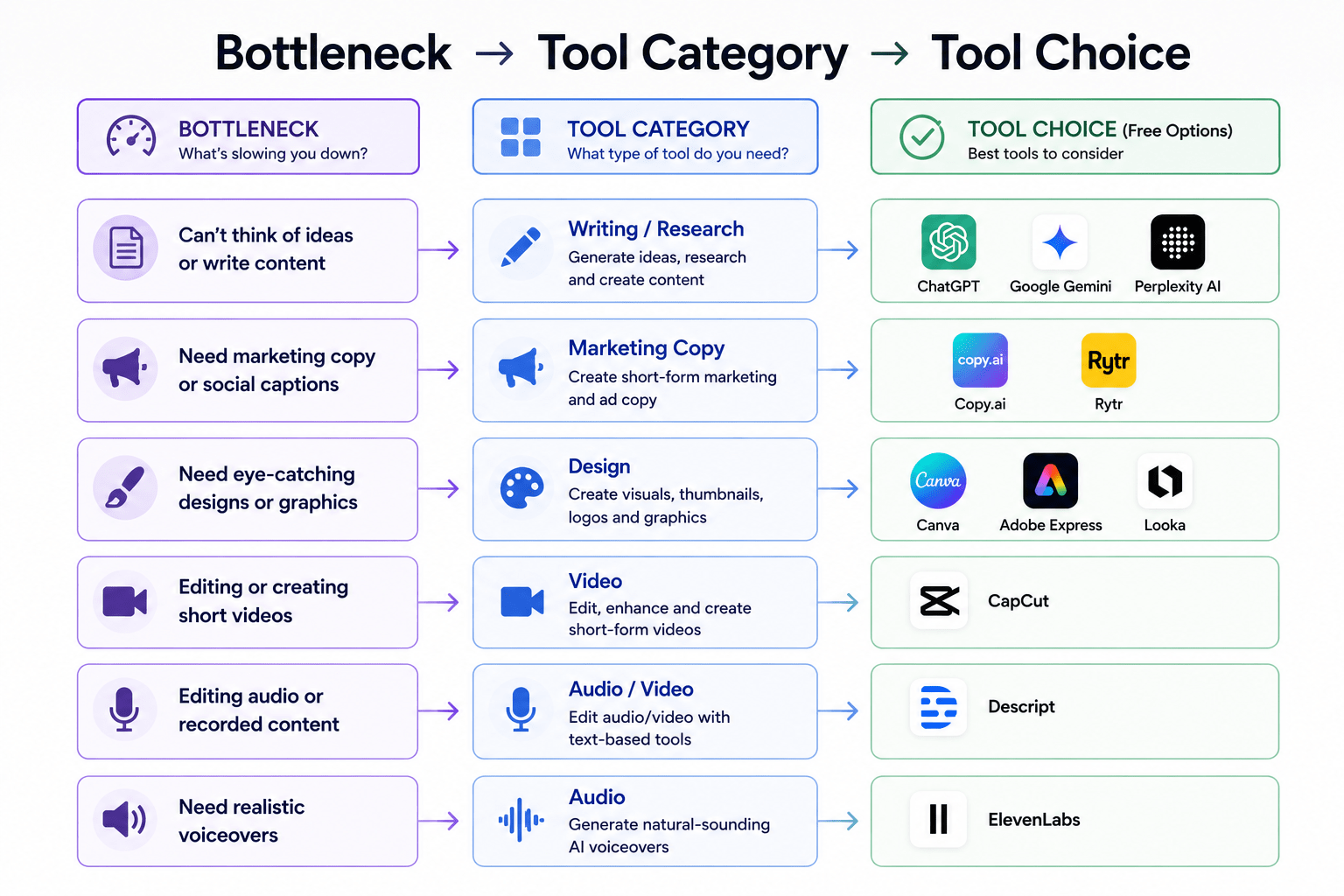
- What’s the actual bottleneck in my process? If writing is slow, start with a writing assistant. If design is the holdup, start with Canva or Adobe Express.
- Does the free tier match my publishing frequency? A tool with a 2,500-word monthly cap won’t help if you’re publishing daily.
- Am I trading quality for speed? AI drafts still need a human editing pass for accuracy, tone, and originality. Treat the output as a starting point, not a finished product.
Quick comparision table
| Tool | Category | Free Tier Highlight | Best For |
|---|---|---|---|
| ChatGPT | Writing | GPT-4o mini, web browsing | Drafts and brainstorming |
| Google Gemini | Writing / Research | Google Workspace integration | Research-heavy content |
| Perplexity AI | Research | Cited, real-time answers | Fact-checking |
| Copy.ai | Marketing Copy | Multiple AI models | Short-form copy |
| Rytr | Writing | Templates for structure | Beginners |
| Canva | Design | Magic Design, Magic Studio | Social graphics |
| Adobe Express | Design | Firefly-powered generation | Commercially safe visuals |
| CapCut | Video | Auto-captions, quick edits | Short-form video |
| Descript | Audio / Video | Text-based editing | Podcasts and interviews |
| ElevenLabs | Audio | Natural AI voiceovers | Narration and dubbing |
Common Mistakes Creators Make With Free AI Tools
A few patterns show up repeatedly among creators new to these tools:
- Publishing AI output without editing. Unedited AI content tends to read generic and can hurt reader trust and search rankings alike.
- Ignoring the free tier limits until they hit a wall. Check word, credit, or minute caps before building a workflow around a tool.
- Using one tool for everything. Writing tools aren’t design tools. Trying to force one AI model to cover every content format usually produces mediocre results across the board.
- Skipping fact-checks on AI-generated statistics. AI models can generate confident-sounding numbers that aren’t accurate. Always verify claims before publishing.
Did You Know?
Nowadays, a few AI-powered writing services, such as ChatGPT and Gemini, allow for uploading files directly to them. Thus, you may provide a style guide of the brand you work with or an old article, and request the AI to emulate your tone, which will significantly improve the quality of the output text.
Final Thoughts
Free AI tools for content creators are not a bypass for effective content production and creation, but they are tools that eliminate redundancy from the process, so you can focus on the aspects of it that require a person’s creativity, originality, and knowledge of the target audience. Begin with one tool that will address the primary pain point, learn how to work with the limitations of its free plan, and introduce more tools only if needed.
For constructing a complete set of tools for content production, combine one writing tool, one design tool, and one tool for research instead of gathering all available options from this list. It will provide most of the functionality a single creator or small team needs.
FAQ
1. What are the best free AI tools for content creators in 2026?
ChatGPT, Google Gemini, Canva, Perplexity AI, and CapCut consistently rank among the most capable free AI content creation tools, covering writing, design, research, and video editing.
2. Are free AI writing tools good enough for professional content? F
ree AI writing tools can produce solid first drafts and outlines, but professional content still needs human editing for accuracy, originality, and brand voice before publishing.
3. Can I use free AI tools for commercial content?
Most free AI tools allow commercial use, but always check each tool’s specific terms of service, since some restrict commercial use or require attribution on the free tier.
4. Which free AI tool is best for beginners?
ChatGPT and Canva are generally the easiest starting points for beginners because of their simple interfaces and low learning curve.
5. Do free AI content tools have watermarks?
Some do. Video tools like CapCut and design tools like Adobe Express may include watermarks or limited export quality on free plans, so check before publishing.
6. Is ChatGPT free tier enough for blog writing?
ChatGPT’s free tier with GPT-4o-mini is capable of drafting full blog posts, though hourly usage limits can slow down high-volume writers.
7. What’s the difference between AI content creation tools and traditional writing software?
AI content creation tools generate or assist with content using machine learning models, while traditional writing software like Word or Google Docs only provides formatting and editing without content generation.
8. Can free AI tools replace a content writer?
Free AI tools can speed up drafting and research, but they can’t replace a writer’s judgment, originality, fact-checking, and understanding of audience nuance.
9. Are there free AI tools for SEO content?
Yes, tools like Perplexity AI for research and various free-tier SEO planners help with keyword research and content briefs, though most advanced SEO scoring features sit behind paid plans.
10. How often do free AI tool limits reset?
Most free tiers reset monthly, though some, like ChatGPT’s message caps, reset hourly. Always check the specific tool’s documentation for exact limits.
Also Read: smart-work-from-home-tools-india