

Introduction
In almost any modern web app, you will be required to render dynamic lists a list of unread messages, a grid of product tiles, or a stream of social media posts.
While it is very easy to render such a list in React by just mapping over an array with JavaScript, there are certain nuances that you should take into account when working with React list keys to ensure that they get rendered correctly and efficiently. Let us look at them in detail.
Rendering Multiple Components
For mapping an array to display its content using React, the common practice is to utilize the map()
The following snippet provides a simple example of how one could transform an array of strings into an HTML unordered list:
js
import React from 'react';

function SimpleList() {
  const items = ['Learn React', 'Build a Project', 'Deploy to Production'];

  return (
    <div>
      <h3>My Todo List</h3>
      <ul>
        {/* Using map() to turn strings into JSX elements */}
        {items.map((item, index) => (
          <li>{item}</li>
        ))}
      </ul>
    </div>
  );
}

export default SimpleList;
This code displays the list perfectly on screen. But open your browser’s developer console, and you’ll see a prominent red warning:
Warning: Each child in a list should have a unique “key” prop.
Let’s look at why React flags this and how React list keys fix it.
What Are React List Keys and Why Are They Necessary?
The key is an attribute of a string type that should be passed during the creation of the list of elements.
React uses React list keys to understand whether there was any addition, removal, or modification of the elements in the list. The key is the fingerprint of the element inside the list. On updating, React matches elements in the old UI tree with elements in the new UI tree using these fingerprints.
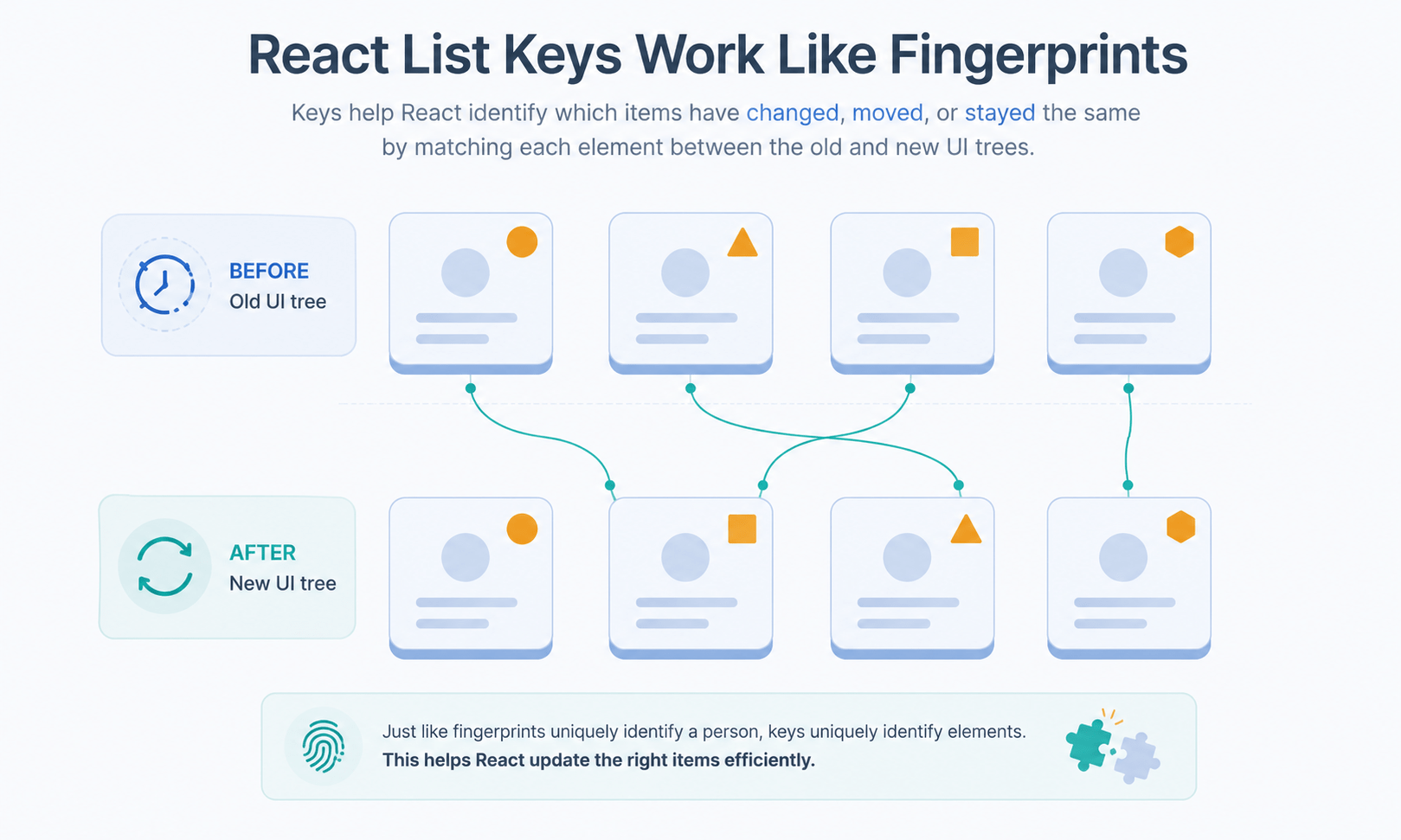
Without passing keys, React will need to figure out which elements were updated or added or removed if you reorder the elements or add elements somewhere into the list. In most cases, React would render the whole list again or incorrectly assign state to the wrong UI element, resulting in performance issues and serious UI bugs.
The Correct Way to Implement React List Keys
The keys should be assigned to the elements within the map()
Example: Using Unique IDs
js
import React from 'react';

function UserList() {
  // Simulating data from a database with unique IDs
  const users = [
    { id: 'usr-101', name: 'Alice', role: 'Admin' },
    { id: 'usr-102', name: 'Bob', role: 'Editor' },
    { id: 'usr-103', name: 'Charlie', role: 'User' }
  ];

  return (react-list-keys-fingerprint-matching.jpg
    <div>
      <h3>Team Members</h3>
      <ul>
        {/* The key prop is placed directly on the top-level element inside map() */}
        {users.map(user => (
          <li key={user.id}>
            <strong>{user.name}</strong> - {user.role}
          </li>
        ))}
      </ul>
    </div>
  );
}

export default UserList;
The Anti-Pattern: Using Array Indices as Keys
When that console warning shows up, it’s tempting to quickly clear it by using the array’s loop index as the key:
js
//  AVOID THIS IF THE LIST CAN CHANGE
{items.map((item, index) => (
  <li key={index}>{item}</li>
))}
This suppresses the warning, but it is actually an antipattern in React list keys. The usage of the index as a key is only safe if the list is totally static, i.e., it would never be reordered, sorted, filtered, modified, or expanded.
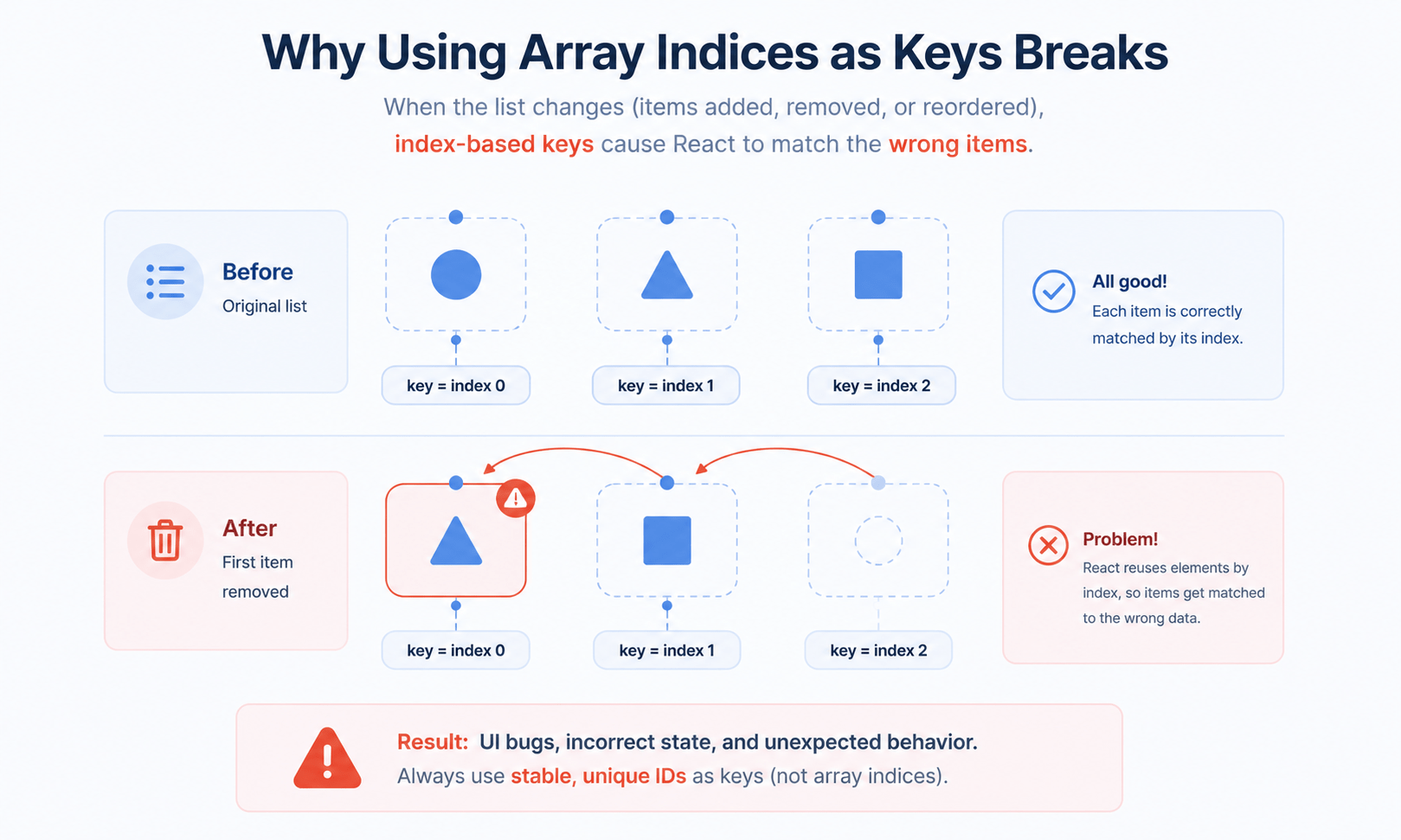
As soon as your list items may change or shift positions, the usage of the index as a key makes React rely on the order alone for identification. If you delete the first item of the array, the one which was second becomes the zero-index item. This is seen as the old first item by React, resulting in rendering bugs and messed up input field states.
Rules for Using React List Keys
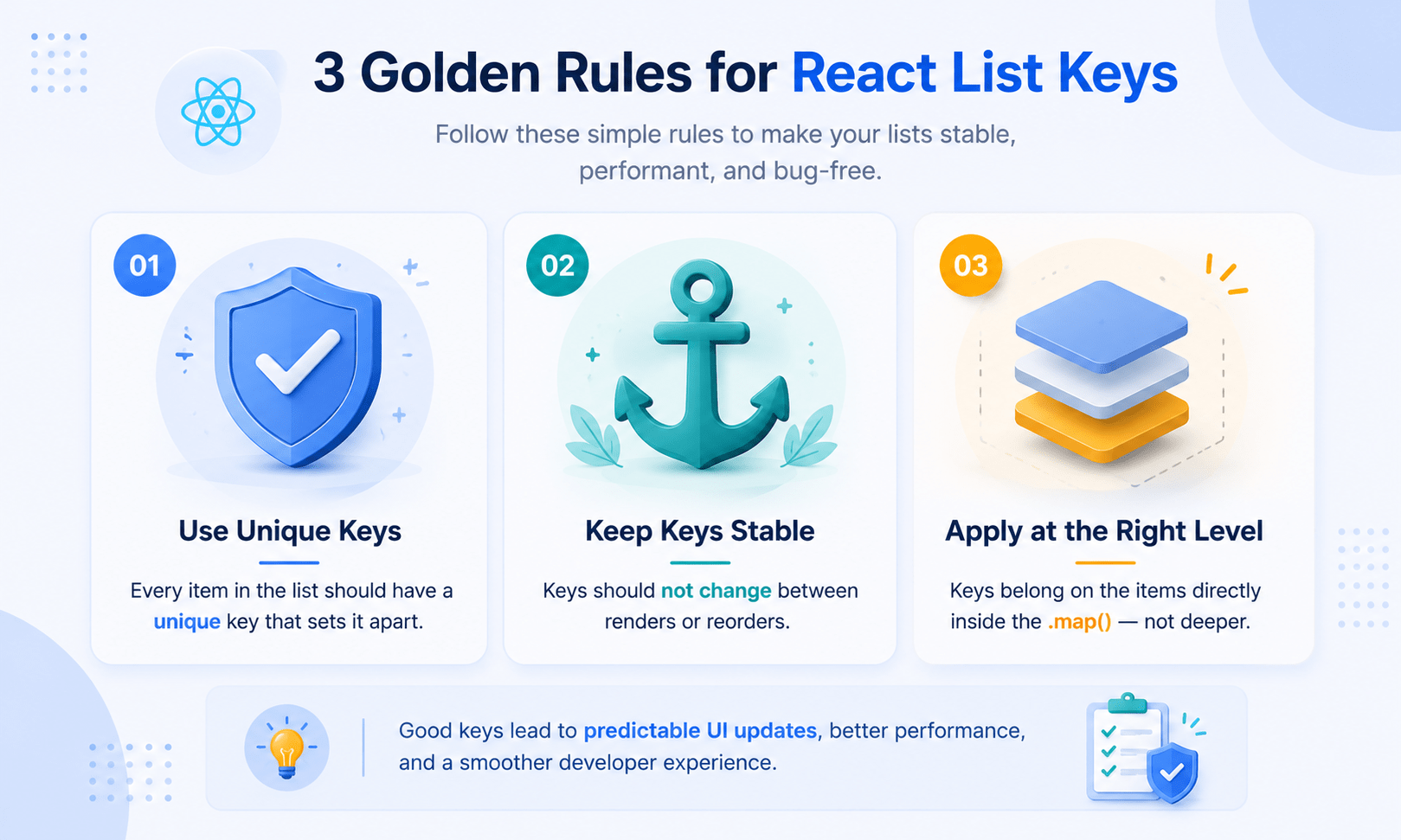
- Keys must be unique among siblings. They don’t need to be globally unique across your entire application — only unique among the elements within the same array.
- Keys must be stable. Keys shouldn’t change dynamically during runtime. Never generate keys on the fly with something like
key={Math.random()}inside your render method — that creates new keys on every render, forcing React to destroy and rebuild the DOM for the entire list every time. - Keep keys on the outermost element. The key must sit on the element wrapping the
map()iteration block. If you wrap your list item in a custom component, the key goes on that custom component tag, not inside the component itself.
Frequently Asked Questions
Why does React need a key prop for list items?
The keys of React enable React to identify each component’s identity during rendering. In the absence of keys in React, React has to figure out on its own which components have been updated, inserted, or even moved around.
Is it ever safe to use the array index as a key?
Indeed, although only if the list is immutable and thus will never be rearranged, sorted, filtered, or changed in any other way. If the list might change at all, use a unique identifier.
What happens if I don’t add a key at all?
React does render the list, but gives an error message in the console and uses the index number inside the array as the key. This creates similar problems as those created by manually indexing React list elements.
Can I use Math.random() to generate keys?
Keys cannot change for re-renders. Each re-render requires a random key to be generated, and this will make React treat all elements as new elements, thus causing unnecessary destruction and recreation of the whole list’s DOM.
Do keys need to be unique across my whole app, or just within one list?
But only within the same array. React List keys have to be unique only for siblings that were generated by the same call of map(). The key value can be used again in some other list.
Conclusion
List rendering is the key concept behind efficient data visualization. By applying .map() properly and combining it with a unique and consistent React key for each list item, you ensure that your React apps are efficient, reliable, and do not contain any hidden UI issues.
The following article will focus on dealing with user actions on a large scale through forms and controlled components.



