


Introduction
React is very fast off the bat. React’s reconciliation process with virtual DOM ensures that the UI is kept up to date with little cost. However, as the size of an application increases and depth of the component tree increases, you will inevitably encounter small hitches or lagging UI updates, which lead to the useMemo vs. useCallback discussion.
Most of this performance drag comes from one of two root causes:
- Components repeating heavy computations on every single render
- Child components re-rendering unnecessarily because of broken object or function references
React comes with two custom hooks designed specifically for dealing with these bottlenecks. Here, we take a look at the differences between useMemo and useCallback in layman’s terms, explaining what each does, why it is used, and more importantly, when to avoid using either of them.
Also Read:- conditional rendering in react
Why the useMemo vs useCallback Confusion Happens
To understand why these hooks exist, it helps to remember how functional components behave: every time a component re-renders, its entire function body runs again, top to bottom.
That single fact creates two distinct performance challenges:
- Expensive computations – If you’re sorting a list of 5,000 products inside the component, that sort re-runs on every keystroke in some unrelated input field, even if the list itself hasn’t changed.
- Referential instability – In JavaScript, functions and objects are compared based on references and not values. In the event that you do a re-render, all the functions and objects declared in the component are created fresh from scratch. If you pass this reference to the child component, then it will assume there is a change that happened.
This is the exact fork in the road where the useMemo vs useCallback decision comes in: one hook targets computed values, the other targets function references.
useMemo: Caching Expensive Values
useMemo memoizes caches the result of a calculation between renders. React only re-runs the calculation when a value in its dependency array changes.
The Problem It Solves
js
//  This runs on EVERY single render, even if 'theme' changes!
const expensiveFilteredList = itemArray.filter(item => {
  console.log("Running heavy filtration logic...");
  return item.value > 100;
});
The Fix
js
import React, { useState, useMemo } from 'react';

function ProductList({ itemArray }) {
  const [filterText, setFilterText] = useState("");

  // useMemo caches the filtered array result
  const expensiveFilteredList = useMemo(() => {
    console.log("Running heavy filtration logic only when itemArray updates...");
    return itemArray.filter(item => item.value > 100);
  }, [itemArray]); // Only re-calculates if itemArray changes

  return (
    <div>
      <input value={filterText} onChange={(e) => setFilterText(e.target.value)} />
      {/* Rendering logic using expensiveFilteredList */}
    </div>
  );
}
Now the filter only re-runs when itemArray genuinely changes — not on every keystroke in an unrelated field.
useCallback: Caching Function Instances
Where useMemo caches a returned value, useCallback caches the function instance itself. This matters most when you’re passing callbacks down to child components wrapped in React.memo, which are designed to skip re-rendering unless their props actually change.
The Problem It Solves
js
function Parent() {
  const [count, setCount] = useState(0);

  // Recreated from scratch on EVERY render of Parent
  const handleDelete = (id) => {
    console.log("Deleting item:", id);
  };

  return <OptimizedChild onDelete={handleDelete} />;
}
Even with React.memo, OptimizedChild re-renders every time count changes — because handleDelete gets a new memory address on every parent render.
The Fix
js
import React, { useState, useCallback } from 'react';

// Child wrapped in React.memo so it only re-renders if props change
const OptimizedChild = React.memo(({ onDelete }) => {
  console.log("OptimizedChild rendered!");
  return <button onClick={() => onDelete(1)}>Delete Item</button>;
});

function ParentComponent() {
  const [count, setCount] = useState(0);

  // useCallback keeps the exact same function reference in memory
  const handleDelete = useCallback((id) => {
    console.log("Deleting item:", id);
  }, []); // Empty dependency array means the function reference never changes

  return (
    <div>
      <button onClick={() => setCount(c => c + 1)}>Increment Count: {count}</button>
      <OptimizedChild onDelete={handleDelete} />
    </div>
  );
}
Now, clicking increment updates count, but OptimizedChild stays completely still — the reference to handleDelete never changes.

useMemo vs useCallback: Side-by-Side Comparison
useMemo vs useCallback
| Feature | useMemo |
useCallback |
|---|---|---|
| What it caches | The returned value of a computation | The function declaration itself |
| Ideal use case | Complex data mapping, sorting, or filtering large arrays | Passing event handlers to React.memo children |
| Runs when | A dependency in its array changes | A dependency in its array changes |
| Common mistake | Wrapping cheap, trivial calculations | Wrapping functions never passed to memoized children |
Real-World Example: Choosing Between useMemo and useCallback
In case you have created a dashboard rendering a table of 10,000 rows and using client-side filtering, then useMemo is the way filtering itself is costly. On the other hand, if you have created a library of button components which receive their respective onClick events from the parent component, useCallback helps keep those functions fresh by preventing any recreation of the handler function.
The Golden Rule: Avoid Premature Optimization
Once you understand the useMemo vs useCallback pattern, it’s tempting to wrap every function and calculation in it. Don’t.
These hooks aren’t free. React still has to allocate memory for the dependency array and run a shallow comparison on every render — that’s real work, not a free pass.
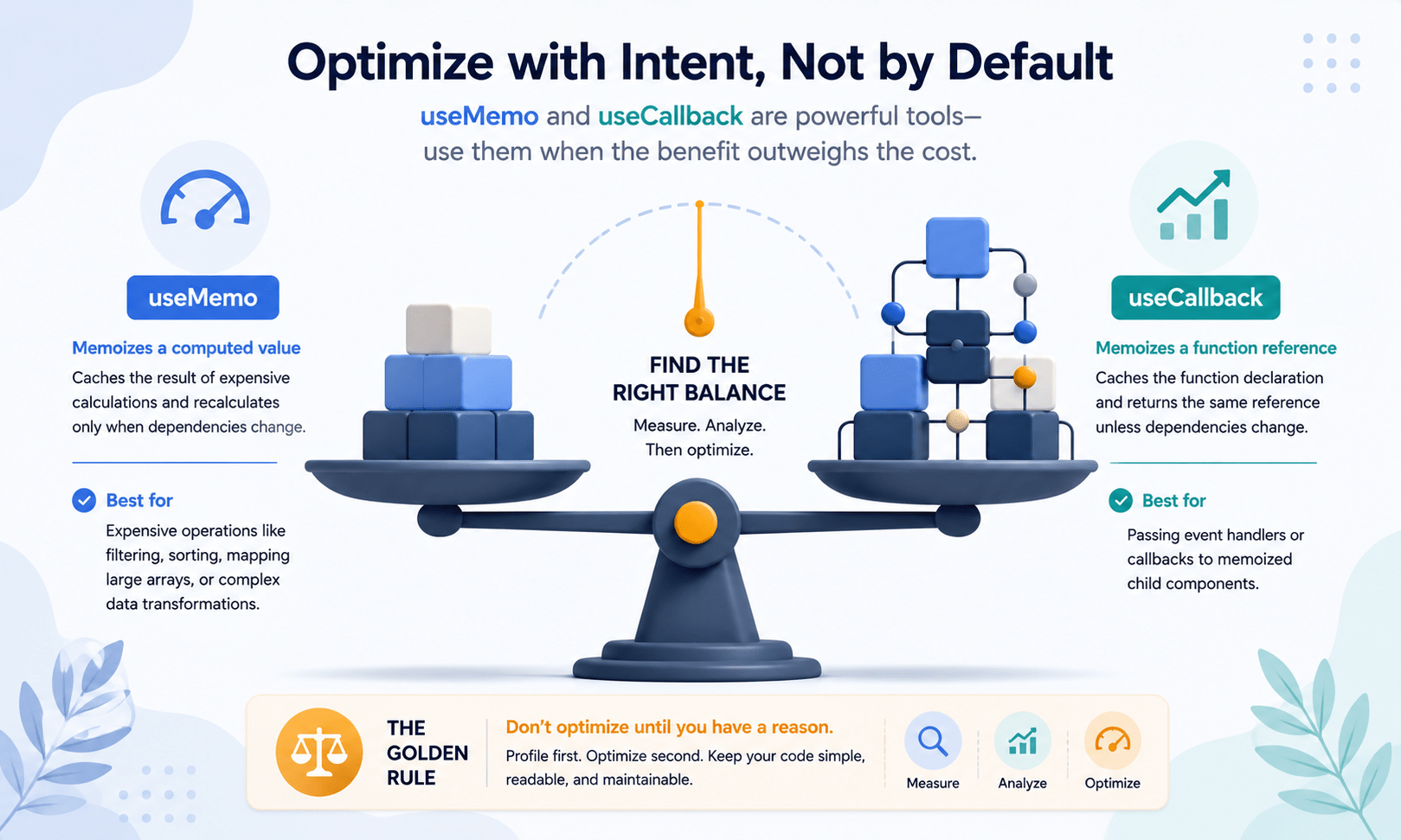
Skip them for:
- Basic string concatenation
- Rendering a handful of simple elements
- Standard
.map()calls over small arrays (under a few hundred items)
Reach for them when:
- You’re dealing with verifiably slow, multi-loop algorithms
- A child component is showing measurable, costly re-renders tied to changing prop references
Conclusion
When deciding between useMemo and useCallback, there is just one question – are you memorizing a value or a function reference? You can get the answer correct, use it when needed, and make sure that your component tree runs smoothly.
In our next article, we take a leap into the world of modern day productions by moving away from client-side React rendering and introducing ourselves to the most popular meta framework: server architecture using Next.js.

Frequently Asked Questions
Is useMemo or useCallback faster in React?
Neither is inherently faster — they solve different problems. useMemo speeds things up by skipping expensive recalculations, while useCallback speeds things up indirectly by preventing unnecessary child re-renders. The useMemo vs useCallback choice depends on whether you’re caching a value or a function reference, not which hook has better raw performance.
Can I use useMemo and useCallback together in the same component?
Yes, and in larger apps you often will. It’s common to memoize an expensive computed value with useMemo while also wrapping a callback passed to a React.memo child with useCallback in the same component.
Does useCallback replace the need for React.memo?
No. useCallback only preserves the function reference — it does nothing on its own unless the child component is also wrapped in React.memo. Without React.memo, the child re-renders regardless of whether the prop reference changed.
Is it bad to overuse useMemo and useCallback?
Yes. Both hooks add a small amount of overhead — memory for the dependency array and a shallow comparison on every render. Wrapping trivial calculations or functions that are never passed to memoized children usually costs more than it saves.
How do I know if I actually need useMemo or useCallback?
Profile first. Use the React DevTools Profiler to confirm a component is re-rendering unnecessarily or that a computation is measurably slow before reaching for either hook. If you can’t see the cost in the profiler, you probably don’t need the optimization yet.



