

Introduction
So far, up till now, all the previous posts from this series were about managing state locally within each single component and sharing them using props. It’s a very effective method and works perfectly fine for small-scale applications. But once your application grows, you’ll face a problem named prop drilling and that’s usually the point where you start looking into proper React state management options.
When your application grows to the extent where a number of deeply nested components, from entirely different branches of your UI tree, need to have access to this certain piece of information – whether it’s your login status, themes configuration or the cart – then local states won’t work efficiently anymore. In this post, we will look at the prop drilling problem and how to manage React states according to the scale of your app.
The Problem: Prop Drilling
Prop drilling is the process of passing data through a long chain of intermediary components that don’t actually need the data themselves they’re just relaying it to a deeply nested child.
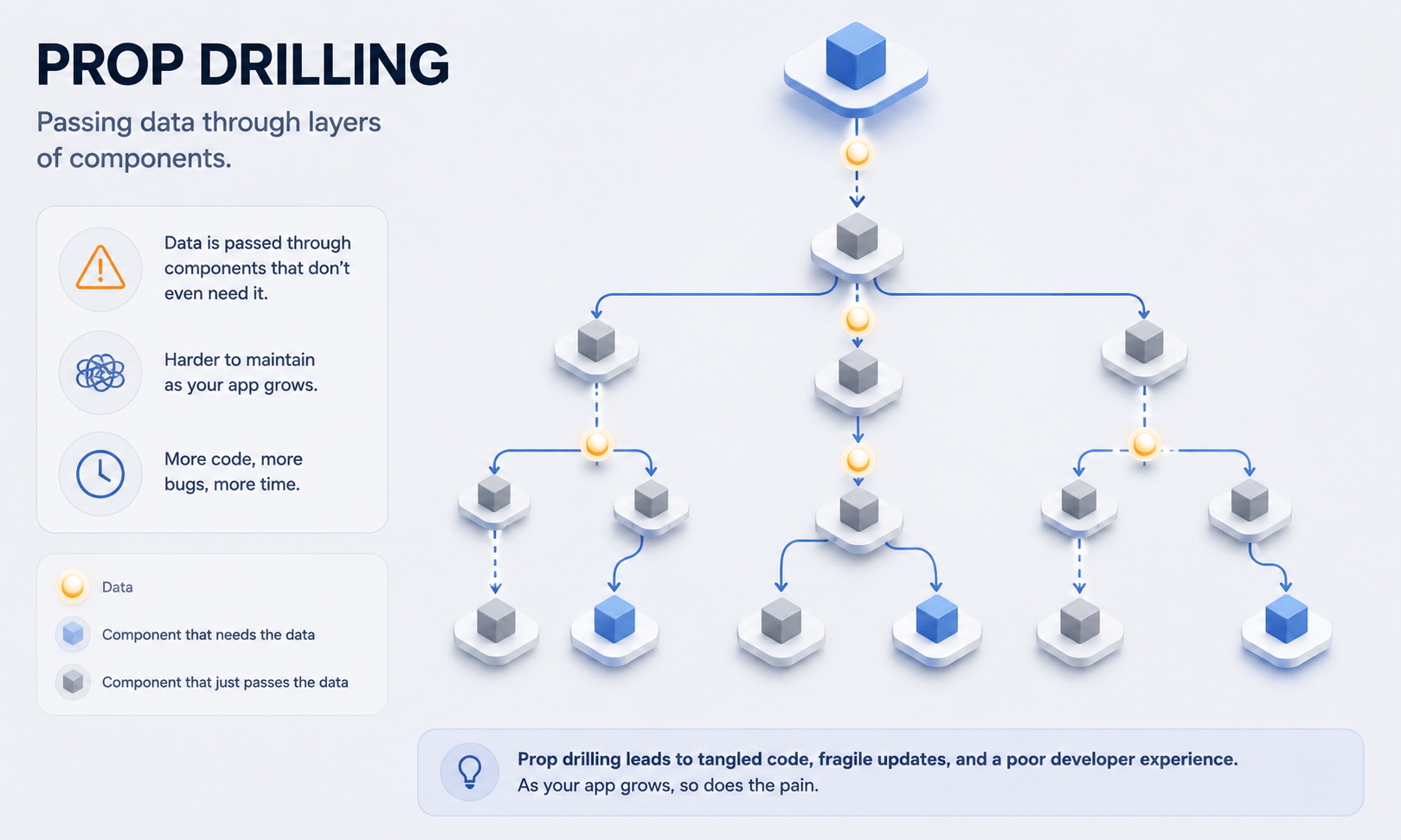
This creates tightly coupled components, clutters your codebase with repetitive boilerplate, and turns refactoring into a nightmare. Change the structure of a single intermediate component, and you risk breaking the entire data pipeline.
Choosing the Right React State Management Tool for the Job
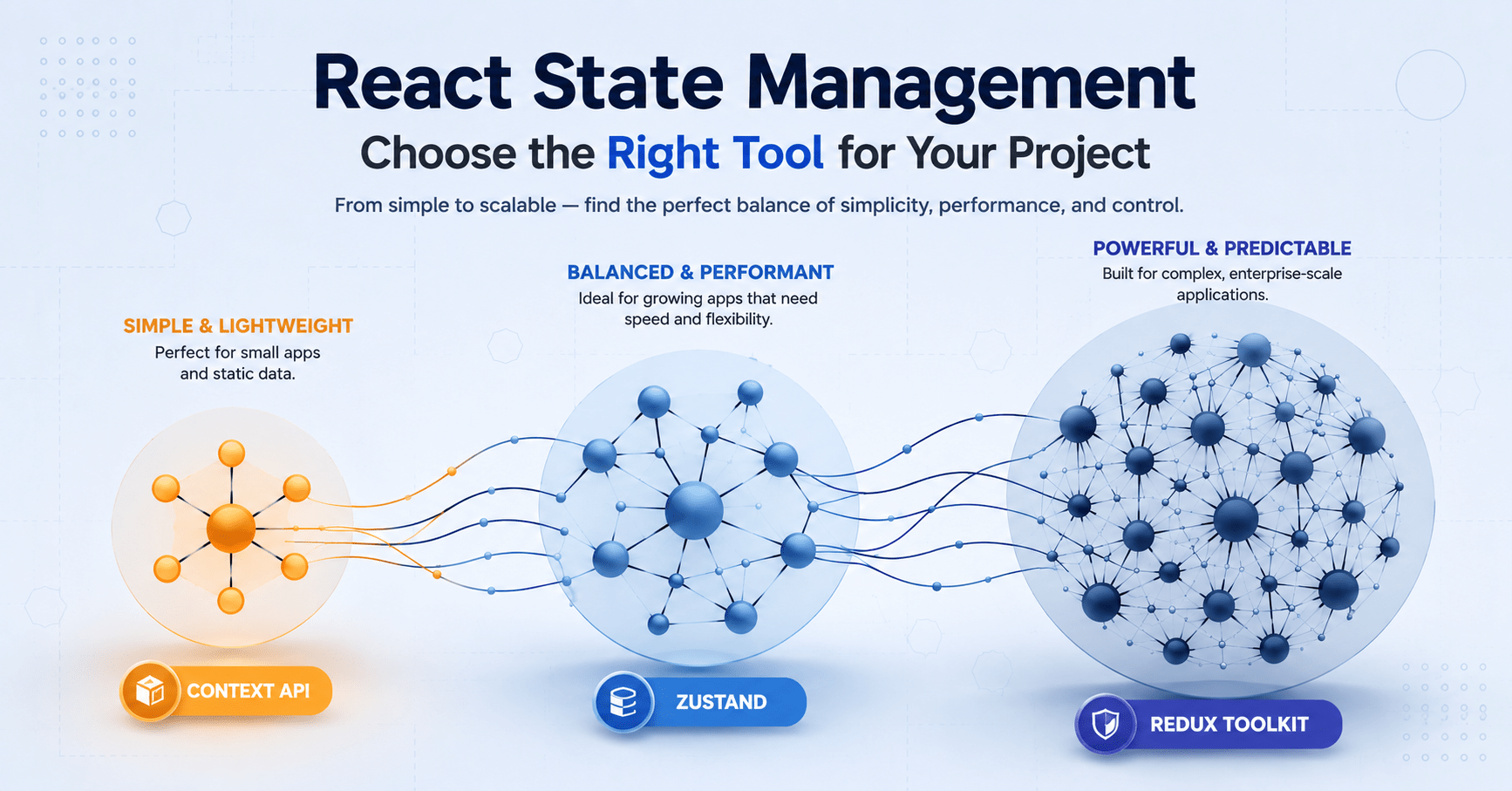
The React ecosystem offers several distinct approaches to global state. There’s no single “best” library the right choice depends entirely on the size, scale, and complexity of your application.
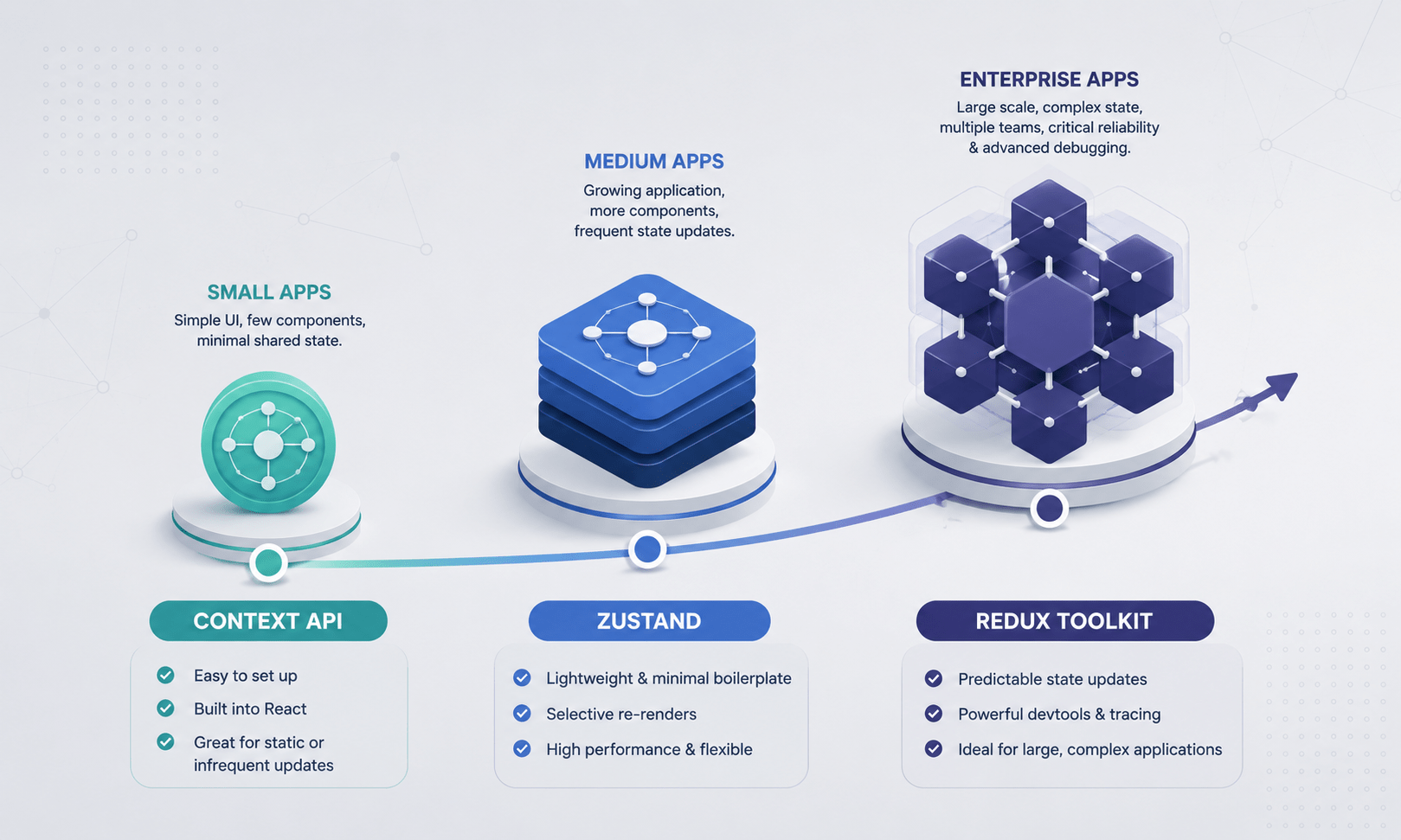
Small Apps → Context API → Medium Apps → Zustand → Enterprise Apps → Redux Toolkit
1. Small to Medium Apps: The Built-in Context API
For smaller applications or highly specific global features (like switching between Light and Dark mode), you don’t need any external library. React ships with a built-in solution: the Context API.
Context lets you pass data down the component tree without threading props through every intermediate level manually essentially a “teleportation gate” for your data.
The Architecture
createContext()– initializes the data containerContext.Provider– wraps the parent component tree and holds the global state valueuseContext()– a hook any child component uses to pull the global data instantly
js
import React, { createContext, useContext, useState } from 'react';

// 1. Create the Context
const ThemeContext = createContext();

export function ThemeProvider({ children }) {
  const [theme, setTheme] = useState('light');
  const toggleTheme = () => setTheme(t => t === 'light' ? 'dark' : 'light');

  return (
    // 2. Provide the state to the tree
    <ThemeContext.Provider value={{ theme, toggleTheme }}>
      {children}
    </ThemeContext.Provider>
  );
}

// 3. Consume the state in a deeply nested child
export function ThemeButton() {
  const { theme, toggleTheme } = useContext(ThemeContext);
  return (
    <button onClick={toggleTheme}>
      Current Theme: {theme === 'light' ? ' Light' : ' Dark'}
    </button>
  );
}
The Context Caveat: Context is handy, but it doesn’t fully qualify as a state management solution. With every change to the value within the context provider, each component utilizing the context gets re-rendered. The more dynamic data is placed in one context, the poorer the performance becomes.
2. Medium to Large Apps: Zustand (Atomic State)
With an application that requires real-time shared state a live chat status update or an online shopping cart Zustand is now the new state management standard in the React ecosystem.
Zustand is a small and efficient state management library based on hooks. It fixes the problem of low performance associated with React Context through the optimization of its publish-subscribe architecture where only changed slices trigger component re-renders.
The Architecture
You define a centralized “store” using vanilla JavaScript, and it automatically returns a custom React hook you can call anywhere.
js
import { create } from 'zustand';

// Create a global store with state and actions combined
const useCartStore = create((set) => ({
  cartCount: 0,
  addItem: () => set((state) => ({ cartCount: state.cartCount + 1 })),
  clearCart: () => set({ cartCount: 0 }),
}));

// Use it anywhere without any boilerplate Providers wrapping your app!
function Navbar() {
  const cartCount = useCartStore((state) => state.cartCount);
  return <nav>🛒 Items in Cart: {cartCount}</nav>;
}

function AddToCartButton() {
  const addItem = useCartStore((state) => state.addItem);
  return <button onClick={addItem}>Add to Cart</button>;
}
Why developers love it: zero boilerplate, no complicated Provider wrappers, and strong out-of-the-box rendering performance.
3. Massive Enterprise Apps: Redux Toolkit (RTK)
For massive codebases with dozens of contributors, complex multi-step workflows (think an airline booking system), and strict data-flow requirements, Redux Toolkit (RTK) remains the industry standard for enterprise-grade React state management.
Redux enforces a strict unidirectional architecture: an immutable global store, explicit actions describing what happened, and pure functions called “reducers” that calculate the new state.
The Architecture
- Store – the single source of truth for your entire application’s data
- Actions – plain JavaScript objects describing an intention to change state (e.g.,
{ type: 'todo/added', payload: 'Buy milk' }) - Reducers – functions that listen for actions and update the store predictably
Classic Redux carried a reputation for tedious setup, but Redux Toolkit streamlines the pattern significantly through “slices.” It’s the right call when you need advanced debugging (time-travel debugging via Redux DevTools) and rigid architectural consistency across a large team.
Which React State Management Library Fits Your Project?
| Library | Best Project Size | Setup Complexity | Performance Style |
|---|---|---|---|
| Context API | Small / Static Data | Very Low | Re-renders all consumers on any change |
| Zustand | Medium to Large | Low | Selective, highly optimized re-renders |
| Redux Toolkit | Enterprise Scale | Medium to High | Highly predictable with advanced debugging and tracing tools |
Also Read:- React hook explained for begineer
Frequently Asked Question
What would be the best way to start learning about React state management?
Start with React’s own Context API. It doesn’t require any external dependencies, works perfectly well for solving prop-drilling problem for small/medium applications and makes sure you know all important fundamentals before going to something like Zustand or Redux Toolkit.
Do I really need a dedicated React state management library for every project I have?
Definitely not. For small applications and/or those having global state with little amount of changes (like theme or authentication) Context API will work just fine. Dedicated React state management library should be used only in case when you see performance/maintainability problems.
Is Zustand better than Redux Toolkit?
Again, not necessarily. Redux Toolkit is built specifically for large-scale applications that require more structure, traceability with DevTools and better scalability across multiple developers/team. Zustand is much lighter and easier to set up even for medium-sized applications.
Would using Context API cause some performance issues?
Not always. The fact that all consumers of the context get re-rendered every time it changes its value causes such problems. Therefore, usage of separate contexts and/or tools like Zustand that use subscription-based approach can solve this issue.
Can I migrate from Context API to Zustand or Redux Toolkit later?
Yes. Many teams start with Context for early-stage React state management and migrate specific slices of state to Zustand or Redux Toolkit only once those areas show measurable growth or performance issues you don’t need to commit to one tool for the whole app upfront.
Conclusion
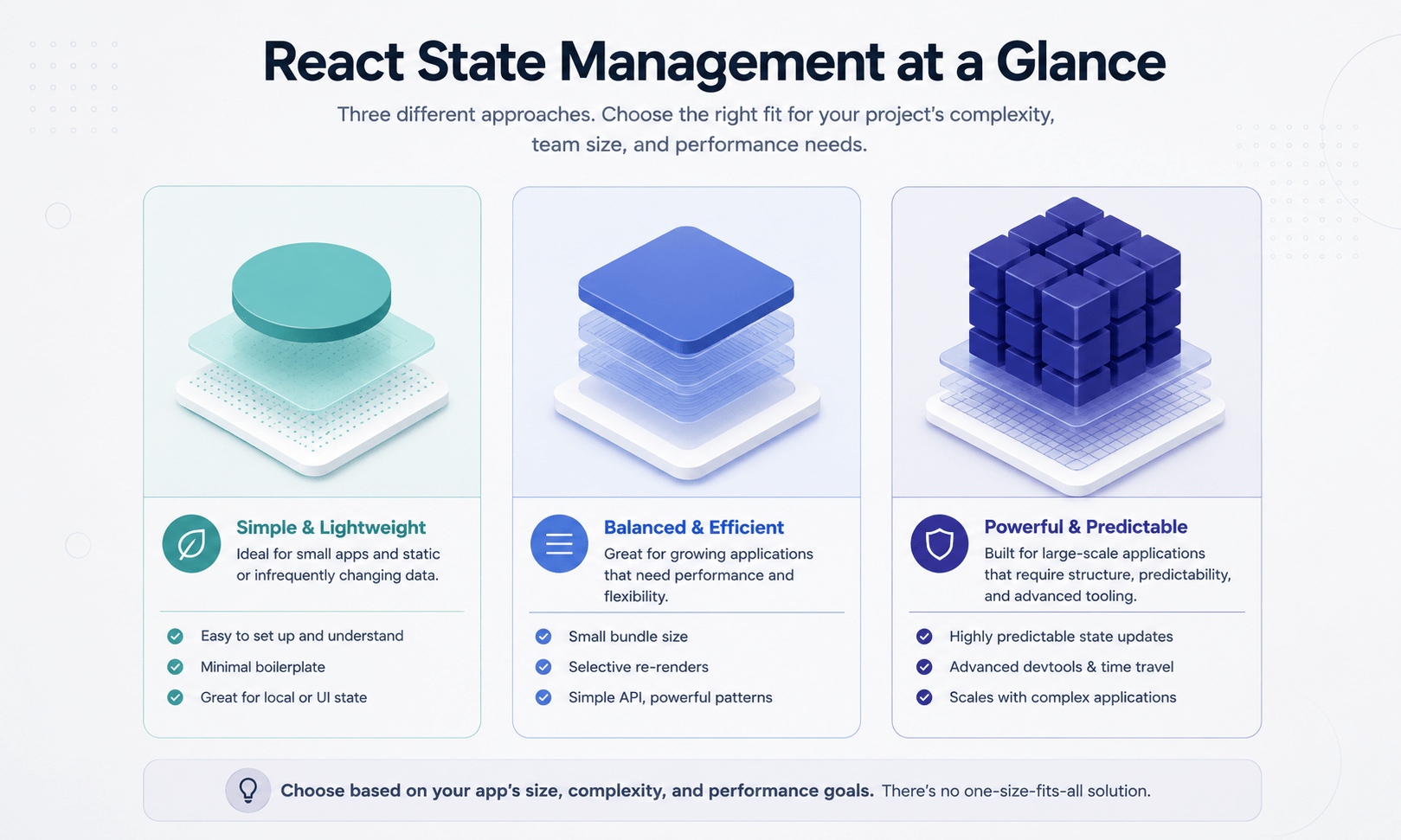
Proper React state management lies in the alignment of the complexity of your tools to that of your challenges. For cases of themes configuration and basic user profiles, utilize the native Context API. When the complexity of your interaction logic increases, shift to Zustand for optimal hook-based stores. Use the Redux toolkit when dealing with large-scale enterprise codebases requiring utmost structural predictability.
In our next article, we will think beyond the single-page confines and enable users to navigate between URLs seamlessly using client-side routing with React Router.
Also Read:- conditional rendering in react



