
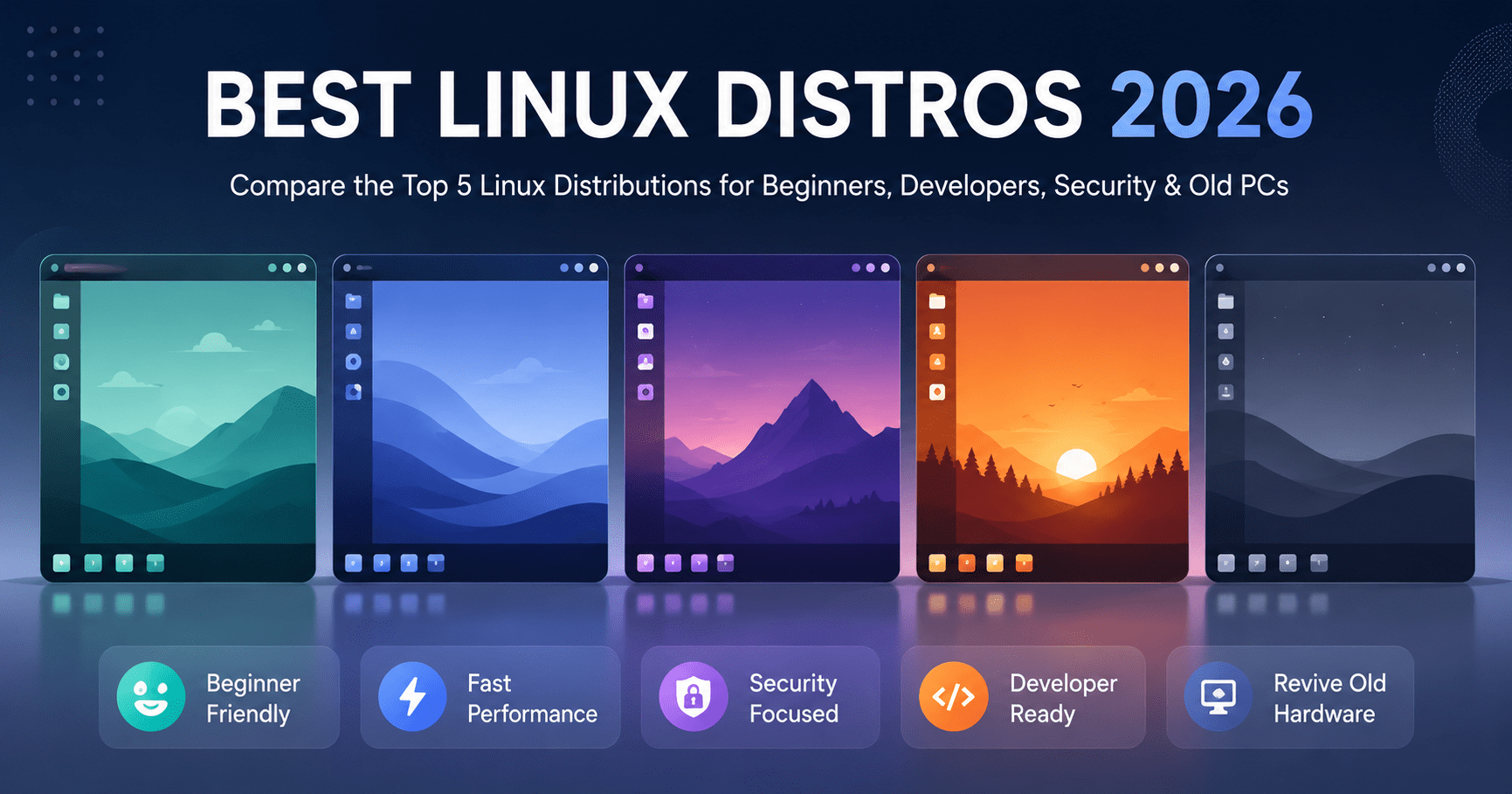

Best Linux distros 2026 picks look very different from what they were back when this post first went up. Hardware has changed, distro release cycles have moved on, and a couple of the names on the old list barely exist in the same form anymore. Here is an updated, honest look at the Linux distro options that actually make sense to install today.
Linux stays popular for the same reason it always has: it is open source, so anyone can build a distro around a specific need. That is why you will find a Linux distro built for servers, one built for penetration testing, one built for reviving a ten-year-old laptop, and one built to feel familiar to someone coming from Windows.
Also Read: best laptop for college freshers
Why the Right Linux Distro Depends on What You Actually Do
Picking a Linux distro is not about finding the “best” one in the abstract. It is about matching a distro to your hardware and your workflow. A developer setting up a coding machine has different needs from someone trying to breathe life into an old laptop with 4 GB of RAM, and no single distro solves both problems equally well.
Below are five Linux distro options that still hold up in 2026, why each Linux distro earns its spot, and the real system requirements for the current release not decade-old numbers copied from an old post.
1. Ubuntu Best for Beginners and Everyday Development
Ubuntu remains the most recognizable Linux distro, and the current long-term support release, Ubuntu 24.04 LTS (“Noble Numbat”), is still the safest first stop for most people. It is Debian-based, ships with the GNOME desktop, and gets security updates through April 2029 (longer with an Ubuntu Pro subscription).
It works well for general use browsing, office work, media and it is still the most common base for developer setups, since most tutorials, Docker images, and cloud servers assume an Ubuntu or Debian-style environment. You can grab the desktop, server, or a lighter flavor like Lubuntu from the official Ubuntu site.
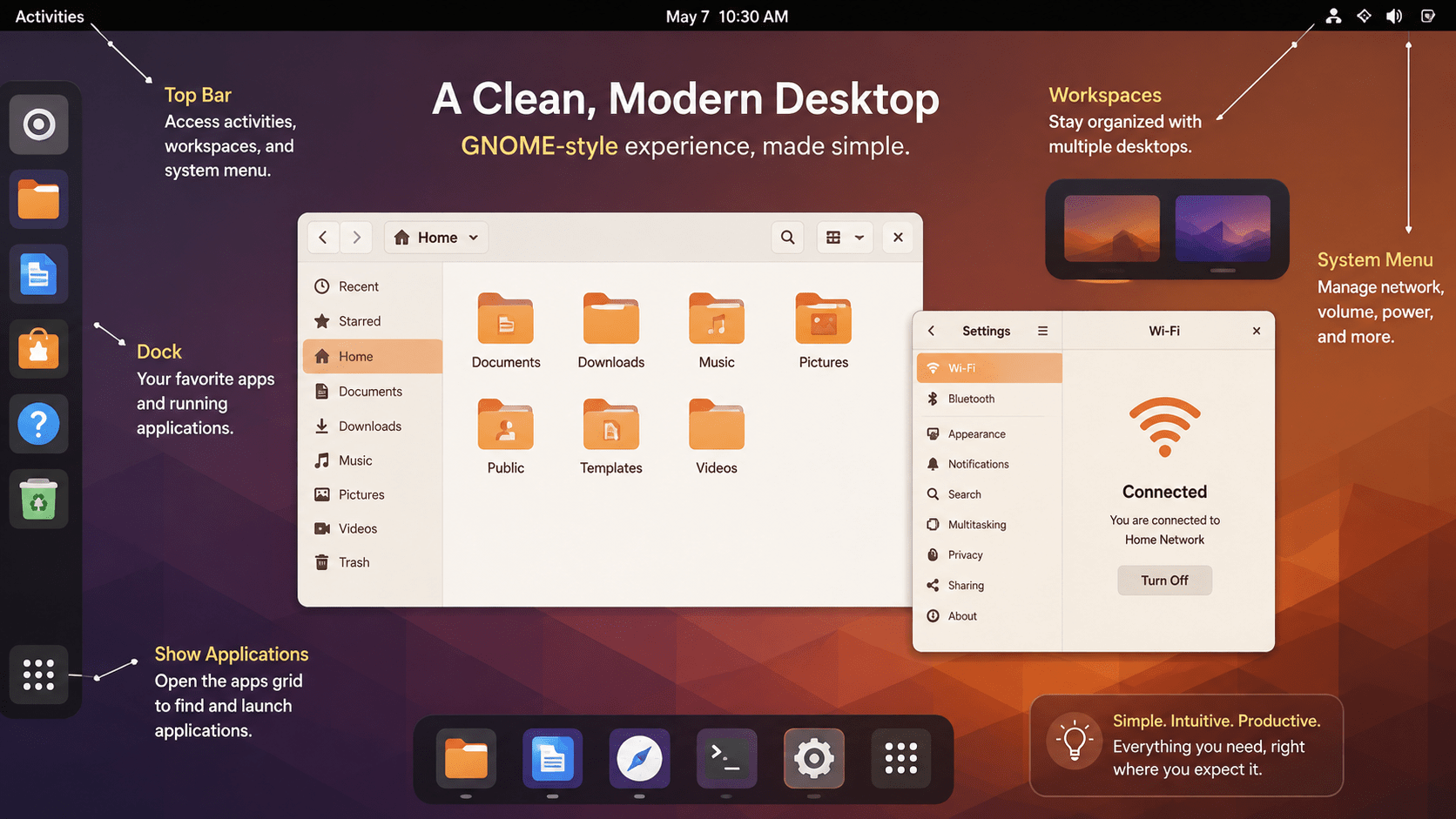
Ubuntu 24.04 LTS System Requirements
- Processor: 2 GHz dual-core 64-bit processor
- RAM: 4 GB recommended for a physical install (2 GB works for virtual machines)
- Storage: 25 GB recommended (a minimal install fits in under 9 GB)
- Display: 1024×768 resolution, with GPU support for 3D acceleration recommended
- A USB port or DVD drive for the installer media
Ubuntu Server has much lighter requirements as little as 1.5 GB RAM and 5 GB of storage since it skips the desktop environment entirely.
Best for: Beginners, general use, and developers who want their local setup to match what most production servers actually run.
2. Linux Mint Best for Windows Switchers
Linux Mint is still the distro to recommend to someone coming straight from Windows. The current release, Linux Mint 22.3 (“Zena”), is built on Ubuntu but ships with the Cinnamon desktop, which feels closer to a traditional Windows layout than GNOME does. It comes with media codecs and the Timeshift backup tool already set up.
Mint dropped 32-bit support a few releases back, so you will need 64-bit hardware either way, but this Linux distro stays light overall. If your machine is older, the Xfce or MATE editions run comfortably on less RAM than Cinnamon needs.
Linux Mint Hardware Requirements
- Processor: 64-bit dual-core processor recommended for Cinnamon
- RAM: 2 GB minimum, 4 GB or more recommended for a comfortable Cinnamon experience
- Storage: 20 GB minimum, 100 GB recommended for daily use
- Display: 1024×768 minimum resolution
Best for: Anyone moving off Windows who wants a familiar Linux distro without a steep learning curve.
3. Debian Best for Servers and Long-Term Stability
Debian is the Linux distro that Ubuntu and Linux Mint are both built on top of, and it is still the go-to choice when stability matters more than having the newest software. The current stable release is Debian 13 (“Trixie”), released in August 2025, with security support running until 2028 and LTS coverage through 2030.
Its repositories hold tens of thousands of packages, and the base install stays lean. That combination huge software availability plus a small footprint is why so many web servers and self-hosted setups still run Debian underneath everything else.
Debian 13 System Requirements
- Processor: 64-bit processor (Debian 13 dropped official 32-bit/i386 support)
- RAM: Around 2 GB is comfortable for a desktop install; server installs run on far less
- Storage: A few GB is enough for a minimal server install; a full desktop install needs considerably more
Best for: Web servers, self-hosted projects, and anyone who wants a rock-solid Linux distro without chasing the newest release every few months.
4. Kali Linux Best for Security Testing
Kali Linux hasn’t changed its core purpose since it launched: it is a Debian-based Linux distro, maintained by Offensive Security, built specifically for digital forensics and penetration testing. The current release cycle (Kali 2026.1) still ships with hundreds of pre-installed security and network-testing tools.
This is not a distro to install as a daily driver unless you actually do security work = it prioritizes testing tools over convenience, and 32-bit image support was dropped a few releases back.
Kali Linux Requirements
- Processor: 64-bit processor recommended
- RAM: 2 GB minimum if you want to run the Xfce desktop comfortably
- Storage: 20 GB minimum for installation
- A bootable USB or DVD for the installer media
Best for: Security researchers, penetration testers, and networking students not casual everyday use.
5. Puppy Linux (TrixiePup) Best for Old Hardware
Puppy Linux is still around, though it now lives on through a family of community-maintained builds rather than one single release. The most current is TrixiePup64, based on Debian 13 components, with a 32-bit variant (TrixiePup32) for genuinely old machines. The whole point of this Linux distro hasn’t changed: boot from a USB stick, run entirely from RAM, and bring an old computer back to life.
Puppy Linux System Requirements
- Processor: Old 32-bit or 64-bit hardware both have supported builds
- RAM: Runs comfortably on a fraction of what modern distros need, since the system loads into memory
- Storage: A small USB drive is enough to boot from; no hard drive is required to try it live
Best for: Reviving old laptops and desktops, or running a fully portable Linux distro off a USB stick.
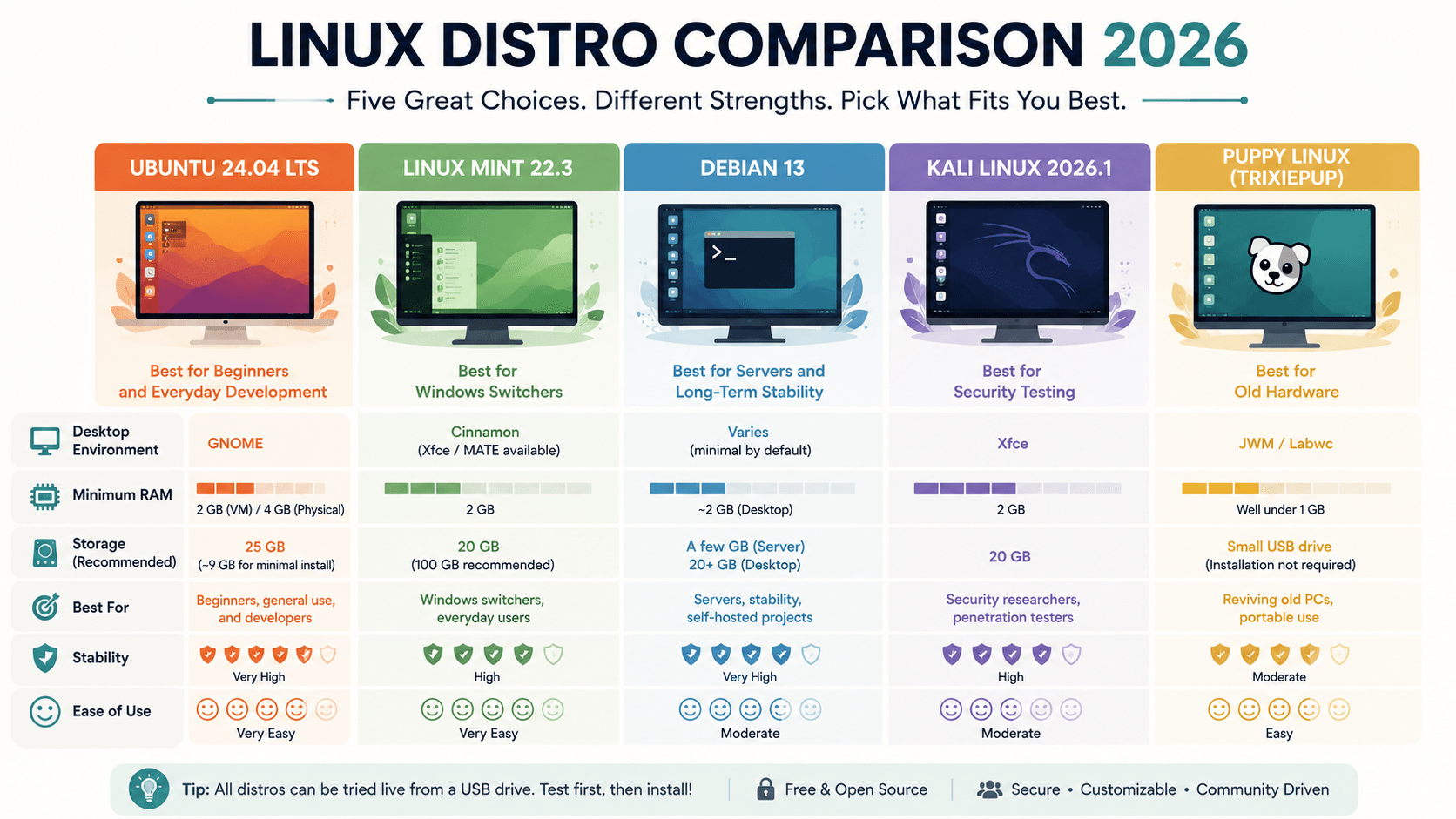
Quick Comparison Table
Best Linux Distros 2026 Compared
Side-by-side comparison of Ubuntu, Linux Mint, Debian, Kali Linux, and Puppy Linux. Find the right distro for beginners, servers, security testing, or old hardware.
| Ubuntu 24.04 LTS | Linux Mint 22.3 | Debian 13 | Kali Linux 2026.1 | Puppy Linux (TrixiePup) | |
|---|---|---|---|---|---|
| Best For | Beginners, general dev work | Windows switchers | Servers, stability | Security testing | Old hardware |
| Desktop | GNOME | Cinnamon | Varies (minimal by default) | Xfce | JWM / Labwc |
| Minimum RAM | 2 GB (VM) / 4 GB (physical) | 2 GB | ~2 GB (desktop) | 2 GB | Well under 1 GB |
Which Linux Distro Should You Actually Pick?
If you are new to Linux, start with Linux Mint or Ubuntu both install cleanly and have enormous community support if something goes wrong with your Linux distro. If you are a developer, Ubuntu still makes sense as a default because most tooling assumes it, though Debian is worth considering if you want a leaner base. If you are studying security or networking, Kali is purpose-built for that and nothing else. If you are trying to save an old laptop, look at Puppy Linux or a lightweight flavor like Lubuntu before you write the machine off.
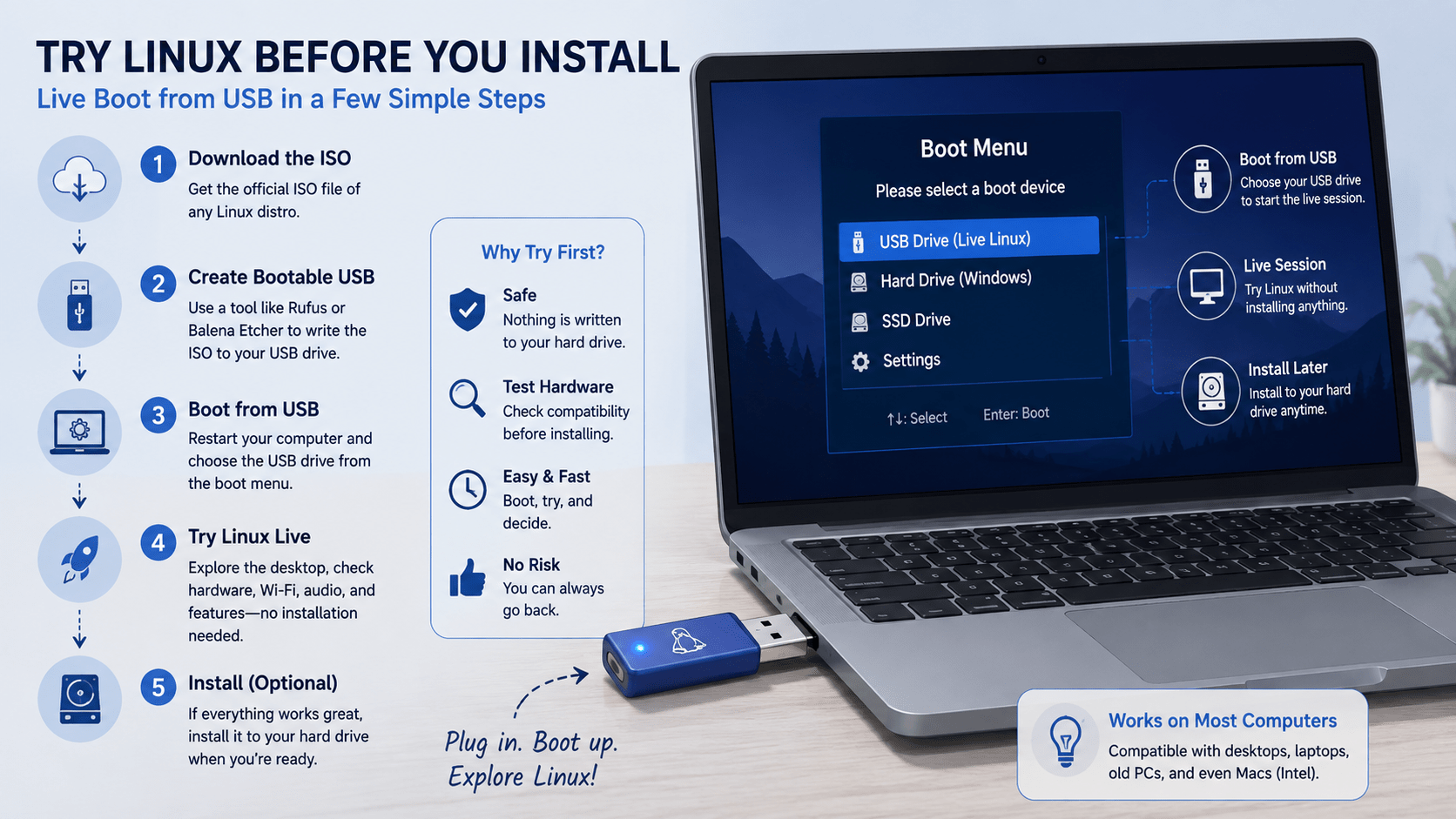
How to Try Any Linux Distro Before You Install It
Every Linux distro on this list can run as a “live” session straight from a USB drive, with nothing written to your hard disk until you choose to install. Download the ISO from the distro’s official site, write it to a USB stick with a tool like Rufus or Balena Etcher, then boot from that USB drive instead of your normal hard disk. This is the fastest way to check that your Wi-Fi, graphics, and other hardware work before you commit to anything.
FAQ
Is Ubuntu still the best Linux distro for beginners in 2026?
It is one of the safest choices, alongside Linux Mint. Ubuntu has the larger software library and community; Mint feels more familiar if you’re coming from Windows.
Can I still run a Linux distro on a really old laptop?
Yes. Puppy Linux and lightweight flavors like Lubuntu are built for exactly this, and both can run from a USB stick without touching the internal drive.
Do I need to buy anything to try a Linux distro?
No. Every option covered here is free to download, and you can test most of them from a USB drive before installing anything permanently.
Is Kali Linux good for daily use?
Not really. It is built for security testing, not general browsing or office work pick Ubuntu or Mint for a daily driver.
Which Linux distro is best for a home server?
Debian or Ubuntu Server are the two most common choices, both for their stability and for how much documentation exists for them.
Conclusion
The “best” Linux distro in 2026 still depends entirely on what you’re trying to do with it. Ubuntu and Linux Mint cover most beginners and everyday development work, Debian anchors servers that need to stay stable for years, Kali serves a specific security-testing niche, and Puppy Linux keeps old hardware useful. Try one on a spare USB stick before committing that’s still the fastest way to know if a distro fits how you actually work.
Also Read: creative fabrica studio desktop review



