


Introduction
React Router is the tool that makes navigating a React app feel just like browsing a traditional multi-page website — without ever triggering a full page reload. To understand why it’s needed, it helps to look at how navigation normally works.
When you build a website using standard HTML, moving from page to page is handled naturally by the browser. You click a link, the browser requests a brand-new page from a server, the screen goes white for a split second, and the new page loads.
React, however, builds Single Page Applications (SPAs). In a typical React app, the server delivers just one HTML file to the browser. Instead of reloading completely when a user moves from /home to /profile, React dynamically destroys and replaces pieces of the UI on the fly.
To make this fluid swapping match the traditional browser experience complete with working URLs, back buttons, and bookmarks you need a routing library. In this post, we’ll explore how to set up clean navigation using the industry standard: React Router.
Understanding the Core Components of React Router
React Router provides a collection of specialized components that coordinate your application’s UI elements with the browser’s address bar. The essentials include:
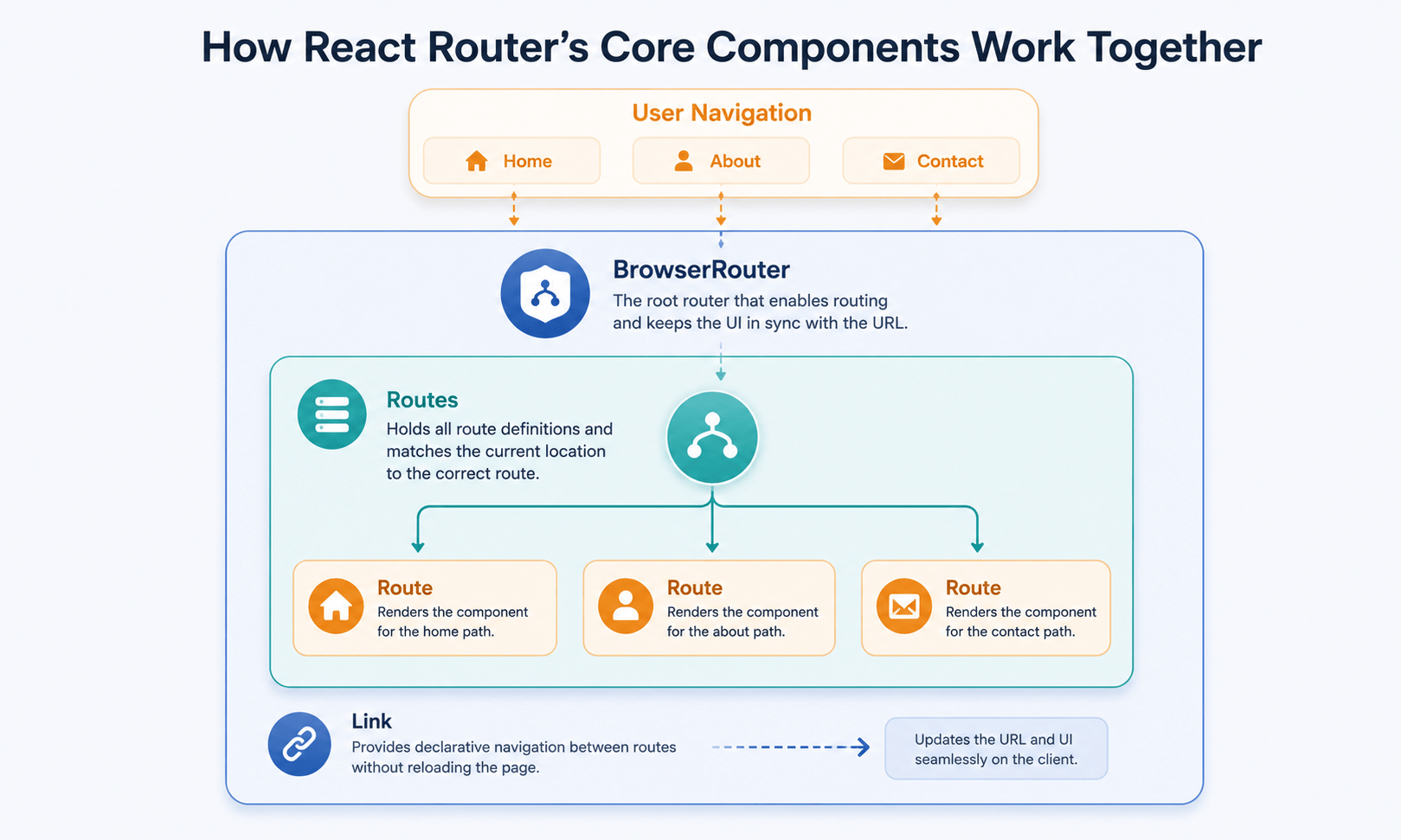
<BrowserRouter>-the base wrapper that syncs your application state with the browser’s history API. It must wrap your entire application root.<Routes>– a smart container that looks at the current URL path and decides which individual route matches it best.<Route>– maps a specific path (like/about) to a specific React component (like<About />).<Link>– the SPA replacement for the traditional HTML anchor tag (<a>). It changes URLs without triggering a full page refresh.
Step-by-Step React Router Setup
First, install the library in your project terminal:
bash
npm install react-router-dom
Now let’s assemble a clean, multi-page layout with a persistent navigation menu and dynamic component swaps.
jsx
import React from 'react';
import { BrowserRouter, Routes, Route, Link } from 'react-router-dom';

// 1. Create simple presentational page components
function Home() { return <h1> Welcome to the Home Page</h1>; }
function Dashboard() { return <h1> Your Metrics Dashboard</h1>; }
function NotFound() { return <h1> 404 - Page Not Found</h1>; }

function App() {
  return (
    // 2. Wrap the app structure in the Router environment
    <BrowserRouter>
      <nav style={{ padding: '10px', background: '#f0f0f0', display: 'flex', gap: '15px' }}>
        {/* 3. Use Link instead of <a href="..."> to prevent full page reloads */}
        <Link to="/">Home</Link>
        <Link to="/dashboard">Dashboard</Link>
        <Link to="/non-existent-page">Broken Link Test</Link>
      </nav>

      <div style={{ padding: '20px' }}>
        {/* 4. Routes container evaluates the current URL path */}
        <Routes>
          <Route path="/" element={<Home />} />
          <Route path="/dashboard" element={<Dashboard />} />

          {/* A path of "*" acts as a catch-all fallback for undefined routes */}
          <Route path="*" element={<NotFound />} />
        </Routes>
      </div>
    </BrowserRouter>
  );
}

export default App;
Also Read: conditional rendering in react
Dynamic Routing in React Router: Capturing URL Parameters
In real-world web systems, pages are rarely completely static. On an e-commerce platform or a social media feed, you don’t build a manual route for every individual product or user ID instead, you create a single dynamic route that extracts variables straight out of the URL path.
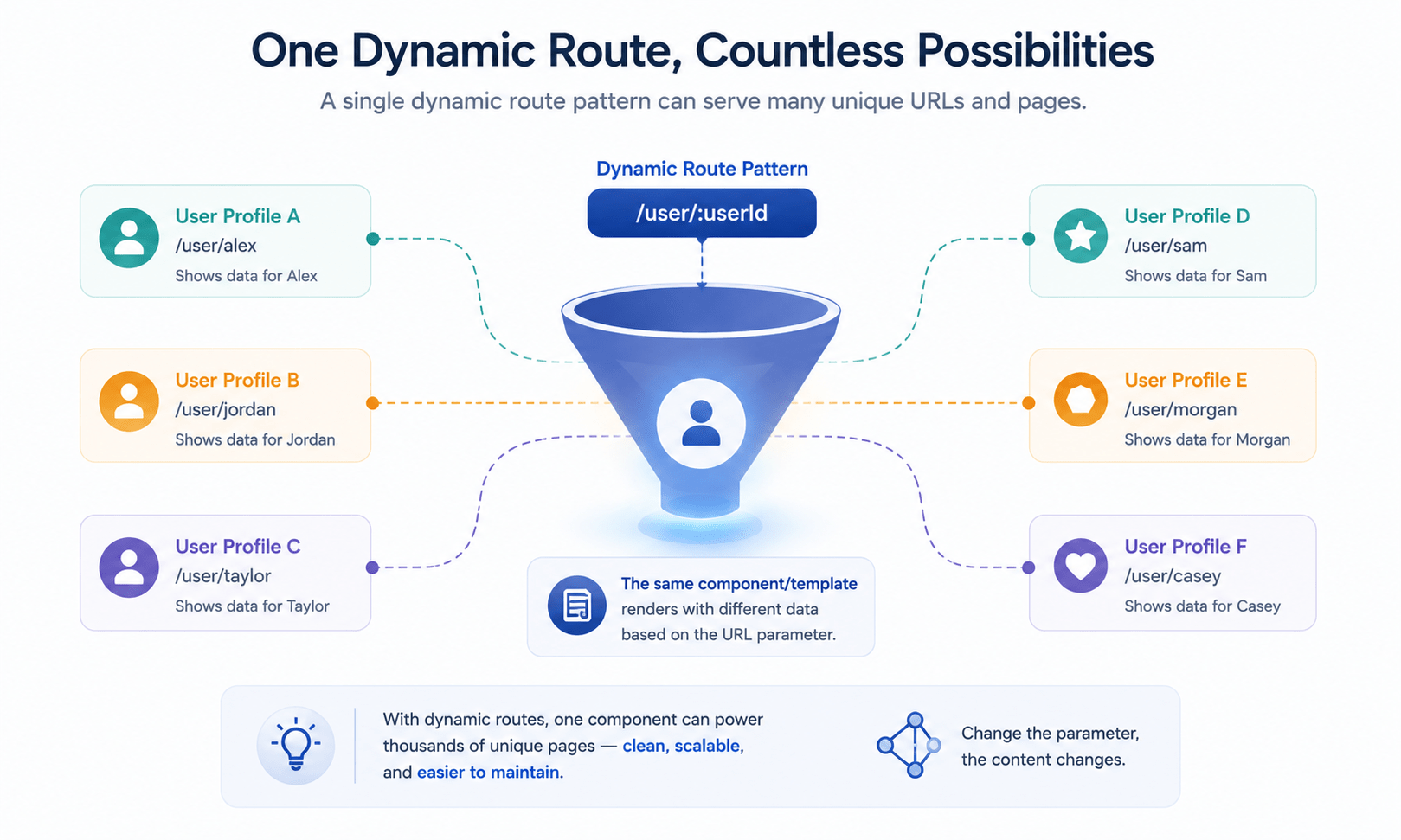
You define a dynamic variable inside your path by adding a colon : prefix. To grab that value inside your component, React Router provides a built-in hook: useParams.
Example: A Dynamic User Profile Page
jsx
import React from 'react';
import { BrowserRouter, Routes, Route, Link, useParams } from 'react-router-dom';

function UserProfile() {
  // Extract the specific variable name matched in the Route path configuration
  const { userId } = useParams();

  return (
    <div>
      <h2>User Profile View</h2>
      <p>Now showing detailed records for internal database **ID: {userId}**</p>
    </div>
  );
}

function MainApp() {
  return (
    <BrowserRouter>
      <div style={{ display: 'flex', gap: '10px', marginBottom: '20px' }}>
        <Link to="/user/101">View Alice (ID 101)</Link>
        <Link to="/user/102">View Bob (ID 102)</Link>
      </div>

      <Routes>
        {/* The colon indicates that "userId" is a dynamic path variable */}
        <Route path="/user/:userId" element={<UserProfile />} />
      </Routes>
    </BrowserRouter>
  );
}

export default MainApp;
Programmatic Navigation with React Router
Sometimes you need to redirect a user automatically inside your application code, rather than waiting for them to click a <Link> for instance, sending a user straight to a dashboard right after a successful login.
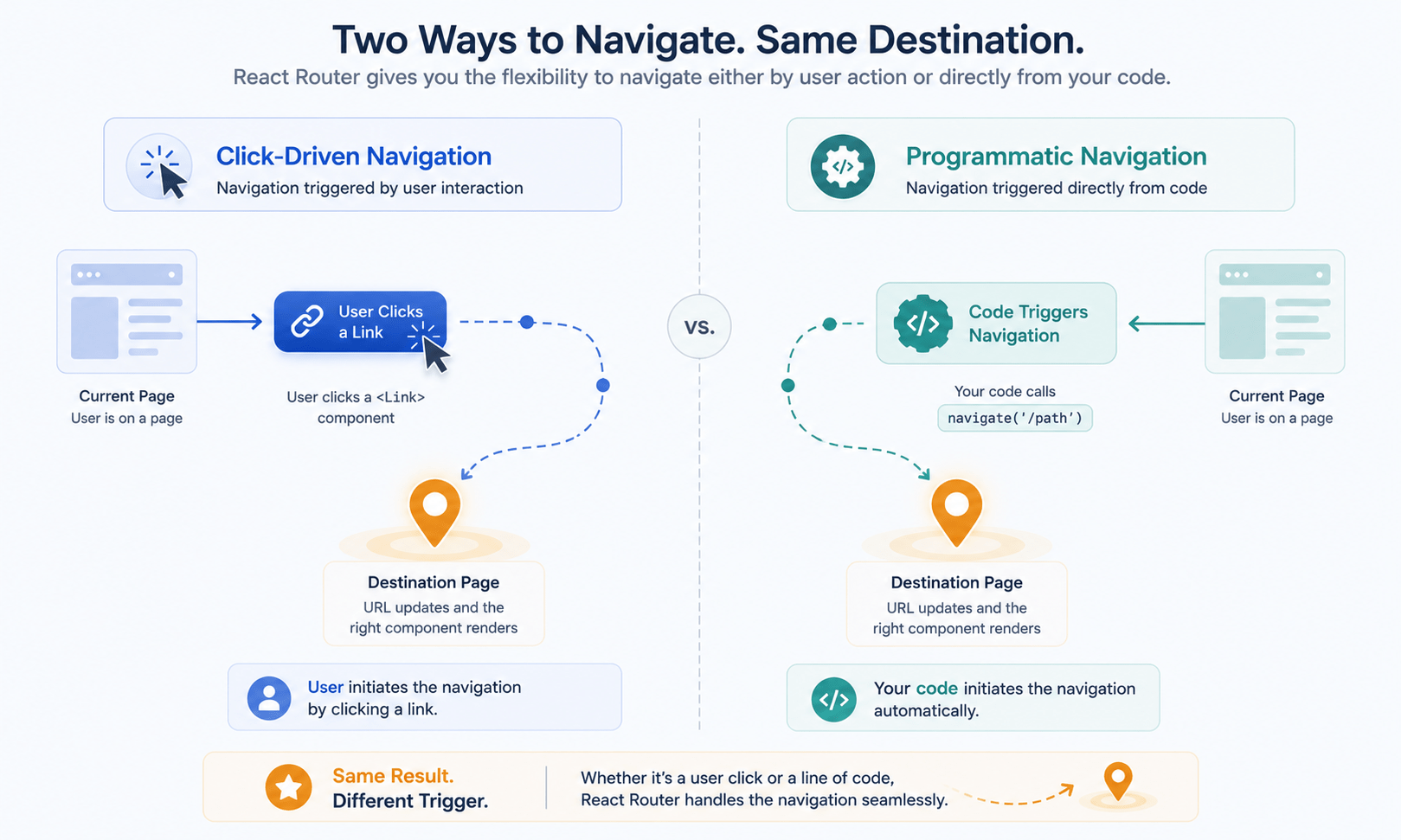
To do this, React Router gives you the useNavigate hook.
jsx
import React from 'react';
import { useNavigate } from 'react-router-dom';

function AdminPanel() {
  const navigate = useNavigate();

  const handleLogout = () => {
    // 1. Perform auth destruction logic here...

    // 2. Programmatically redirect the user back to home
    navigate('/');
  };

  return (
    <div>
      <h2>Sensitive Admin Console</h2>
      <button onClick={handleLogout}>Secure Log Out</button>
    </div>
  );
}
Frequently Asked Questions
What’s the difference between BrowserRouter and Routes in React Router?<BrowserRouter> is the outer wrapper that connects your app to the browser’s history API — it should only appear once, at the root. <Routes> sits inside it and does the actual work of matching the current URL to the right <Route>.
Why should I use Link instead of a regular anchor tag in React Router?
A regular <a href="..."> tells the browser to request a whole new page, causing a full reload. <Link> intercepts that click and updates the URL and UI internally, preserving the SPA’s speed and current app state.
How do I capture a value from the URL, like a product or user ID?
Define a dynamic segment in your route path with a colon, like /user/:userId, then use the useParams hook inside the matching component to read that value out as a plain JavaScript object.
How do I redirect a user without them clicking a link?
Use the useNavigate hook. Call the function it returns — for example navigate('/dashboard') anywhere in your code, such as after a successful login or logout action.
What happens if a user visits a URL that doesn’t match any route in React Router?
Add a catch-all route with path="*" as the last <Route> inside your <Routes>. It matches anything that didn’t match an earlier route, so you can render a custom “404 Not Found” component instead of a blank screen.
Conclusion
Client-side routing with React Router bridges the gap between fast single-page performance and standard web expectations. By switching anchor tags to <Link> components, creating flexible catch-all wildcards, mapping path variables with :param declarations, and steering navigation programmatically, your application feels structurally identical to a multi-page app while running at modern SPA speeds.
In our next post, we shift gears toward optimization and code organization with advanced hook optimization using useMemo and useCallback.



