
Introduction
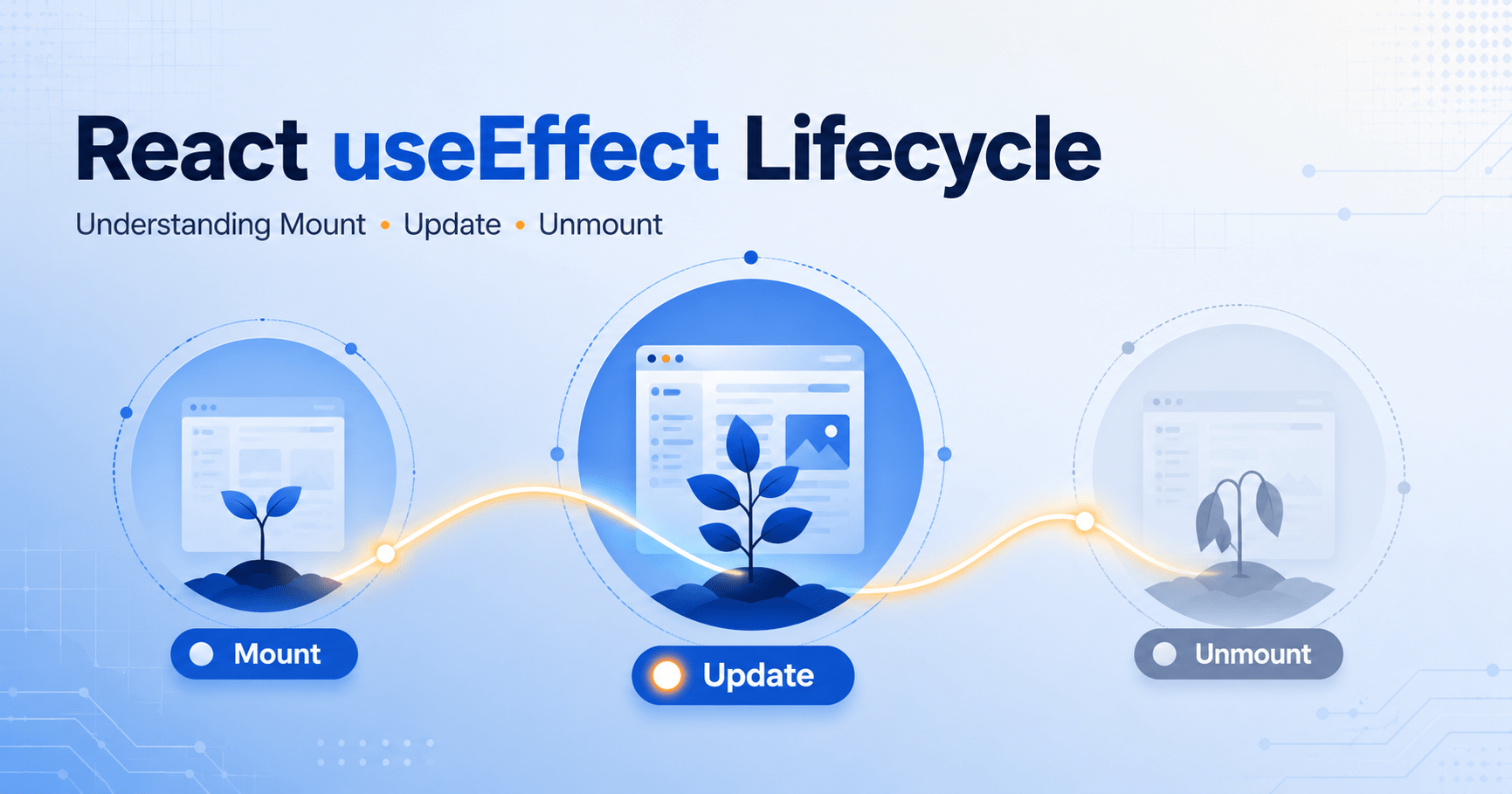
Every living thing goes through a lifecycle: birth, growth, and death. Even react components are same and React useEffect This is the mechanism that enables access to all phases of this life cycle. First, components are instantiated (mounted), then they are refreshed (updated) with fresh data whenever their state or props have changed, and finally, they are destroyed (unmounted).
In the past, class components managed these phases using explicit lifecycle methods like componentDidMount, componentDidUpdate, and componentWillUnmount. In modern functional React, all of these phases run through a single, versatile hook: useEffect.
In this last post of the core posts, we will unravel the mysteries of the component lifecycle and learn how to use React useEffect to manage side effects such as making API requests and listening for events.
Understanding the React Component Lifecycle
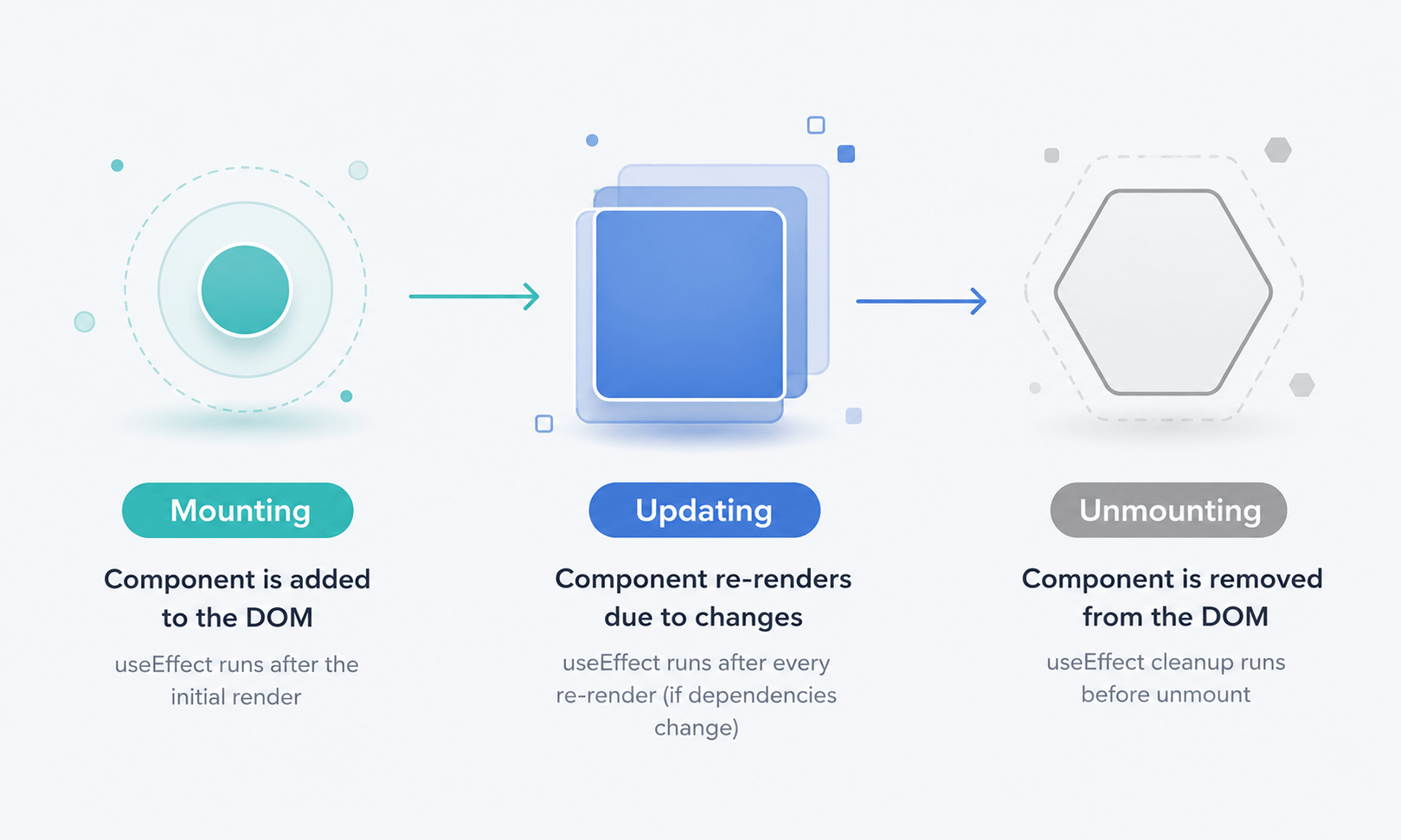
Before looking at code, let’s break down the three distinct phases a React component moves through:
- Mounting (Birth): The component is evaluated, turned into DOM nodes, and inserted into the browser screen for the first time.
- Updating (Growth): The component lives on the page. Whenever its state changes or it receives new props from its parent, it re-renders to keep the UI in sync.
- Unmounting (Death): The component is removed from the DOM entirely the cleanup phase where you close open connections or clear timers.
The Anatomy of React useEffect
The useEffect hook lets you perform side effects actions that interact with the outside world, like data fetching, manually changing the DOM, or setting up subscriptions.
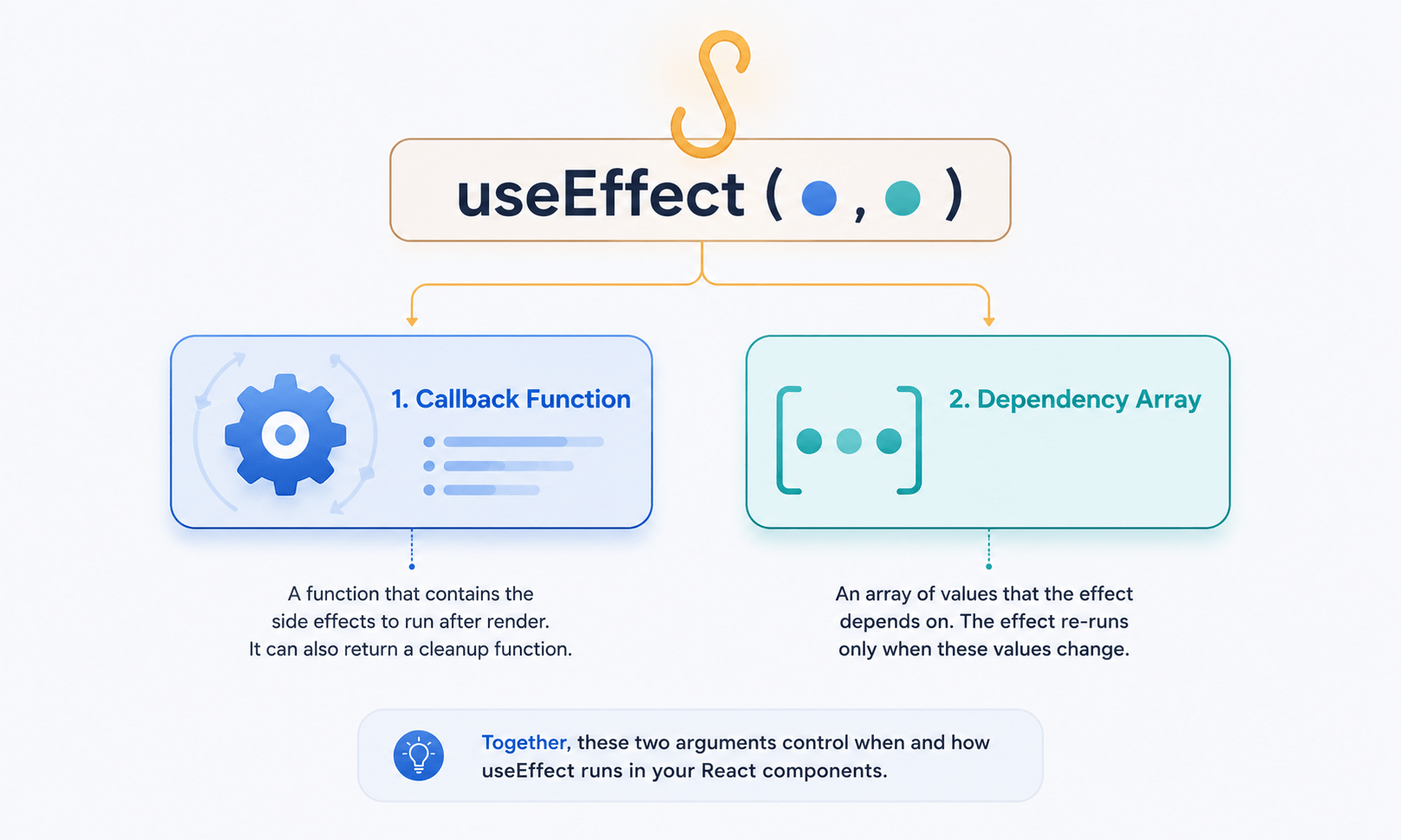
It takes two arguments:
- A callback function containing the side-effect logic
- An optional dependency array that tells React exactly when to re-run the effect
jsx
useEffect(() => {
  // Your side effect logic goes here
}, [dependencies]);
Mastering React useEffect comes down entirely to how you handle that second argument the dependency array. Let’s look at the three ways to use it.
The Mounting Phase in React useEffect (Run Only Once)
If you pass an empty dependency array [], you’re telling React: “Run this effect only when the component mounts, and never again.” This is the functional equivalent of componentDidMount.
Example: Fetching Data on Load
jsx
import React, { useState, useEffect } from 'react';

function UserProfile() {
  const [user, setUser] = useState(null);

  useEffect(() => {
    // This runs exactly once when the component appears on screen
    fetch('https://jsonplaceholder.typicode.com/users/1')
      .then(res => res.json())
      .then(data => setUser(data));
  }, []); // Note the empty array here

  if (!user) return <p>Loading profile...</p>;

  return <div><h1>{user.name}</h1><p>{user.email}</p></div>;
}
The Updating Phase in React useEffect (Run on Specific Changes)
If you place variables inside the dependency array [variable1, variable2], React tracks them. The effect runs once on mount, then again only if those tracked variables change between renders. This matches componentDidUpdate.
Example: Re-fetching Data When an ID Changes
jsx
import React, { useState, useEffect } from 'react';

function DataViewer({ userId }) {
  const [data, setData] = useState(null);

  useEffect(() => {
    // Runs on mount AND whenever the 'userId' prop changes
    fetch(`https://jsonplaceholder.typicode.com/users/${userId}`)
      .then(res => res.json())
      .then(json => setData(json));
  }, [userId]); // Tracks the userId prop

  return (
    <div>
      <h3>User Data ID: {userId}</h3>
      <pre>{JSON.stringify(data, null, 2)}</pre>
    </div>
  );
}
Warning: If you leave out the dependency array entirely (useEffect(() => {})), the effect runs on every single render. This is rarely what you want and can cause infinite loops if you update state inside the effect.
Also Read: react list keys guide
The Unmounting Phase in React useEffect (The Cleanup)
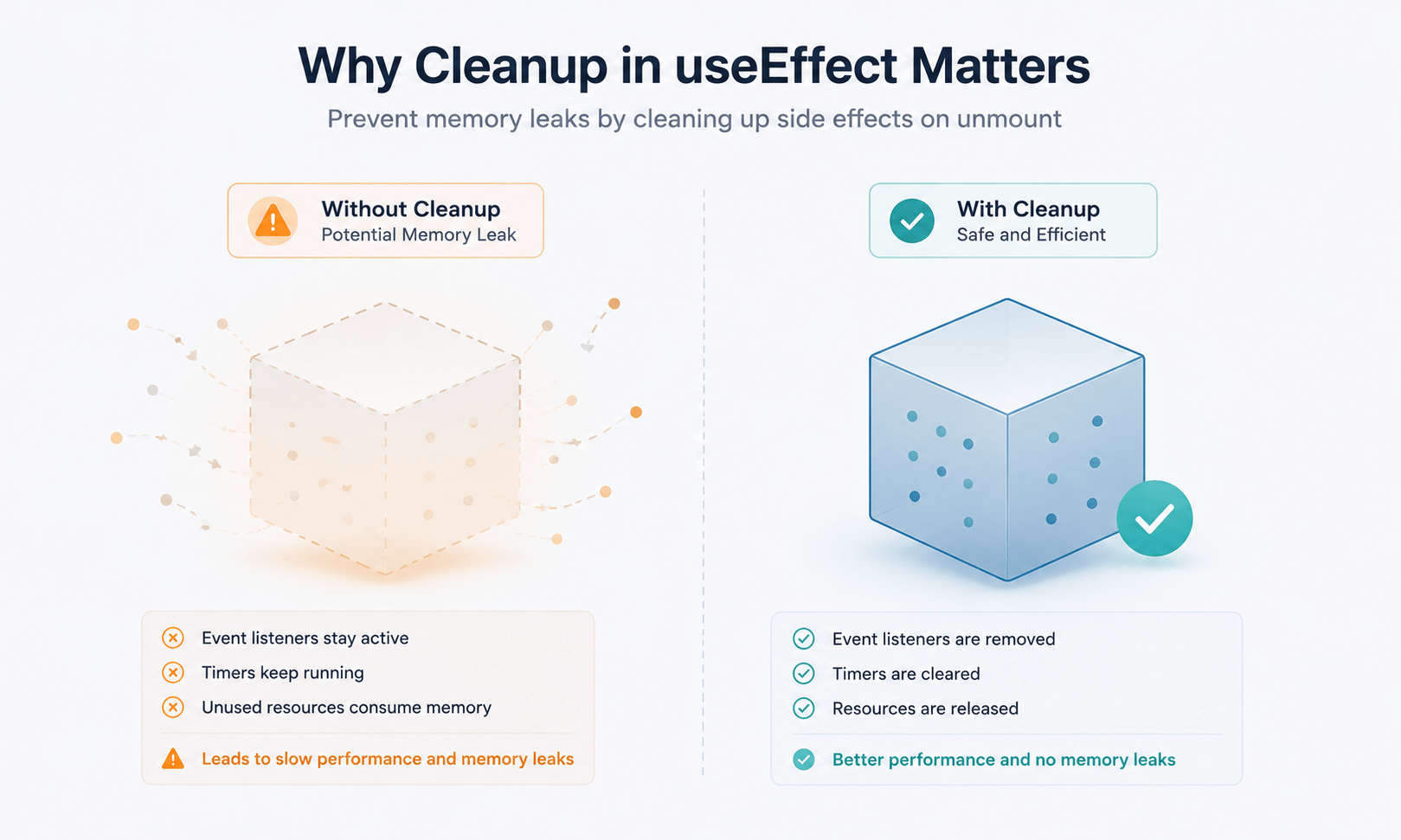
Sometimes your side effects leave behind open setups like a running setInterval, an active WebSocket connection, or a global window event listener. If the component disappears, these setups keep running in the background, causing severe memory leaks.
To clean them up, you can optionally return a function from inside your useEffect. React automatically runs this returned function right before the component unmounts (componentWillUnmount).
Example: Tracking Window Width
jsx
import React, { useState, useEffect } from 'react';

function WindowTracker() {
  const [width, setWidth] = useState(window.innerWidth);

  useEffect(() => {
    const handleResize = () => setWidth(window.innerWidth);

    // Set up the listener on mount
    window.addEventListener('resize', handleResize);

    // Return the cleanup function
    return () => {
      // Cleans up the listener when the component unmounts
      window.removeEventListener('resize', handleResize);
    };
  }, []); // Empty array ensures listener is attached only once

  return <h2>Window Width: {width}px</h2>;
}
Also Read: event handling in react
React useEffect Dependency Array: Cheat Sheet
| Syntax | When Does It Run? | Common Use Case |
|---|---|---|
useEffect(fn) |
On mount and every single re-render. | Rare logging, debugging, or updating values after every render. |
useEffect(fn, []) |
Only once after the component mounts. | Fetching API data, page initialization, setting up subscriptions. |
useEffect(fn, [x]) |
Runs on mount and whenever x changes. | Dependent API requests, syncing state, reacting to prop changes. |
return () => { ... } |
Runs right before the component unmounts (cleanup). | Clearing timers, removing event listeners, cancelling subscriptions. |
Frequently Asked Questions
What does the dependency array in React useEffect actually do?
It tells React when to re-run the effect. An empty array [] means “run once on mount.” Listing variables means “re-run whenever any of these change.” Omitting the array entirely means “run on every render” rarely what you want.
Why does my React useEffect cause an infinite loop?
This usually happens when you update state inside the effect without a dependency array, or when a dependency itself changes on every render (like a new object or function created inline). Each state update triggers a re-render, which re-runs the effect, which updates state again.
Do I always need a cleanup function in React useEffect?
No only when the effect sets up something that persists beyond a single render, like a timer, subscription, or event listener. Simple one-time actions like a single data fetch usually don’t need cleanup.
Can I use multiple useEffect calls in one component?
Yes, and it’s often better practice. Splitting unrelated logic into separate useEffect calls (one for data fetching, one for a resize listener) keeps each effect focused and easier to reason about than combining everything into one.
What replaced componentDidMount, componentDidUpdate, and componentWillUnmount in modern React?
A single useEffect hook handles all three, differentiated only by its dependency array: an empty array behaves like componentDidMount, a populated array behaves like componentDidUpdate, and a returned cleanup function behaves like componentWillUnmount.
Series Conclusion
Well done! In the span of these 10 blog posts, you have traversed the whole of the baseline architecture of React. Whether it is components, JSX, props, state manipulation, forms, lists, optimization strategies, or even React useEffect and the component lifecycle, you now have the fundamentals down to develop fast, reactive, scalable web applications.
The best way to solidify these patterns is to open your text editor and start building. Happy coding!