
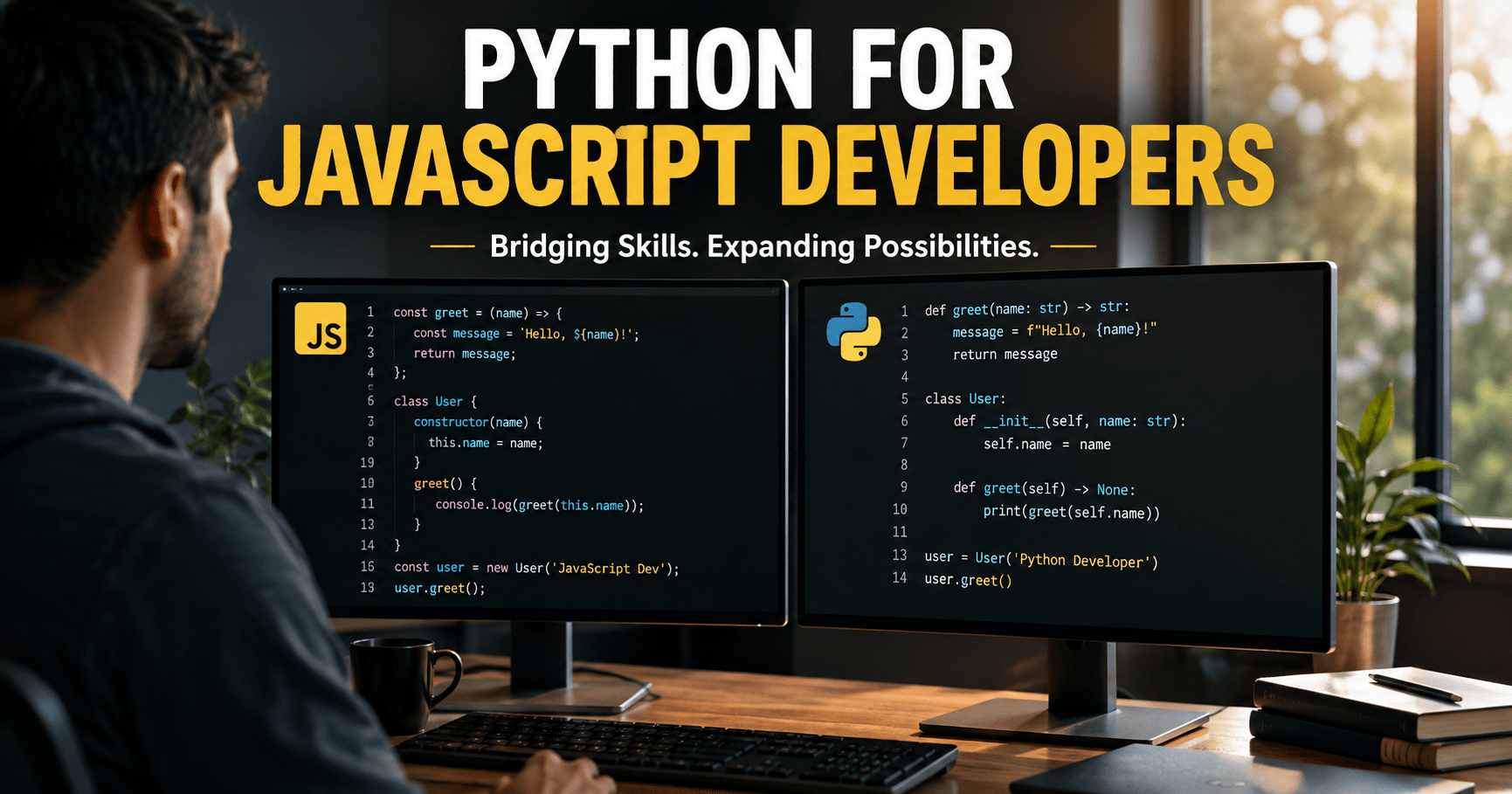

Python for JavaScript developers doesn’t have to feel like starting from zero, but it does feel disorienting the first week. You already know async/await, dynamic typing, and object-oriented patterns. What trips people up is that Python’s execution model, tooling chain, and type semantics work differently under the hood, even when the syntax looks familiar.
Why Python for JavaScript Developers Matters in 2026
AI, machine learning, and data pipelines are now standard parts of full-stack web applications, and most of that tooling still speaks Python first. Learning Python for JavaScript developers isn’t a detour from your career path anymore. It’s become a core skill for anyone shipping AI features, running data pipelines, or working alongside an ML team.
In this guide, we map the JavaScript and TypeScript paradigms you already know to their modern Python equivalents. We’ll cover package management (uv and Poetry vs npm), runtime validation (Pydantic vs Zod), static typing (mypy and Pyright vs the TypeScript compiler), and async execution (asyncio vs the Node.js event loop). Think of this as a translation guide — everything here is written for Python for JavaScript developers specifically, not a generic “intro to Python” post.
Also Read: Node.js vs Python Development Tools
Node.js vs Python Development Tools
| Concept | Node.js / TypeScript | Legacy Python | Modern Python (Recommended) |
|---|---|---|---|
| Project manifest |
package.json
|
setup.py / requirements.txt
|
pyproject.toml
|
| Lock file |
package-lock.json / pnpm-lock.yaml
|
requirements.txt (pinned)
|
uv.lock / poetry.lock
|
| Package manager | npm / pnpm / Bun | pip | uv / Poetry |
| Environment isolation |
node_modules/
|
python -m venv .venv
|
.venv/ (managed automatically by uv)
|
| Script runner |
npm run start / npx
|
python main.py
|
uv run main.py
|
Tooling & Package Management: npm vs Modern Python
In Node.js, npm, pnpm, or Yarn manage dependencies inside a local node_modules folder, governed by package.json and a lockfile. Every JavaScript developer has this workflow memorized.
Python used to be messier. Older projects relied on global installs, venv virtual environments, and flat requirements.txt files with no real lockfile discipline. Modern Python tooling has closed that gap, adopting a unified project config and Rust-based package managers that install dependencies in a fraction of the time pip used to take. This is usually the first pleasant surprise for Python for JavaScript developers making the switch — the workflow finally feels as fast as npm install.
Mapping the Tooling Ecosystem
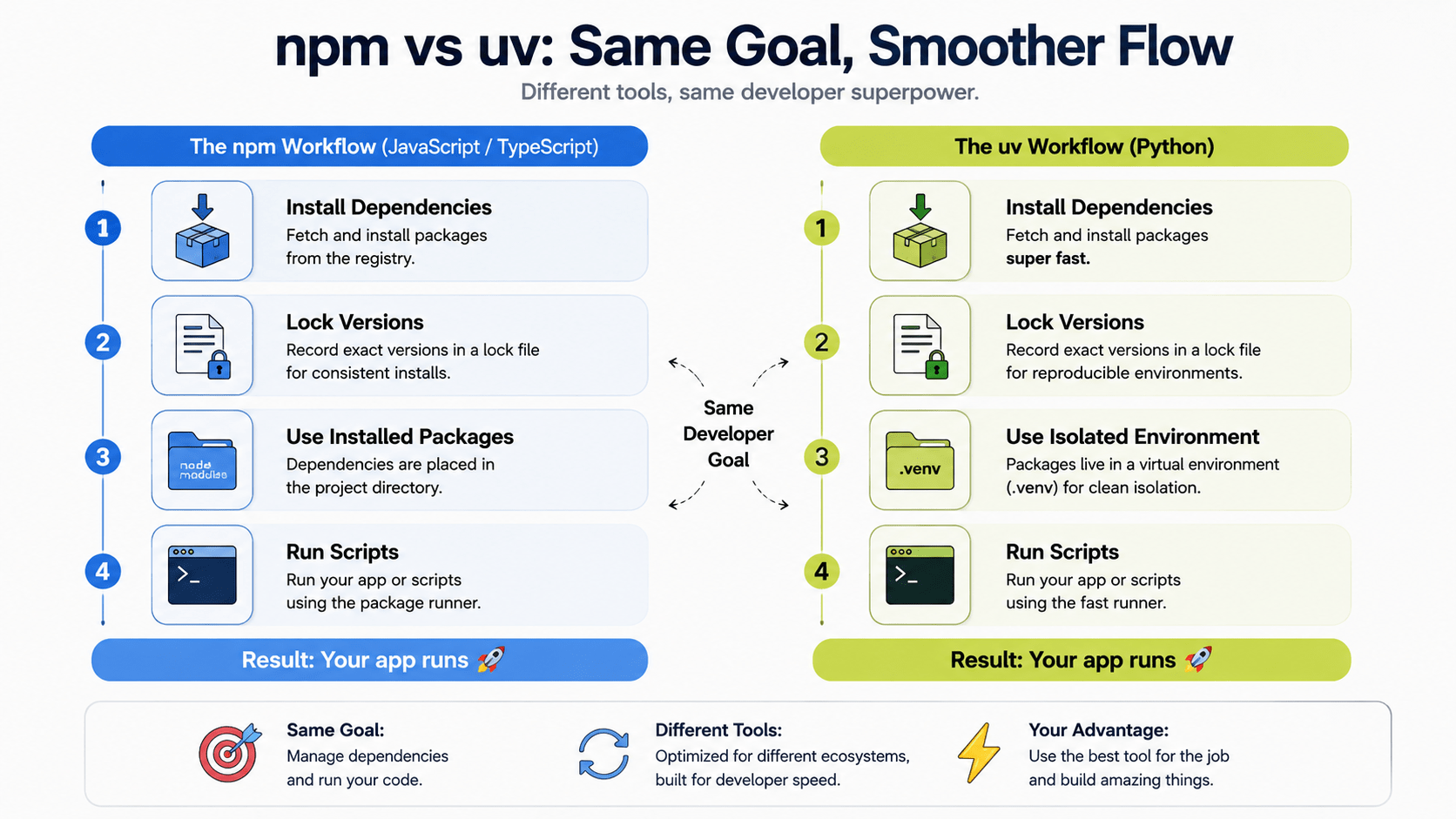
Node.js vs Python Development Tools
| Concept | Node.js / TypeScript | Legacy Python | Modern Python (Recommended) |
|---|---|---|---|
| Project manifest |
package.json
|
setup.py /
requirements.txt
|
pyproject.toml
|
| Lock file |
package-lock.json /
pnpm-lock.yaml
|
requirements.txt (pinned)
|
uv.lock /
poetry.lock
|
| Package manager | npm / pnpm / Bun | pip | uv / Poetry |
| Environment isolation |
node_modules/
|
python -m venv .venv
|
.venv/
(managed automatically by uv)
|
| Script runner |
npm run start /
npx
|
python main.py
|
uv run main.py
|
Modern Python Project Configuration (pyproject.toml)
Just like package.json standardizes a JavaScript project, pyproject.toml (defined in PEP 518) is now the single source of truth for Python metadata, dependencies, build settings, and linter configuration.
toml
# pyproject.toml
[project]
name = "ai-service"
version = "0.1.0"
description = "FastAPI AI microservice for DevPulse"
readme = "README.md"
requires-python = ">=3.11"
dependencies = [
    "fastapi>=0.110.0",
    "uvicorn[standard]>=0.28.0",
    "pydantic>=2.6.0",
    "httpx>=0.27.0",
]

[build-system]
requires = ["hatchling"]
build-backend = "hatchling.build"

[tool.uv]
dev-dependencies = [
    "pytest>=8.0.0",
    "mypy>=1.8.0",
    "ruff>=0.3.0",
]
The uv Workflow: Lightning-Fast Python Management
Built in Rust by the team behind Ruff, uv is a fast Python package and project manager that replaces pip, pip-tools, virtualenv, and pipx in one tool.
bash
# Initialize a new modern Python project
uv init ai-service
cd ai-service

# Add dependencies (updates pyproject.toml and uv.lock automatically)
uv add fastapi "uvicorn[standard]" pydantic httpx

# Add development dependencies
uv add --dev mypy ruff pytest

# Run commands inside the isolated virtual environment automatically
uv run python main.py
If you’re coming from npm, uv add is your npm install --save, and uv run is your npm run — the environment activation just happens for you in the background. This one-tool workflow is exactly why uv has become the default recommendation for Python for JavaScript developers in 2026.
Static Typing & Runtime Validation: Zod vs Pydantic
In TypeScript, types get erased at compile time. They don’t exist once your code is running. To validate dynamic data, like an API payload, JavaScript developers reach for schema libraries like Zod.
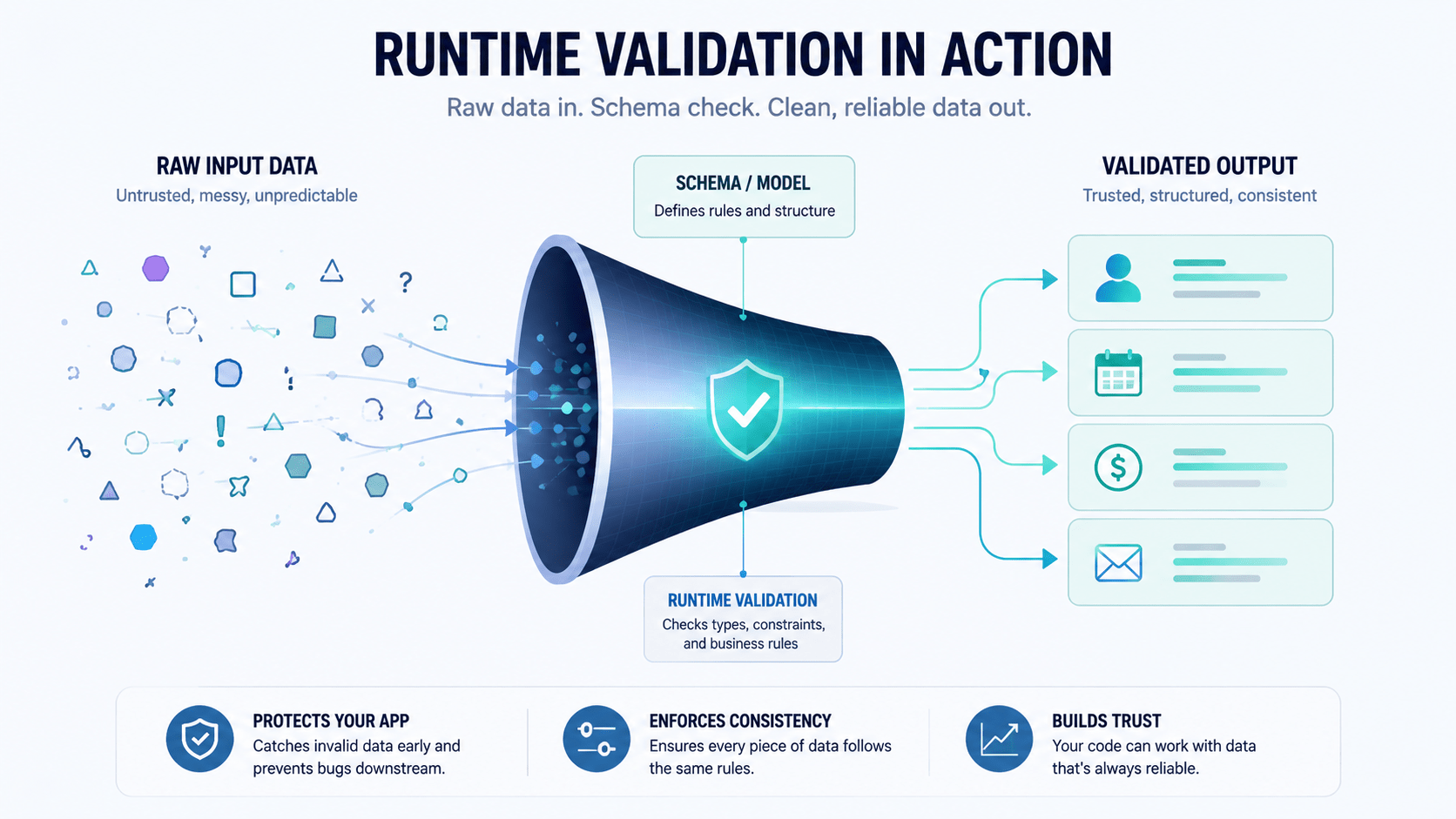
Modern Python (3.10+) works differently. Type annotations exist at runtime through native type hints. Pair those hints with Pydantic v2, and you get compile-time-style checking plus high-performance, C-based runtime validation in the same class definition. This is one of the biggest mindset shifts Python for JavaScript developers need to make: your types stop disappearing at build time.
TypeScript + Zod Strategy
typescript
import { z } from 'zod';

// Define Zod runtime schema
export const UserSchema = z.object({
  id: z.string().uuid(),
  username: z.string().min(3),
  email: z.string().email(),
  role: z.enum(['ADMIN', 'DEVELOPER', 'GUEST']).default('DEVELOPER'),
  createdAt: z.date().optional(),
});

// Infer the static TypeScript type
export type User = z.infer<typeof UserSchema>;

// Parse the payload at runtime
function processUser(rawData: unknown): User {
  const user = UserSchema.parse(rawData);
  return user;
}
Python + Pydantic v2 Strategy
In Python with Pydantic, one class definition is both the static type signature and the runtime validator:
python
from enum import Enum
from datetime import datetime
from uuid import UUID
from pydantic import BaseModel, EmailStr, Field

class UserRole(str, Enum):
    ADMIN = "ADMIN"
    DEVELOPER = "DEVELOPER"
    GUEST = "GUEST"

class UserModel(BaseModel):
    id: UUID
    username: str = Field(min_length=3)
    email: EmailStr
    role: UserRole = UserRole.DEVELOPER
    created_at: datetime | None = None

    class Config:
        str_strip_whitespace = True

def process_user(raw_data: dict) -> UserModel:
    # Raises pydantic.ValidationError if invalid
    user = UserModel.model_validate(raw_data)
    print(f"User validated: {user.username} with role {user.role.value}")
    return user
Key Differences in Type Systems
Learning Python for JavaScript developers means unlearning a couple of TypeScript habits:
- Structural vs. nominal typing. TypeScript is structurally typed — if it looks like a duck, it’s a duck. Python is nominally typed by default, based on class hierarchy, though
typing.Protocolgives you structural typing when you actually need it. - Type erasure vs. reflection. TypeScript types disappear once
tsccompiles your code. Python’s annotations stay accessible at runtime through__annotations__, which is exactly how FastAPI inspects your function signatures and auto-generates OpenAPI specs.
Asynchronous Execution: Node.js Event Loop vs Python asyncio
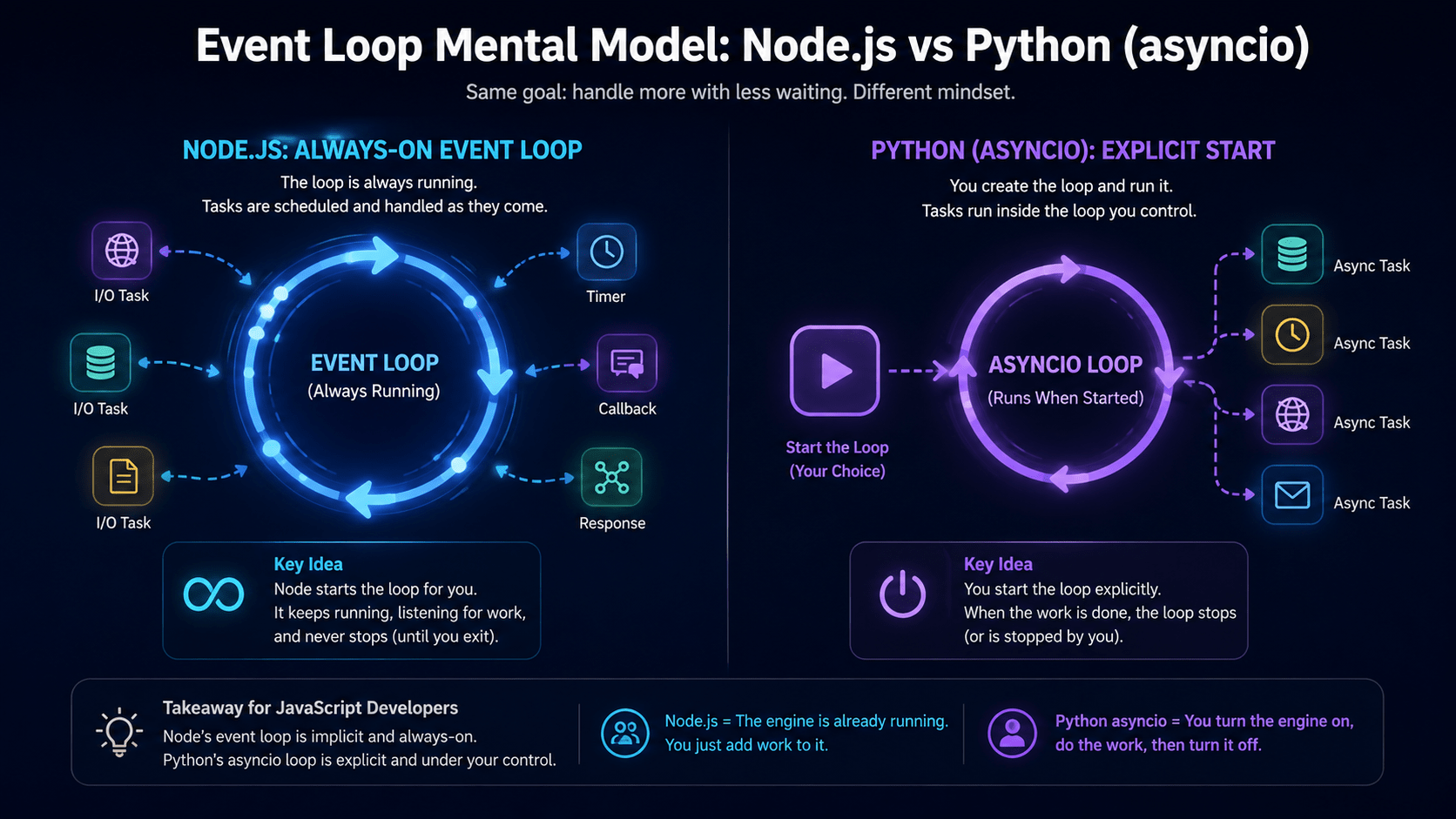
Both Node.js and Python support non-blocking async I/O with async and await, but the engines running underneath work differently.
Also Read: Demystifying the Model Context Protocol (MCP): Building Your First Node.js Server (Part 3)
Node.js runs an event loop by default, powered by the libuv C++ layer, with a promise and microtask queue that executes automatically. Python requires you to start the event loop explicitly with asyncio.run(), unless a framework like FastAPI or Uvicorn is already managing it for you. This explicit-vs-implicit split trips up almost every JavaScript developer learning Python for the first time.
Core Execution Differences for Python for JavaScript Developers
The biggest mental shift here is how coroutines behave compared to promises:
- Implicit vs. explicit event loop. Node.js is always inside an event loop. Python needs
asyncio.run()as an explicit entry point. - Coroutines vs. promises. In JavaScript, calling an
asyncfunction runs the body immediately until the firstawait, then returns a promise. In Python, calling anasync deffunction only creates a coroutine object — no code runs until youawaitit or schedule it as a task withasyncio.create_task().
Side-by-Side Code Comparison
typescript
async function fetchDashboardData(userId: string) {
  const profilePromise = fetchProfile(userId);
  const metricsPromise = fetchMetrics(userId);

  // Run in parallel
  const [profile, metrics] = await Promise.all([profilePromise, metricsPromise]);
  return { profile, metrics };
}
python
import asyncio

async def fetch_dashboard_data(user_id: str) -> dict:
    profile_task = fetch_profile(user_id)
    metrics_task = fetch_metrics(user_id)

    # Run concurrently via the event loop
    profile, metrics = await asyncio.gather(profile_task, metrics_task)
    return {"profile": profile, "metrics": metrics}

if __name__ == "__main__":
    result = asyncio.run(fetch_dashboard_data("usr_1001"))
Also Read: Once your service is talking to an LLM API, you’ll want to know how tokens and context windows actually work before you start tuning request payloads like the one below.
Building a Complete Type-Safe Python Module
Here’s a small, complete example that pulls together imports, type annotations, Pydantic validation, and async I/O — the kind of module you’d actually ship in a Python for JavaScript developers migration.
python
# src/ai_service.py
import asyncio
from typing import AsyncGenerator
from pydantic import BaseModel, Field
import httpx

class PromptRequest(BaseModel):
    prompt: str = Field(min_length=1, max_length=1000)
    temperature: float = Field(default=0.7, ge=0.0, le=2.0)
    stream: bool = False

class AIResponse(BaseModel):
    id: str
    output_text: str
    tokens_used: int

class AIServiceClient:
    def __init__(self, api_url: str, api_key: str):
        self.api_url = api_url
        self.headers = {"Authorization": f"Bearer {api_key}"}

    async def generate_completion(self, request: PromptRequest) -> AIResponse:
        """Send an async POST request to an external LLM inference engine."""
        async with httpx.AsyncClient(timeout=30.0) as client:
            response = await client.post(
                f"{self.api_url}/v1/completions",
                json=request.model_dump(),
                headers=self.headers,
            )
            response.raise_for_status()
            data = response.json()
            return AIResponse.model_validate(data)

    async def stream_completion(self, request: PromptRequest) -> AsyncGenerator[str, None]:
        """Stream chunked completion responses asynchronously."""
        async with httpx.AsyncClient(timeout=30.0) as client:
            async with client.stream(
                "POST",
                f"{self.api_url}/v1/completions/stream",
                json=request.model_dump(),
                headers=self.headers,
            ) as response:
                async for chunk in response.aiter_text():
                    yield chunk

async def main():
    client = AIServiceClient(api_url="https://api.mock-ai.com", api_key="sk-test-key")
    req = PromptRequest(prompt="Explain Python asyncio to a TypeScript developer")
    print(f"Validated request payload: {req.model_dump_json()}")

if __name__ == "__main__":
    asyncio.run(main())
Key Takeaways for JavaScript Developers Learning Python
- Project management: Use
pyproject.tomlwith uv for fast installs and automatic virtual environment isolation — it’s the closest thing Python has topackage.jsonplusnpm installin one step. - Runtime data validation: Swap TypeScript interfaces and Zod schemas for Pydantic v2 models. The same class gives you static type hints and runtime parsing.
- Async execution: Remember that
async defproduces an unexecuted coroutine, not a running promise. Useasyncio.run()at the entry point andasyncio.gather()for concurrency. - Code quality: Pair Ruff (a fast Rust-based linter and formatter that replaces ESLint and Prettier) with mypy or Pyright for static type checking.
Python for JavaScript developers is ultimately a mapping exercise, not a rebuild from scratch. Once you see uv as npm, Pydantic as Zod, and asyncio as your event loop with extra steps, the rest of the ecosystem falls into place fast.
FAQ
Is Python hard to learn for a JavaScript developer?
Not particularly. The syntax differences (indentation instead of braces, snake_case instead of camelCase) take a few days to feel natural. The real learning curve for Python for JavaScript developers is Python’s explicit event loop and nominal typing, both covered above.
Do I need Poetry if I’m already using uv?
No. Poetry and uv solve the same problem — dependency management and packaging through pyproject.toml. Most new projects in 2026 default to uv for its speed, but Poetry remains a solid, mature option if your team already standardized on it.
Is Pydantic only useful with FastAPI?
No. Pydantic v2 works as a standalone validation library in any Python project, including scripts, CLI tools, and data pipelines that have nothing to do with web APIs.
Can I use TypeScript-style structural typing in Python?
Yes, through typing.Protocol. It lets you define an interface based on shape rather than class inheritance, which is the closest Python gets to TypeScript’s structural typing model.
What’s the fastest way to start writing Python as a JavaScript developer?
Install uv, run uv init on a small project, and rebuild one existing Node.js script you already understand well. For most Python for JavaScript developers, mapping something familiar into Python is faster than starting from a tutorial’s “hello world.”
What’s Next
In Blog Post 39, we’ll cover the Python web framework ecosystem: FastAPI (type-safe, async, native OpenAPI docs), Flask (lightweight micro-framework), and Django (full-featured and batteries-included) — and which one fits a team already comfortable with Express or NestJS.



