

TanStack Query Cache Invalidation: staleTime, gcTime, and invalidateQueries Explained
TanStack Query cache invalidation is the mechanism that keeps your cached data honest after something changes on the server. In our previous post, we introduced TanStack Query and saw how useQuery simplifies server state management — handling loading states, errors, and basic caching automatically.
The real power of TanStack Query shows up once you ask a harder question: when is cached data still fresh, when does it go stale, and when should TanStack Query cache invalidation kick in to force a refetch? In this post, we dive into TanStack Query’s cache lifecycle, the difference between staleTime and gcTime, invalidation with queryClient.invalidateQueries(), and background refetching strategies.
The Query Lifecycle: Fresh vs. Stale vs. Inactive
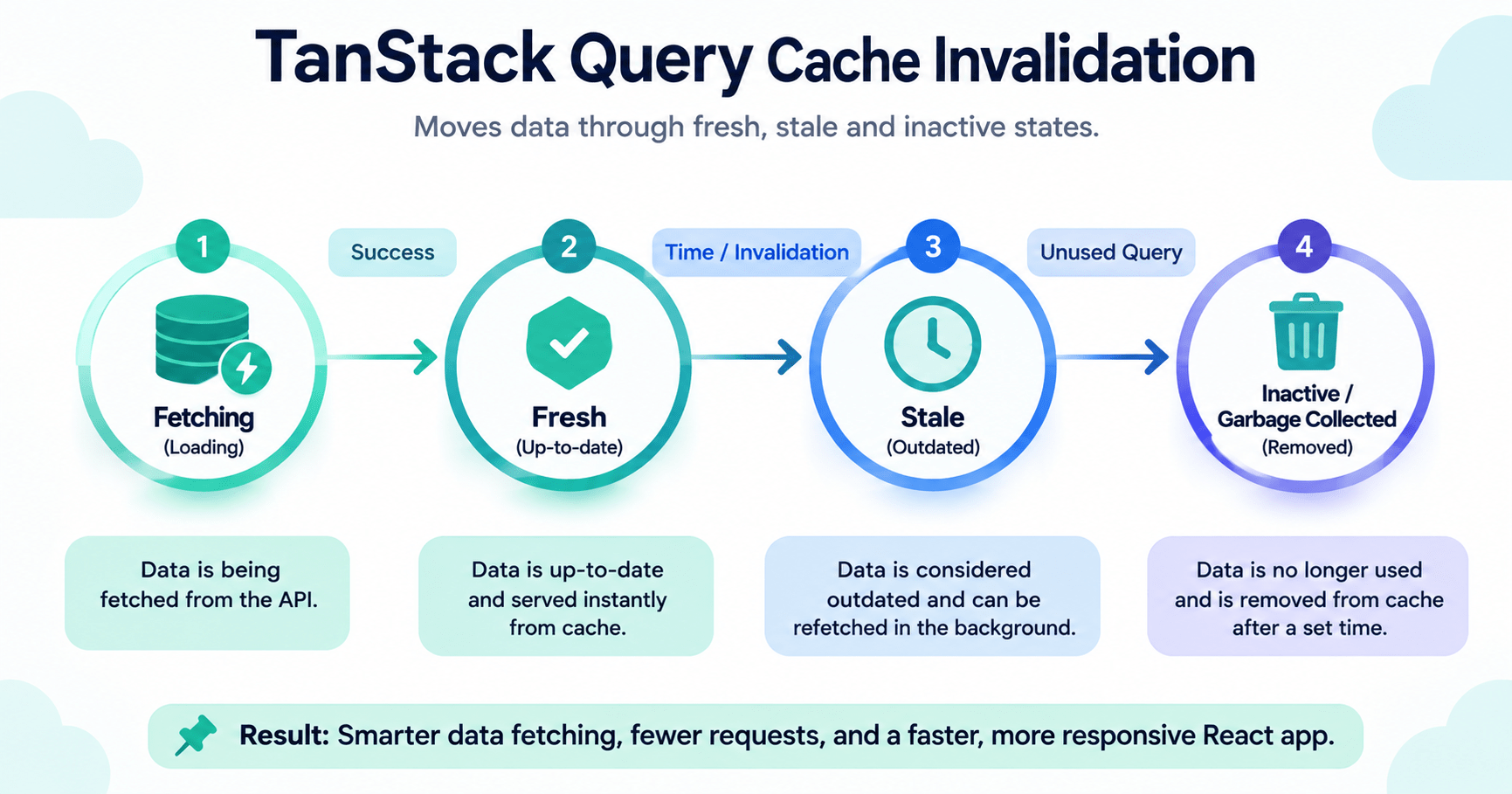
Every query moves through a predictable state machine:
- Fetching → Fresh, once data arrives. No background refetching required.
- Fresh → Stale, after
staleTimeexpires. Data is still usable but ready to refetch. - Stale → Inactive, once a query has zero subscribers. Stays in memory until
gcTimeexpires. - Inactive → Garbage Collected, when
gcTimeruns out.
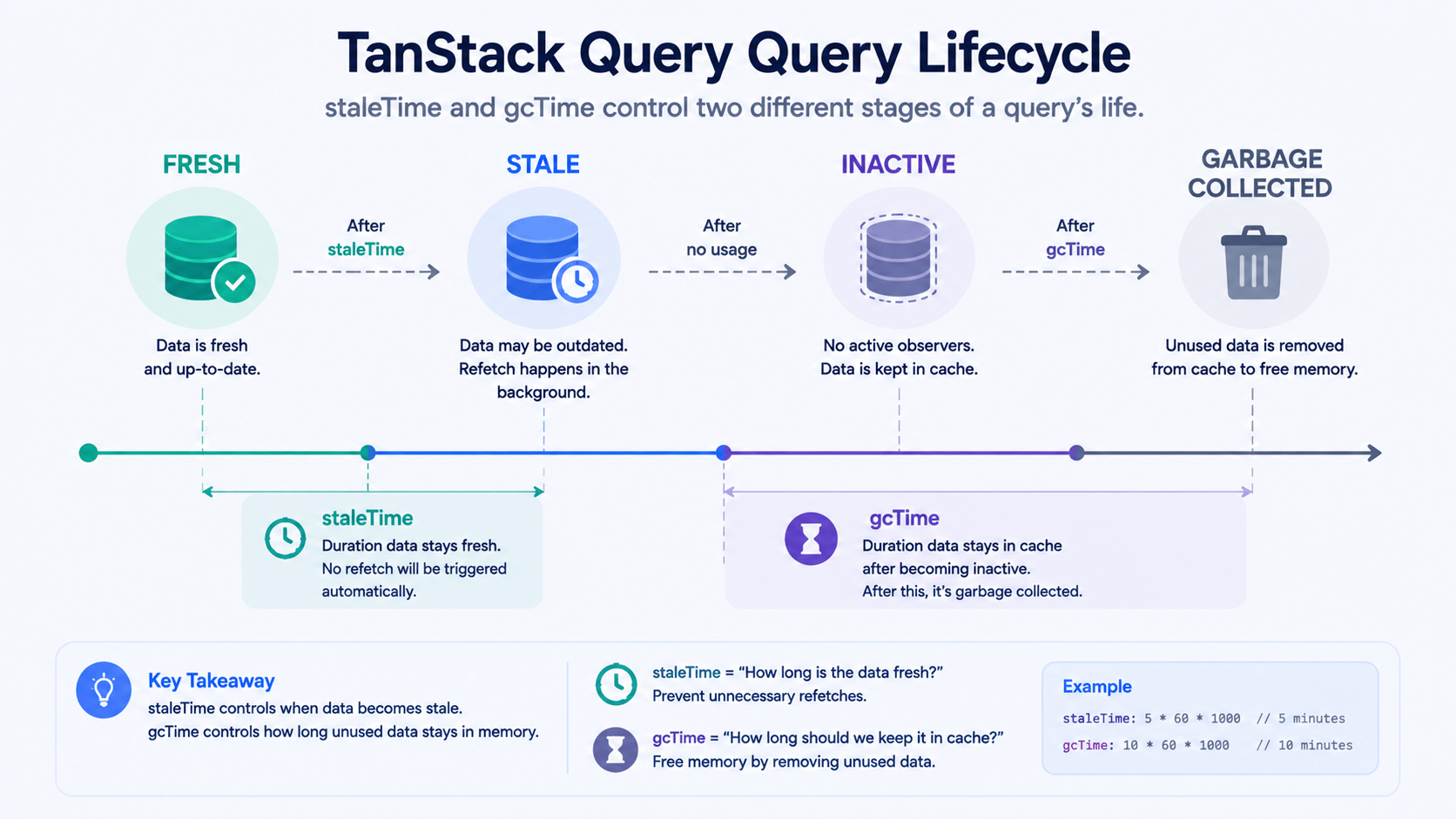
Fresh data was fetched recently and is considered fully up to date. As long as a query is Fresh, TanStack Query won’t trigger network requests on component remounts or window refocuses — there’s simply nothing for cache invalidation to do yet.
Stale data has passed its staleTime threshold. It still renders on screen immediately, so the user sees zero spinners, but TanStack Query silently triggers a background re-fetch on the next trigger event, like a window focus or route change. This is exactly the gap TanStack Query cache invalidation is designed to close on demand, rather than waiting for a passive trigger.
Inactive queries have no components currently rendering them — for example, after the user navigates away. Once a query stays Inactive longer than gcTime, it’s garbage collected to prevent memory leaks.
staleTime vs. gcTime: A Crucial Distinction
Two parameters govern how long data lives in memory, and beginners often mix them up.
| Parameter | Default | Controls |
|---|---|---|
staleTime | 0 ms | How long fetched data is treated as fresh before it’s marked stale |
gcTime (formerly cacheTime) | 5 minutes | How long inactive query data stays in memory before deletion |
Why does TanStack Query default staleTime to 0? By default, data is marked stale immediately. The user sees cached data instantly on route navigation — the stale-while-revalidate pattern — while TanStack Query triggers a background refetch to confirm nothing changed server-side.
If you’re querying data that rarely changes — country lists, user preferences, product categories — set a higher staleTime to cut unnecessary server load:
js
const { data: categories } = useQuery({
  queryKey: ['categories'],
  queryFn: fetchCategories,
  staleTime: 1000 * 60 * 60, // treat as fresh for 1 hour
  gcTime: 1000 * 60 * 60 * 24, // keep inactive cache for 24 hours
});
How TanStack Query Cache Invalidation Works
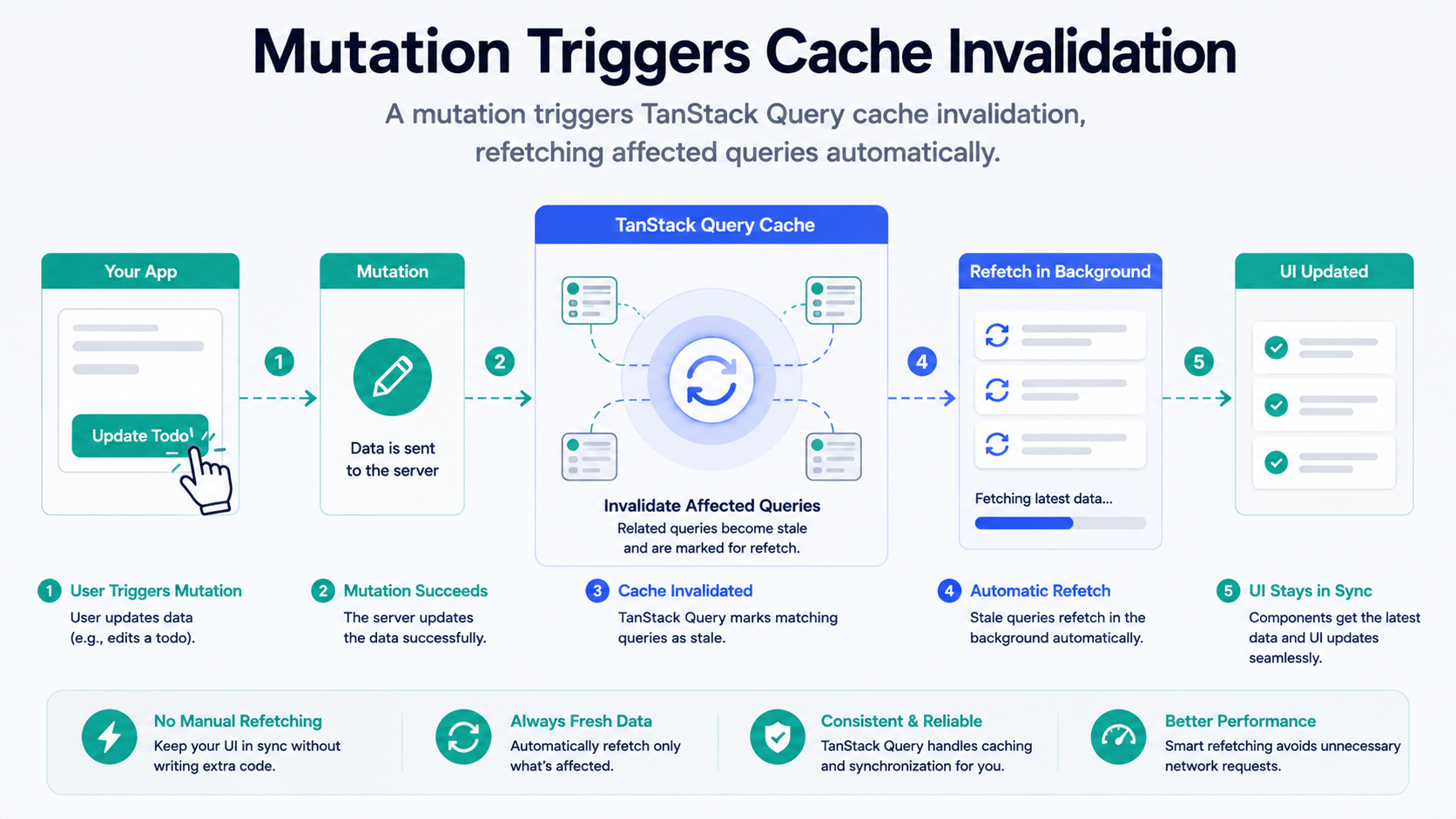
Automatic revalidation handles passive background updates. But data mutations — creating a blog post, updating a profile — need active TanStack Query cache invalidation. Instead of manually rewriting cache structures by hand, you mark affected query keys as stale with queryClient.invalidateQueries(). TanStack Query then automatically refetches any active component using those keys.
jsx
import { useQueryClient } from '@tanstack/react-query';

function CreatePostButton() {
  const queryClient = useQueryClient();

  const handleCreatePost = async () => {
    await apiCreatePost({ title: 'New Post' });

    // Triggers TanStack Query cache invalidation for the 'posts' key
    queryClient.invalidateQueries({ queryKey: ['posts'] });
  };

  return <button onClick={handleCreatePost}>Create Post</button>;
}
Also Read: Reverse Proxies & Edge Security Nginx vs. Caddy vs. Pingora (Rust) Explained
Exact Matching vs. Fuzzy Matching in Cache Invalidation
This hierarchical matching is what makes TanStack Query cache invalidation so flexible — you can target one specific query or an entire family of related queries with a single call. Query keys are matched hierarchically by default:
js
// Invalidates ['posts'], ['posts', 1], and ['posts', { status: 'draft' }]
queryClient.invalidateQueries({ queryKey: ['posts'] });

// Invalidates ONLY the exact key ['posts']
queryClient.invalidateQueries({
  queryKey: ['posts'],
  exact: true,
});
Fine-Tuning Refetching Behavior
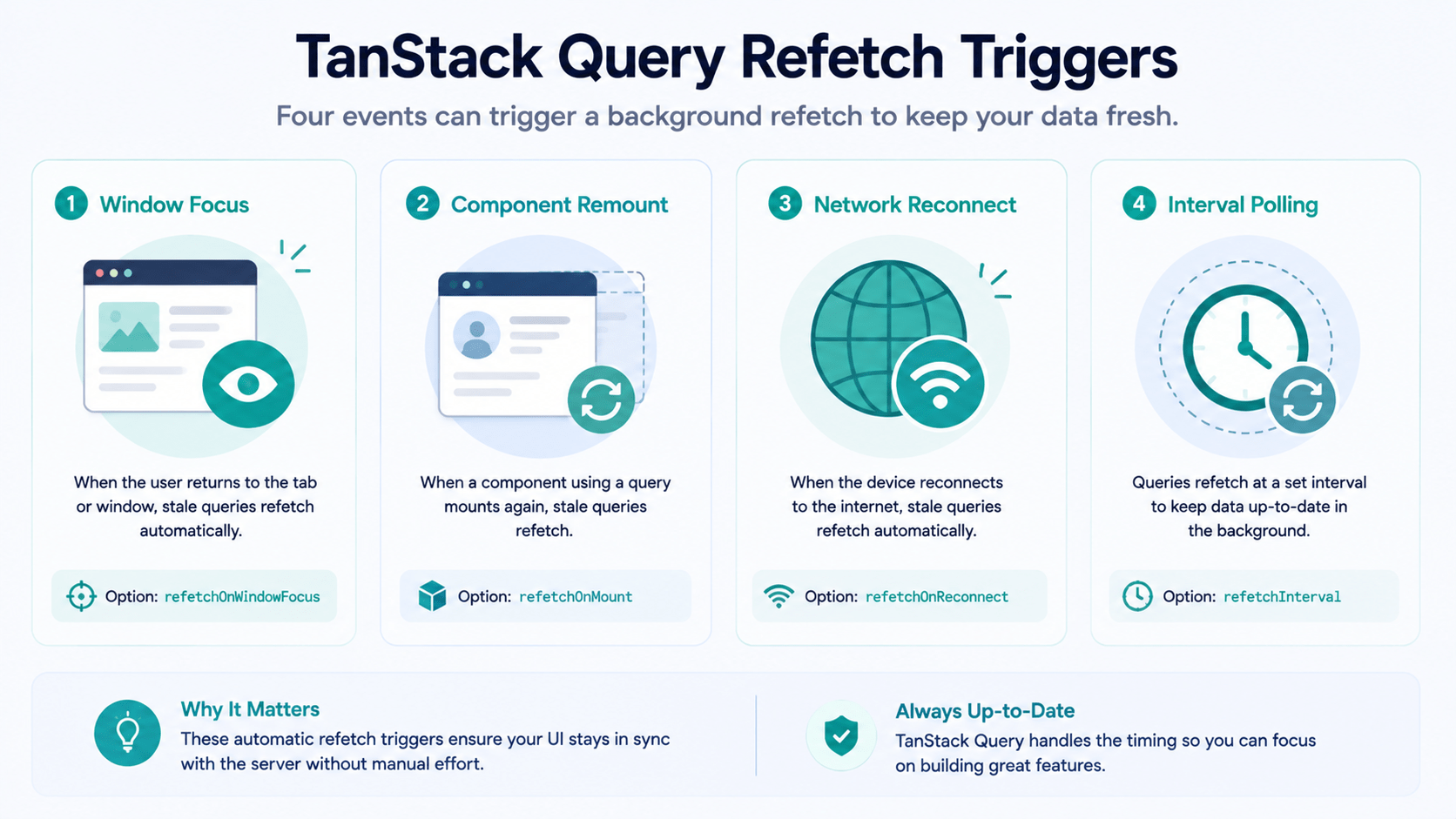
TanStack Query gives you granular control over when background refetches fire. Configure these globally in QueryClient or per query hook:
jsx
const { data } = useQuery({
  queryKey: ['dashboard-stats'],
  queryFn: fetchStats,
  refetchOnWindowFocus: true, // refetch when the tab regains focus
  refetchOnMount: true,       // refetch on remount if stale
  refetchOnReconnect: true,   // refetch after the network reconnects
  refetchInterval: 10000,     // poll every 10 seconds
});
Summary Checklist
staleTimecontrols when data is considered stale and eligible for a background refetch.gcTimecontrols when unused cache data is deleted from memory.- TanStack Query cache invalidation via
invalidateQueries()is the primary way to mark data stale after a mutation. - Deduplication and revalidation together mean TanStack Query loads instantly from cache while keeping server state in sync.
Conclusion
Understanding staleTime, gcTime, and TanStack Query cache invalidation turns asynchronous data fetching from an unpredictable headache into a deterministic, well-optimized pipeline. In our next post, we’ll cover optimistic UI updates and infinite scroll pagination using useMutation and useInfiniteQuery.



