
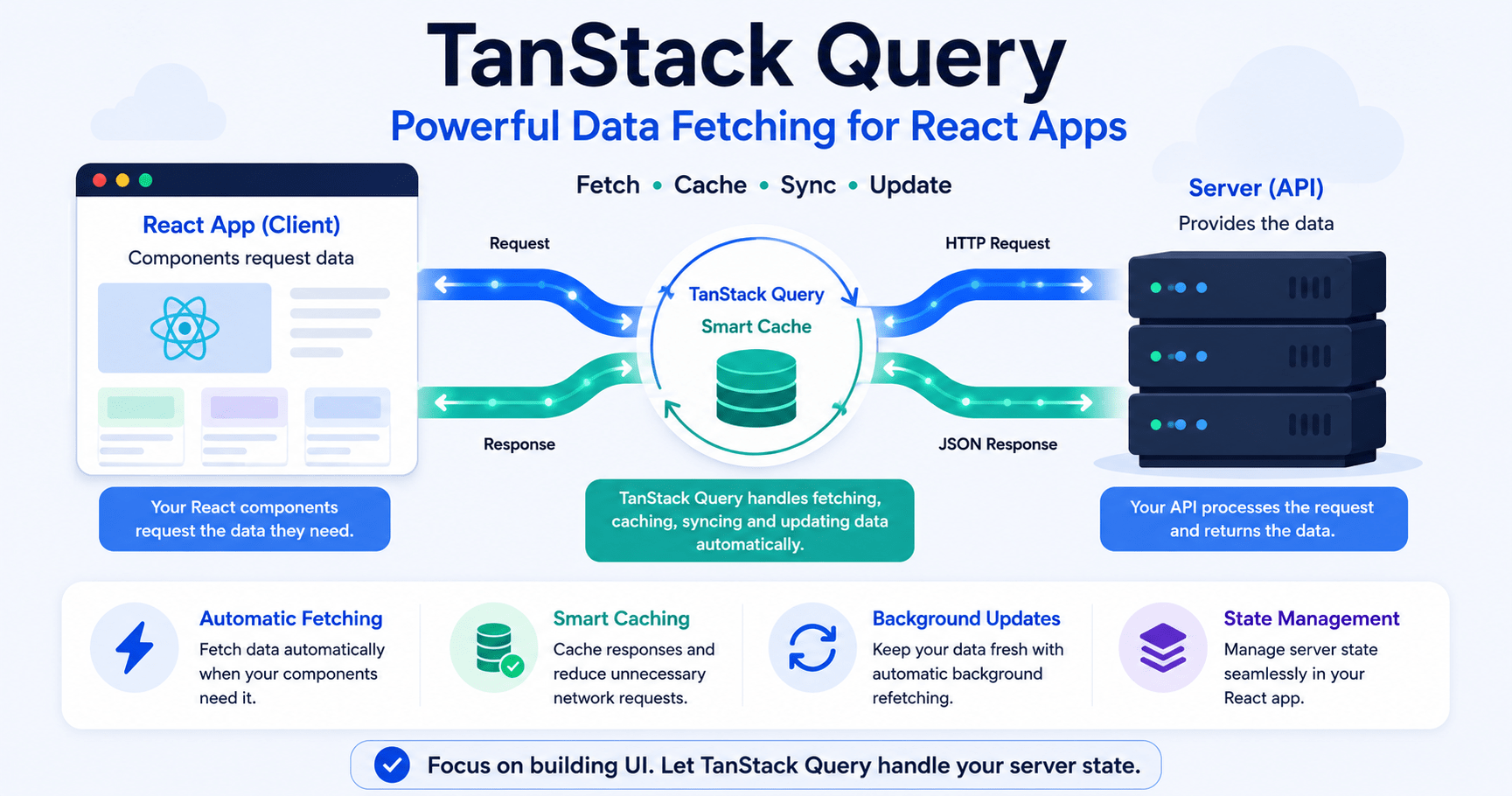

TanStack Query solves a problem almost every React developer eventually hits: rewriting the same useEffect + useState boilerplate for every single API call. In the earlier posts of our React series, we fetched server data the classic way calling fetch() or axios inside a useEffect hook, storing the JSON in useState, and manually juggling isLoading and isError flags by hand.
That pattern works fine for a demo. It falls apart in production:
- Boilerplate overload – every fetching component needs 3+ state hooks and verbose lifecycle code.
- Network waterfalls and duplicate requests – three components needing the same user data fire three separate HTTP calls.
- Stale UI, no caching – leaving a page and coming back triggers a full re-fetch and a jarring spinner, even if nothing changed.
- Complex synchronization – keeping server data in sync across screens means custom event emitters or a bloated global store.
Also Read: reverse proxy nginx caddy pingora
TanStack Query (formerly React Query) exists to fix exactly this. It isn’t a client-state library like Redux or Zustand – it’s a server state management engine built to fetch, cache, synchronize, and update async data for you.
Server State vs. Client State: Why the Distinction Matters
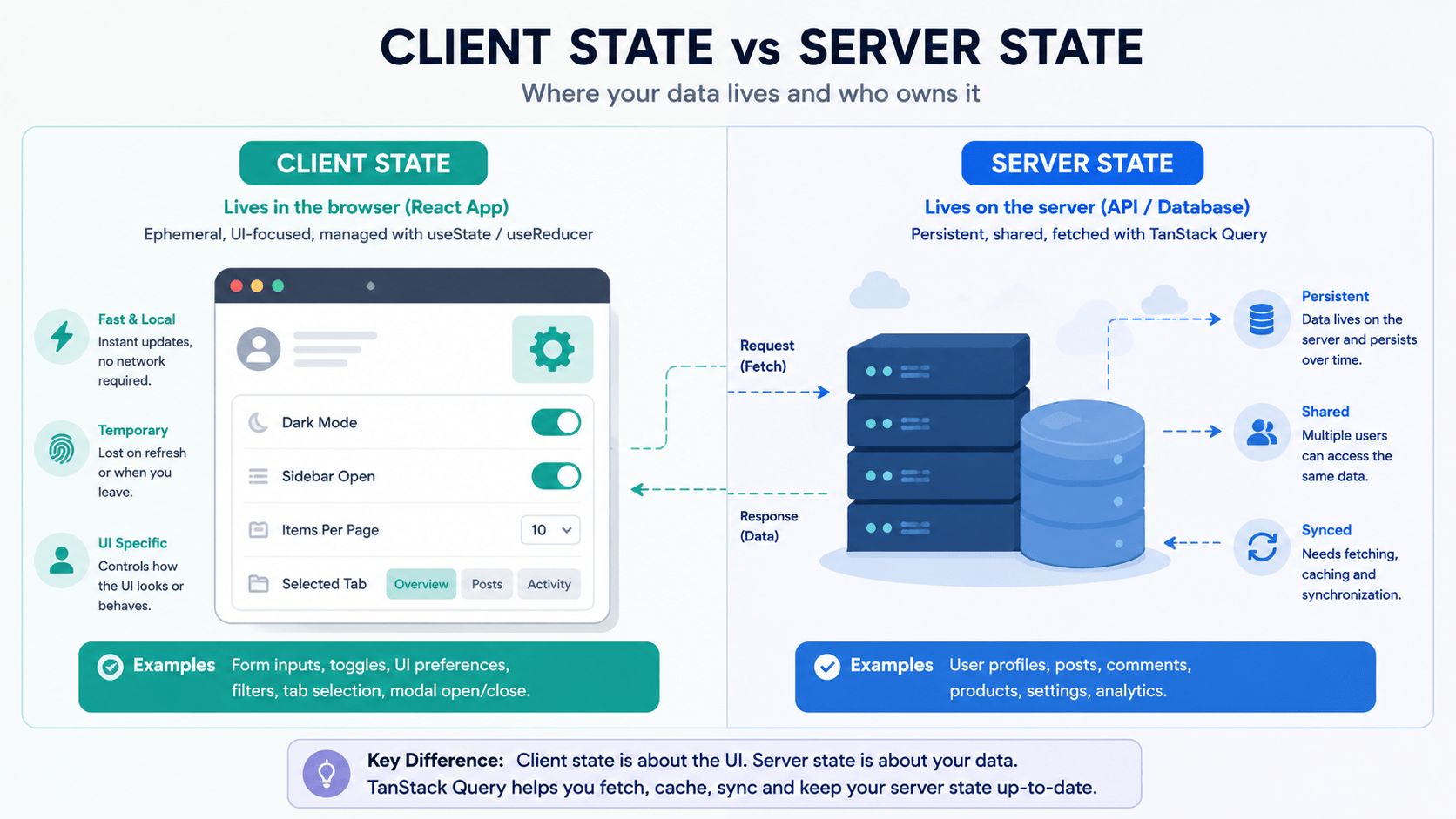
Before TanStack Query clicks, you need to separate two kinds of state:
| Client State | Server State | |
|---|---|---|
| Owned by | The browser | The server |
| Behavior | Ephemeral, synchronous | Async, shared |
| Examples | Sidebar open/closed, active tab, theme | User profiles, product catalogs, feed posts |
useState and Zustand are great for client state. They struggle with server state because that data isn’t really yours to control another user, a background job, or a webhook can change it at any moment. TanStack Query sits between your UI and the server as an intelligent caching layer, so your components stop pretending they own data they don’t.
Step 1: Install TanStack Query and Set Up the Provider
Install the core package:
bash
npm install @tanstack/react-query
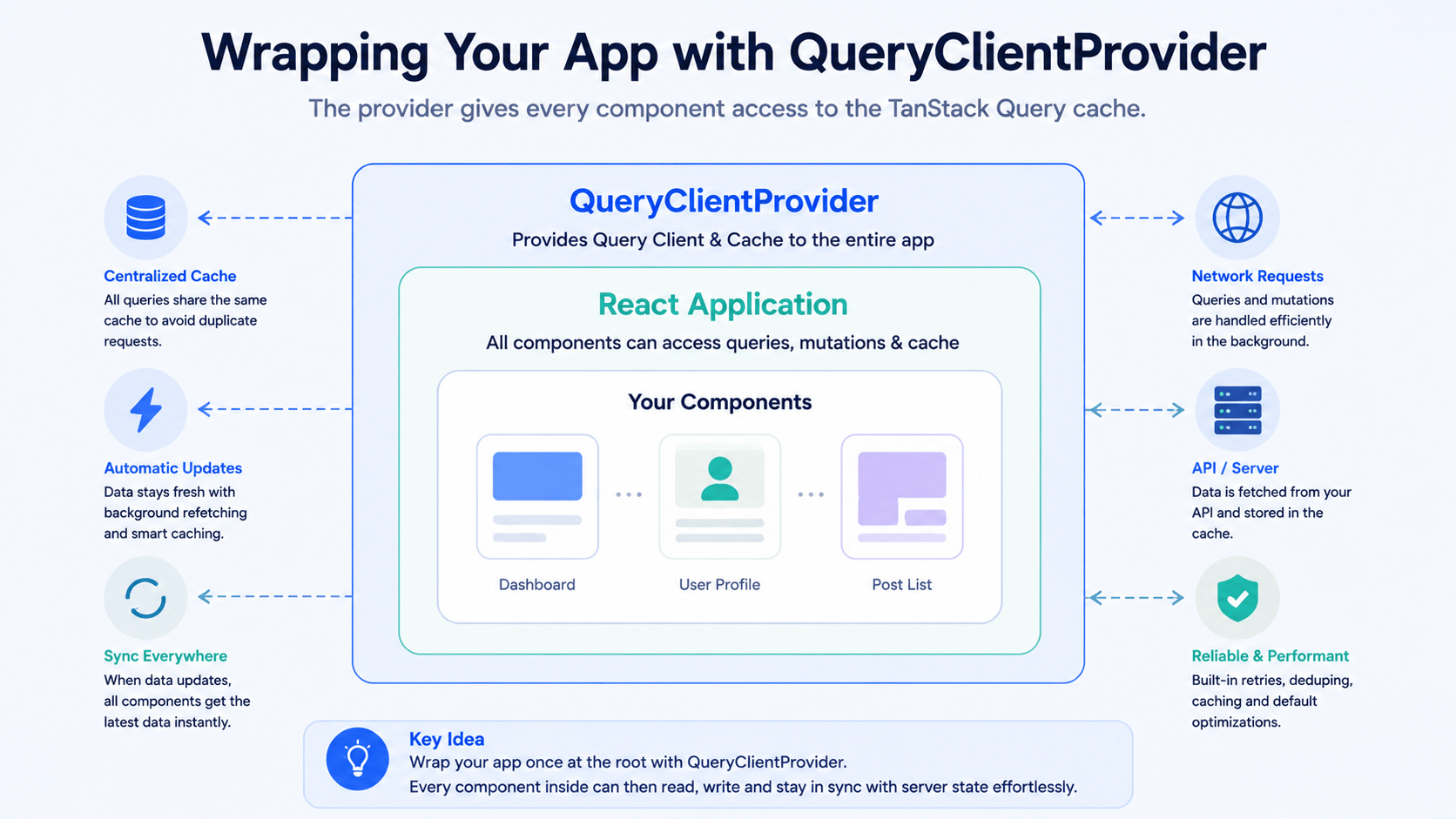
Then wrap your app root in a QueryClientProvider:
jsx
// src/main.jsx
import React from 'react';
import ReactDOM from 'react-dom/client';
import { QueryClient, QueryClientProvider } from '@tanstack/react-query';
import App from './App';

const queryClient = new QueryClient({
  defaultOptions: {
    queries: {
      staleTime: 1000 * 60 * 5, // data stays "fresh" for 5 minutes
      refetchOnWindowFocus: true,
    },
  },
});

ReactDOM.createRoot(document.getElementById('root')).render(
  <React.StrictMode>
    <QueryClientProvider client={queryClient}>
      <App />
    </QueryClientProvider>
  </React.StrictMode>
);
Step 2: Learn the useQuery Hook
useQuery is the core primitive of TanStack Query. It takes two things that matter:
queryKey– an array that uniquely identifies and caches this request.queryFn= an async function returning a Promise with your data.
Before – the manual way:
jsx
function UserProfile({ userId }) {
  const [user, setUser] = useState(null);
  const [isLoading, setIsLoading] = useState(true);
  const [error, setError] = useState(null);

  useEffect(() => {
    let isMounted = true;
    setIsLoading(true);
    fetch(`https://api.example.com/users/${userId}`)
      .then((res) => {
        if (!res.ok) throw new Error('Failed to fetch user');
        return res.json();
      })
      .then((data) => {
        if (isMounted) { setUser(data); setIsLoading(false); }
      })
      .catch((err) => {
        if (isMounted) { setError(err.message); setIsLoading(false); }
      });
    return () => { isMounted = false; };
  }, [userId]);

  if (isLoading) return <div>Loading user profile...</div>;
  if (error) return <div>Error: {error}</div>;
  return <div><h1>{user.name}</h1><p>{user.email}</p></div>;
}
After – with useQuery:
jsx
import { useQuery } from '@tanstack/react-query';

async function fetchUser(userId) {
  const res = await fetch(`https://api.example.com/users/${userId}`);
  if (!res.ok) throw new Error('Network response was not ok');
  return res.json();
}

function UserProfile({ userId }) {
  const { data: user, isLoading, isError, error } = useQuery({
    queryKey: ['user', userId],
    queryFn: () => fetchUser(userId),
  });

  if (isLoading) return <div>Loading user profile...</div>;
  if (isError) return <div>Error: {error.message}</div>;
  return <div><h1>{user.name}</h1><p>{user.email}</p></div>;
}
Same result. A fraction of the code. Caching, retries, and error handling come free.
Step 3: Understand Query Keys
Query keys are what drive the caching engine:
js
queryKey: ['user', 1]
queryKey: ['posts', { status: 'published', page: 2 }]
Change any value inside the key – a page number, a filter – and TanStack Query re-runs the query for that new key while keeping the old key’s data cached. Nothing gets thrown away unnecessarily.
Step 4: The Benefits You Get for Free
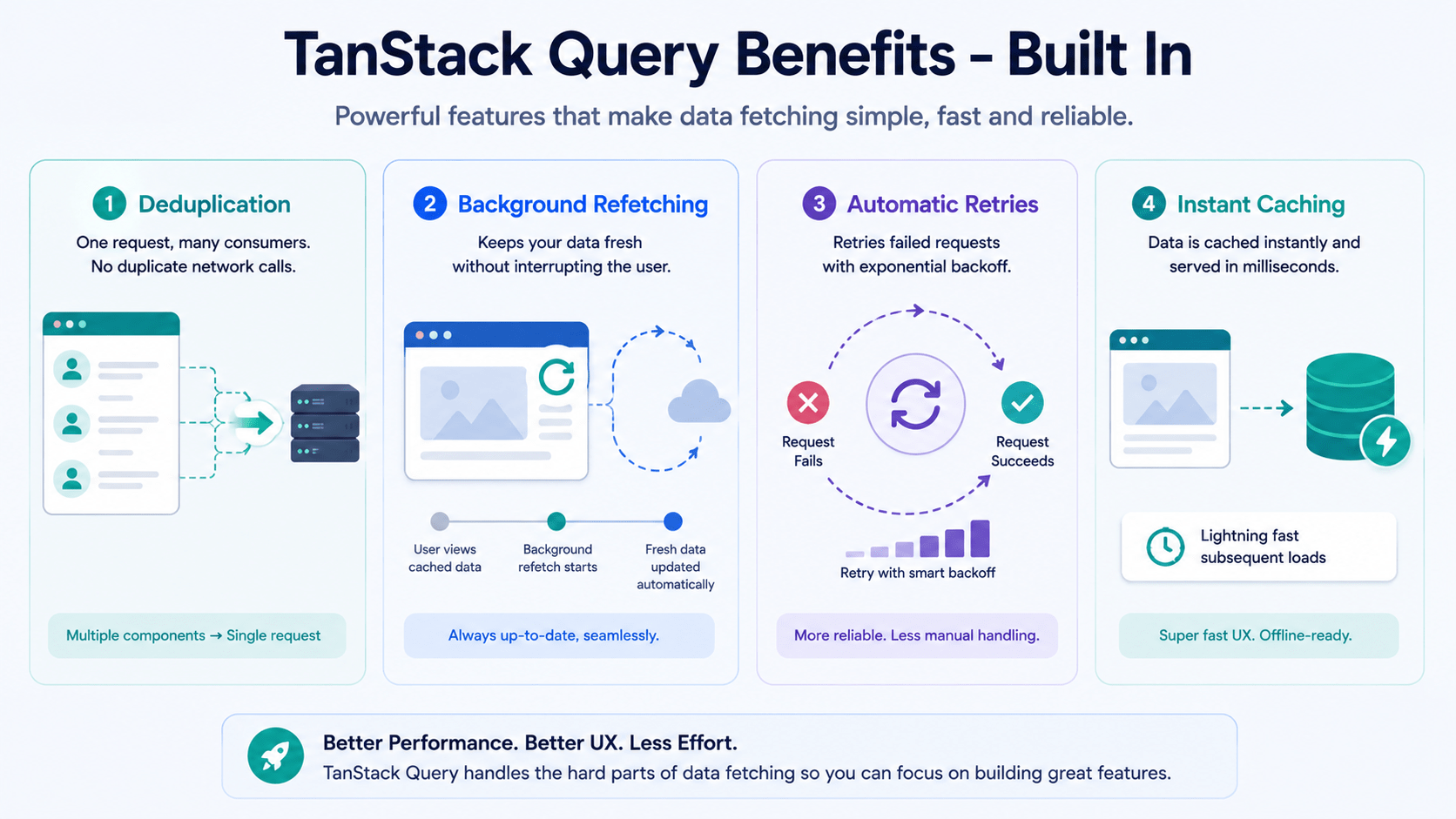
- Automatic deduplication. Ten components requesting
['user', 1]at once trigger exactly one network call. - Background refetching. Switch tabs and come back – data updates silently, no spinner flash.
- Automatic retries. A failed request retries with exponential backoff (3 attempts by default) before it errors out.
- Instant cache hits. Revisiting a route you’ve already loaded shows cached data with zero network delay.
Conclusion
TanStack Query removes hundreds of lines of manual async boilerplate from React apps. Treat server data as a cached, synchronized layer instead of local state you manage by hand, and you get faster UIs and fewer bugs for free. In our next post, we’ll go deeper into cache invalidation, refetching strategies, and stale times – the fine-grained controls that decide exactly when your data updates.



