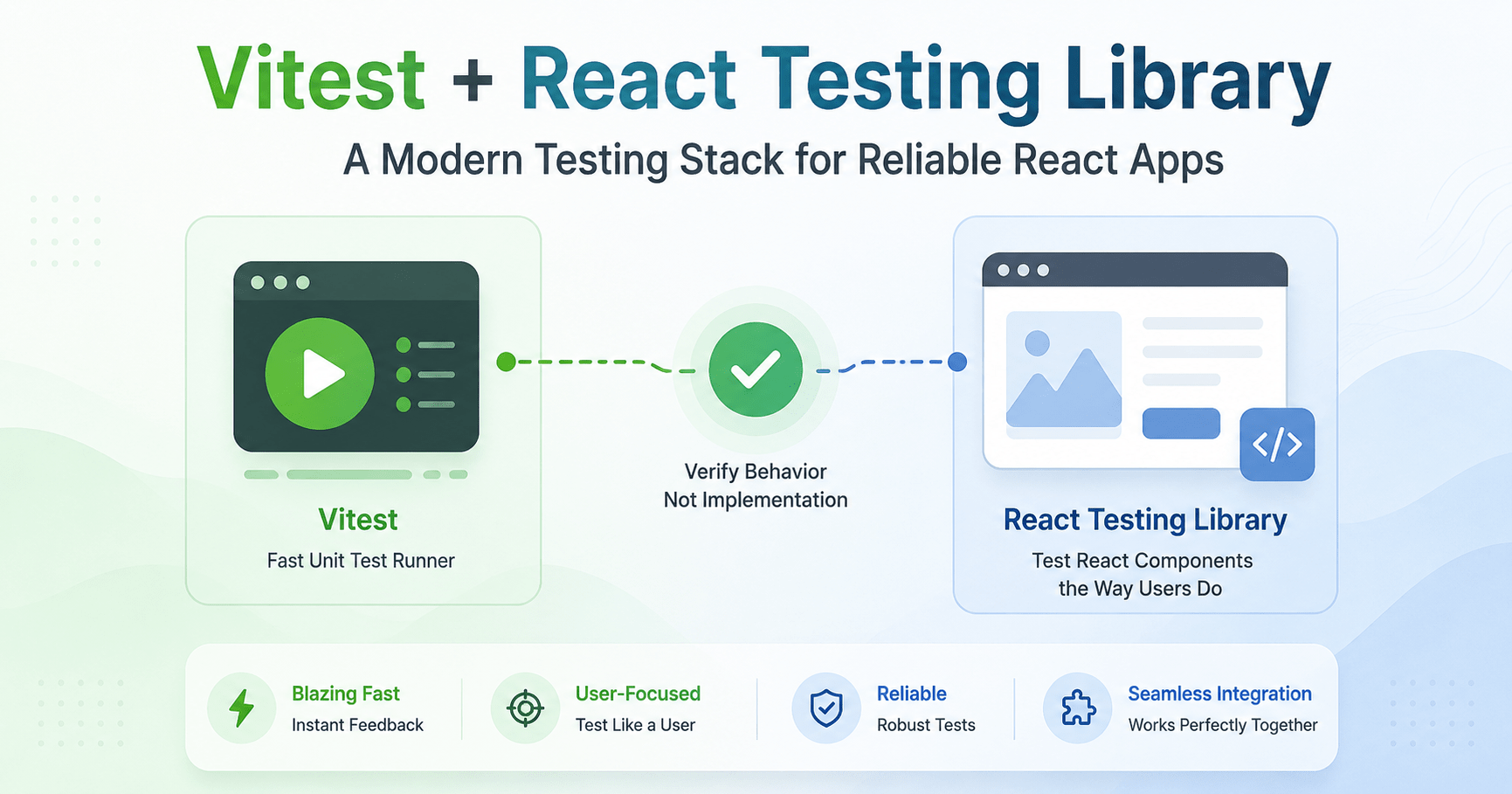

If your React app still leans on Jest and Enzyme, you’re not doing anything wrong but if you’re building on Vite, Next.js, or TypeScript, Vitest React Testing Library is the pairing that actually matches your stack instead of fighting it.
This post walks through setting up Vitest, writing resilient unit and integration tests with React Testing Library (RTL), mocking async API calls with Mock Service Worker (MSW), and testing custom React hooks. It’s Blog Post 35 in our full-stack series; if you haven’t scaffolded the project itself yet, our React and Next.js project setup guide covers that first.
Why Vitest React Testing Library Beats the Old Jest + Enzyme Combo
Vitest vs. Jest, in short: Vitest shares Vite’s transform pipeline, plugins, and config, so you get near-instant hot module reloading during test runs instead of waiting on a separate test compiler. It also handles TypeScript and native ESM out of the box, with no Babel or ts-jest juggling. And it’s largely a drop-in replacement for Jest’s API (describe, it, expect, vi.fn()), so the transition doesn’t mean relearning how you write tests.
React Testing Library’s philosophy is the other half of this pairing. RTL is built around one idea: the more your tests resemble how your software is actually used, the more confidence they give you. Instead of poking at a component’s internal state or private methods, RTL tests from the user’s perspective finding elements by visible text, roles, and labels, then interacting the way a real person would.
Also Read: New to the React/Next.js side of this stack? Our Introduction to React Basics and Next.js covers the library-vs-framework distinction this testing setup builds on top of.
Setting Up Vitest & RTL
A working Vitest React Testing Library setup starts with a handful of packages and one config file. Install the core testing packages:
npm install -D vitest @testing-library/react @testing-library/user-event @testing-library/jest-dom jsdom msw
Configuring vitest.config.ts
// vitest.config.ts
import { defineConfig } from 'vitest/config';
import react from '@vitejs/plugin-react';
import path from 'path';

export default defineConfig({
  plugins: [react()],
  test: {
    globals: true,
    environment: 'jsdom',
    setupFiles: './src/test/setup.ts',
    alias: {
      '@': path.resolve(__dirname, './src'),
    },
  },
});
Test Setup File (src/test/setup.ts)
Import the @testing-library/jest-dom extensions so matchers like toBeInTheDocument() and toHaveTextContent() are globally available:
// src/test/setup.ts
import '@testing-library/jest-dom/vitest';
import { cleanup } from '@testing-library/react';
import { afterEach } from 'vitest';

// Automatically clean up DOM after each test run
afterEach(() => {
  cleanup();
});
Query Priority & Best Practices
RTL provides several query variants, and picking the right one is what separates a resilient test suite from one that breaks every time a class name changes.
| Query Type | Errors if Missing? | Async / Waits? | Primary Use Case |
|---|---|---|---|
getBy... | Yes | No | Asserting elements that should exist immediately |
queryBy... | No (returns null) | No | Asserting an element does not exist in the DOM |
findBy... | Yes (after timeout) | Yes | Waiting for elements that appear asynchronously (e.g., an API fetch) |
Recommended query hierarchy, in order of preference:
- Accessible to everyone:
getByRole(e.g.,getByRole('button', { name: /submit/i })),getByLabelText,getByPlaceholderText. - Semantic queries:
getByAltText,getByTitle. - Test IDs, last resort:
getByTestIdonly when text or accessibility roles are dynamic or unavailable.
Testing Interactive Components with @testing-library/user-event
Let’s build a small search component and write tests against it that actually reflect how a user would interact with it.
Component under test: UserSearch.tsx
// src/components/UserSearch.tsx
import React, { useState } from 'react';

interface UserSearchProps {
  onSearch: (query: string) => void;
}

export const UserSearch: React.FC<UserSearchProps> = ({ onSearch }) => {
  const [query, setQuery] = useState('');
  const [error, setError] = useState('');

  const handleSubmit = (e: React.FormEvent) => {
    e.preventDefault();
    if (!query.trim()) {
      setError('Search query cannot be empty');
      return;
    }
    setError('');
    onSearch(query.trim());
  };

  return (
    <form onSubmit={handleSubmit} aria-label="user-search-form">
      <label htmlFor="search-input">Search Users</label>
      <input
        id="search-input"
        type="text"
        value={query}
        onChange={(e) => setQuery(e.target.value)}
        placeholder="Enter username..."
      />
      <button type="submit">Search</button>

      {error && <p role="alert">{error}</p>}
    </form>
  );
};
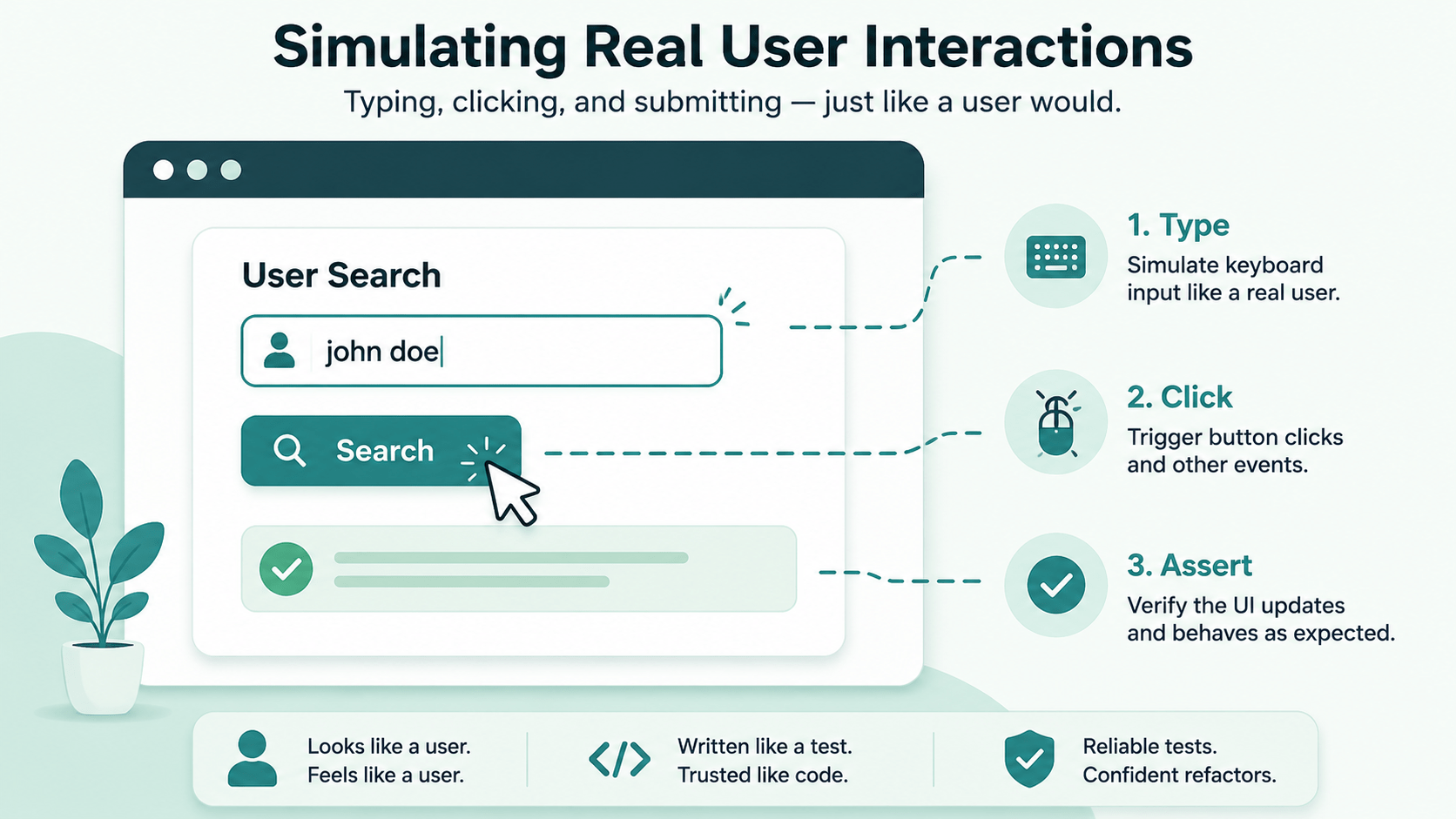
Component test: UserSearch.test.tsx
// src/components/UserSearch.test.tsx
import { render, screen } from '@testing-library/react';
import userEvent from '@testing-library/user-event';
import { describe, it, expect, vi } from 'vitest';
import { UserSearch } from './UserSearch';

describe('UserSearch Component', () => {
  it('renders input field and submit button', () => {
    render(<UserSearch onSearch={vi.fn()} />);

    expect(screen.getByLabelText(/search users/i)).toBeInTheDocument();
    expect(screen.getByRole('button', { name: /search/i })).toBeInTheDocument();
  });

  it('displays validation error when submitting empty input', async () => {
    const user = userEvent.setup();
    const handleSearch = vi.fn();

    render(<UserSearch onSearch={handleSearch} />);

    const submitBtn = screen.getByRole('button', { name: /search/i });
    await user.click(submitBtn);

    expect(screen.getByRole('alert')).toHaveTextContent('Search query cannot be empty');
    expect(handleSearch).not.toHaveBeenCalled();
  });

  it('calls onSearch callback with typed query on submit', async () => {
    const user = userEvent.setup();
    const handleSearch = vi.fn();

    render(<UserSearch onSearch={handleSearch} />);

    const input = screen.getByLabelText(/search users/i);
    const submitBtn = screen.getByRole('button', { name: /search/i });

    await user.type(input, 'octocat');
    await user.click(submitBtn);

    expect(handleSearch).toHaveBeenCalledTimes(1);
    expect(handleSearch).toHaveBeenCalledWith('octocat');
    expect(screen.queryByRole('alert')).not.toBeInTheDocument();
  });
});
Testing Custom React Hooks with renderHook
When logic lives in a custom hook instead of a component, renderHook and act are how you test it directly, without mounting a throwaway component just to exercise it.
Custom hook: useCounter.ts
// src/hooks/useCounter.ts
import { useState, useCallback } from 'react';

export function useCounter(initialValue = 0) {
  const [count, setCount] = useState(initialValue);

  const increment = useCallback(() => setCount((c) => c + 1), []);
  const decrement = useCallback(() => setCount((c) => c - 1), []);
  const reset = useCallback(() => setCount(initialValue), [initialValue]);

  return { count, increment, decrement, reset };
}
Hook test: useCounter.test.ts
// src/hooks/useCounter.test.ts
import { renderHook, act } from '@testing-library/react';
import { describe, it, expect } from 'vitest';
import { useCounter } from './useCounter';

describe('useCounter Hook', () => {
  it('initializes with default and custom values', () => {
    const { result: defaultResult } = renderHook(() => useCounter());
    expect(defaultResult.current.count).toBe(0);

    const { result: customResult } = renderHook(() => useCounter(10));
    expect(customResult.current.count).toBe(10);
  });

  it('increments and decrements count state correctly', () => {
    const { result } = renderHook(() => useCounter(5));

    act(() => {
      result.current.increment();
    });
    expect(result.current.count).toBe(6);

    act(() => {
      result.current.decrement();
    });
    expect(result.current.count).toBe(5);
  });
});
Integration Testing & Mocking APIs with Mock Service Worker
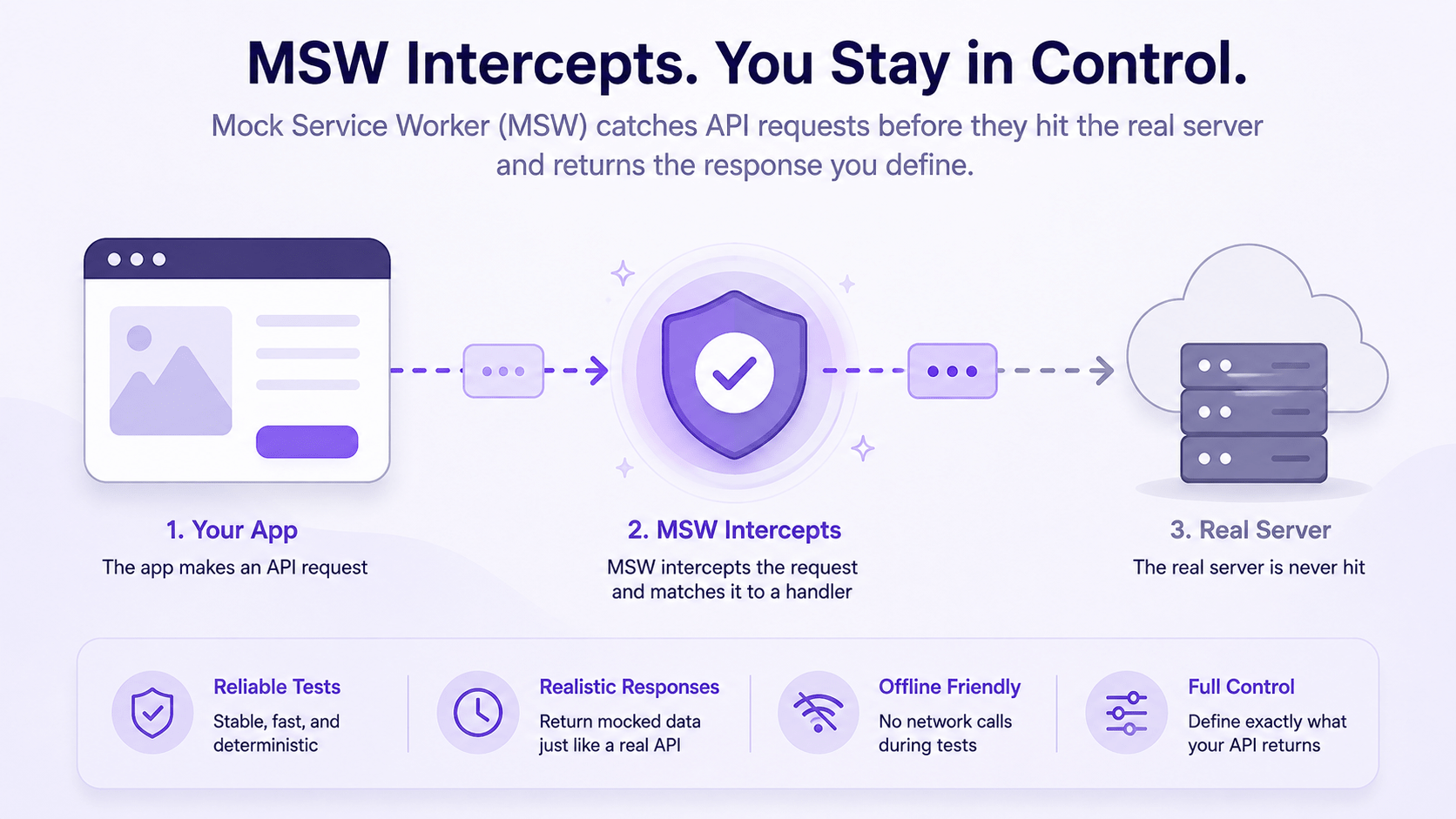
Instead of mocking fetch or axios directly with vi.spyOn(), Mock Service Worker (MSW) intercepts requests at the network layer your component code never knows it isn’t talking to a real API.
Setting up MSW handlers (src/mocks/handlers.ts)
// src/mocks/handlers.ts
import { http, HttpResponse } from 'msw';

export const handlers = [
  http.get('https://api.example.com/users', () => {
    return HttpResponse.json([
      { id: '1', name: 'Alice Developer' },
      { id: '2', name: 'Bob Engineer' },
    ]);
  }),
];
Setting up the server (src/mocks/server.ts)
// src/mocks/server.ts
import { setupServer } from 'msw/node';
import { handlers } from './handlers';

export const server = setupServer(...handlers);
Hooking MSW into the Vitest setup (src/test/setup.ts)
// src/test/setup.ts
import '@testing-library/jest-dom/vitest';
import { afterAll, afterEach, beforeAll } from 'vitest';
import { server } from '../mocks/server';

beforeAll(() => server.listen());
afterEach(() => server.resetHandlers());
afterAll(() => server.close());
Async integration test: UserList.test.tsx
// src/components/UserList.test.tsx
import { render, screen } from '@testing-library/react';
import { describe, it, expect } from 'vitest';
import { UserList } from './UserList'; // Component that fetches /users on mount

describe('UserList Integration Test', () => {
  it('renders loading state then displays fetched users', async () => {
    render(<UserList />);

    // Assert initial loading state
    expect(screen.getByText(/loading users.../i)).toBeInTheDocument();

    // Wait for async fetch resolution using findByRole
    const userItems = await screen.findAllByRole('listitem');
    expect(userItems).toHaveLength(2);
    expect(screen.getByText('Alice Developer')).toBeInTheDocument();
    expect(screen.getByText('Bob Engineer')).toBeInTheDocument();
  });
});
Key Takeaways for a Solid Vitest React Testing Library Setup
- Behavioral testing: test user outcomes, not component state or internal method implementations.
- Accessible querying: prioritize
getByRoleandgetByLabelTextthis doubles as a check on your app’s actual accessibility. - Realistic interactions: use
@testing-library/user-eventinstead offireEventfor interactions that mirror a real browser session. - Network interception: prefer MSW over ad-hoc fetch mocking to keep integration tests realistic and easy to maintain.
Why This Vitest React Testing Library Stack Holds Up Long-Term
The real payoff isn’t just faster test runs it’s that tests written against roles and labels instead of implementation details survive refactors. Rename an internal variable or restructure a component’s state, and a well-written RTL test keeps passing, because it was never looking at the internals in the first place. That’s what “resembling how your software is used” actually buys you.
What’s Next
Blog Post 36 takes this quality-control suite further with automated End-to-End (E2E) testing pipelines built on Playwright.