
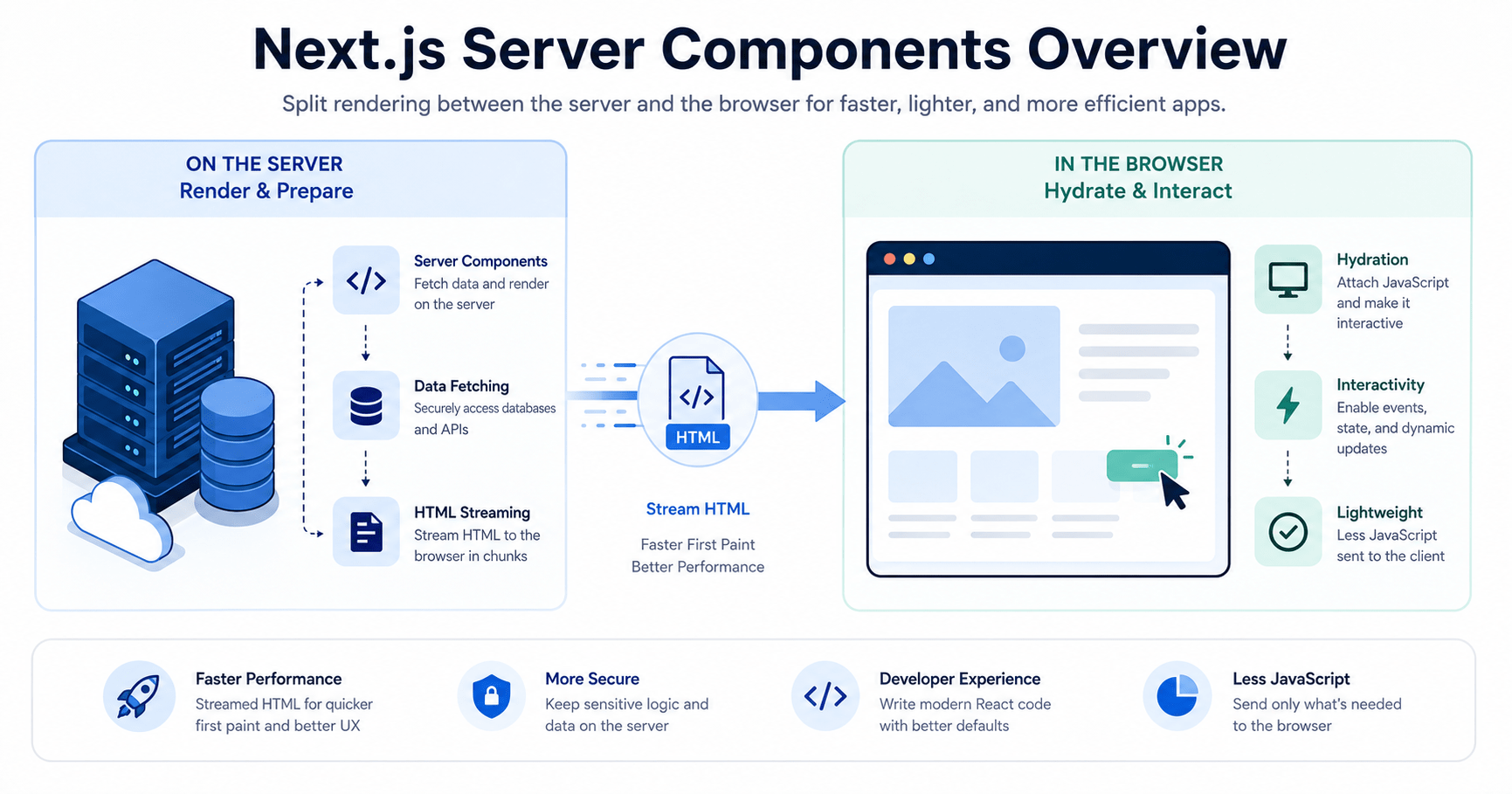

Before a single line of HTML appears on the page, Next.js Server Components shift the burden of rendering a React application from the browser to the server. This change addresses issues that you have likely already seen if you have been developing using client-side React, such as sluggish initial loads, blank pages that search engines cannot understand, and layout that hops around while data loads.
Everything we have created thus far in our series uses client-side rendering to operate completely in the browser. A user’s browser downloads a basic HTML page and a sizable JavaScript bundle when they visit a typical Single Page Application. The browser then executes the code to create the UI on the fly.
While this method is effective for private dashboards, it causes significant issues for production websites. Empty HTML shells are sometimes difficult for search engine crawlers to index. On slow mobile networks, the first load speed may seem slow. When content appears, fetching data from deeply buried client components frequently results in annoying layout changes.
Next.js is at the forefront of the React ecosystem’s transition to full-stack meta-frameworks in order to address these problems. We’ll examine how the rendering model evolves and how to utilize it in conjunction with standard client components in this guide.
What Are Next.js Server Components?
React Server Components (RSCs) are introduced by Next.js, particularly through its App Router. By default, Next.js runs components on the server and sends fully generated HTML directly to the client, rather than executing all component code inside the browser.
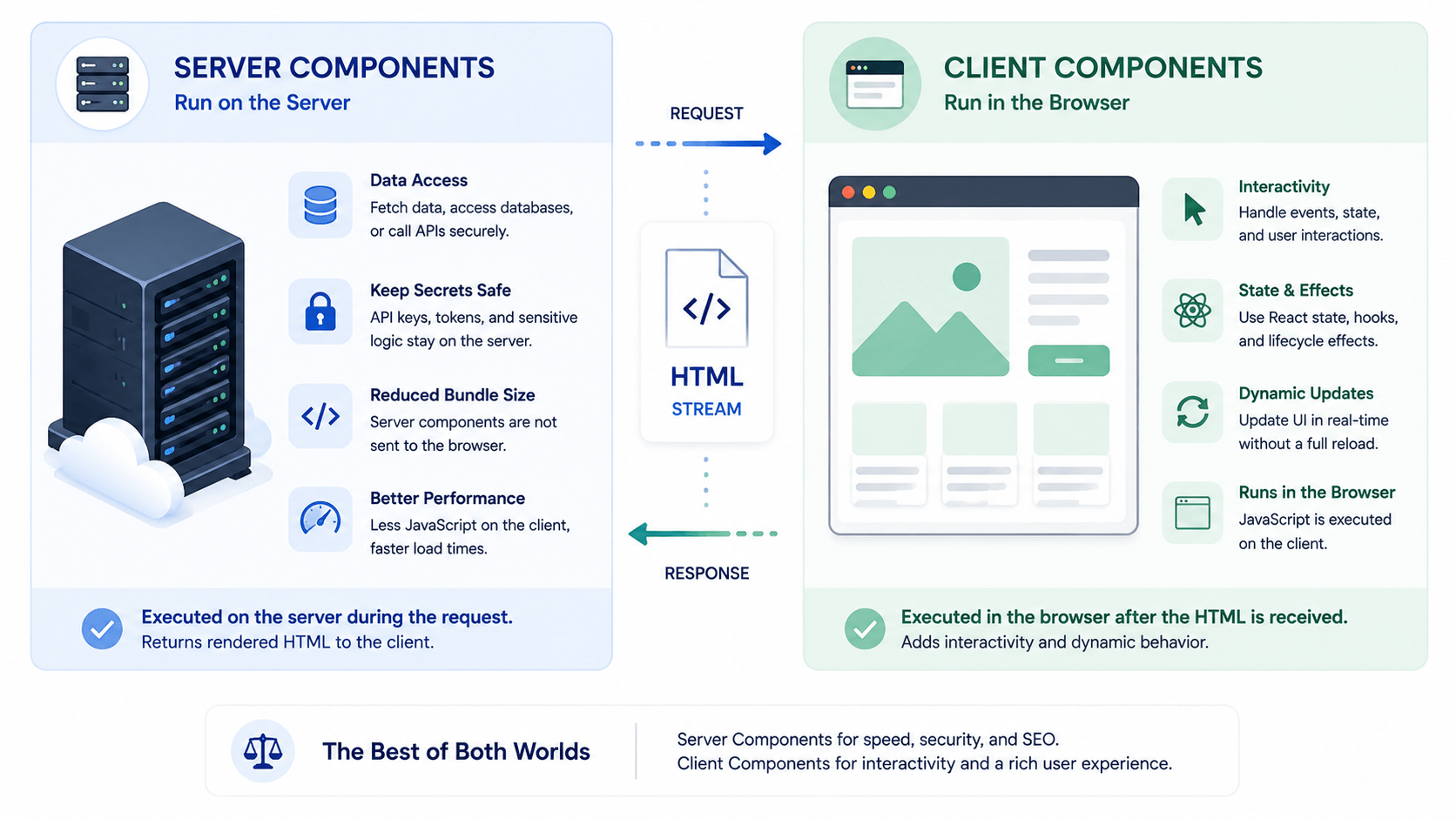
The two component kinds divide their duties as follows:
Server vs. Client Components
How React components behave in modern full-stack frameworks
| Feature | Server Components (Default) | Client Components (“use client”) |
|---|---|---|
|
01
Execution
|
Runs only on the server | Runs on both server (pre-render) and client |
|
02
Bundle Size
|
0 KB added to client JavaScript | Included in the client JS bundle |
|
03
Data Access
|
Can query databases and secret API keys directly | Must fetch data through an API endpoint |
|
04
Interactivity
|
No event handlers (onClick) or hooks (useState) | Full support for state, effects, and events |
File-System Routing
In Blog Post 12 of this series, we configured client routes by hand using <Routes> and <Route> components. Next.js removes that configuration work with File-System Routing.
Inside the app/ directory, folders define the URL path structure, and page.jsx files render the matching UI:
app/
├── page.jsx            --> Renders "/" (Home)
├── about/
│   └── page.jsx        --> Renders "/about"
└── blog/
    └── [slug]/
        └── page.jsx    --> Dynamic route: "/blog/post-1", "/blog/post-2"
How Next.js Server Components Fetch Data Directly
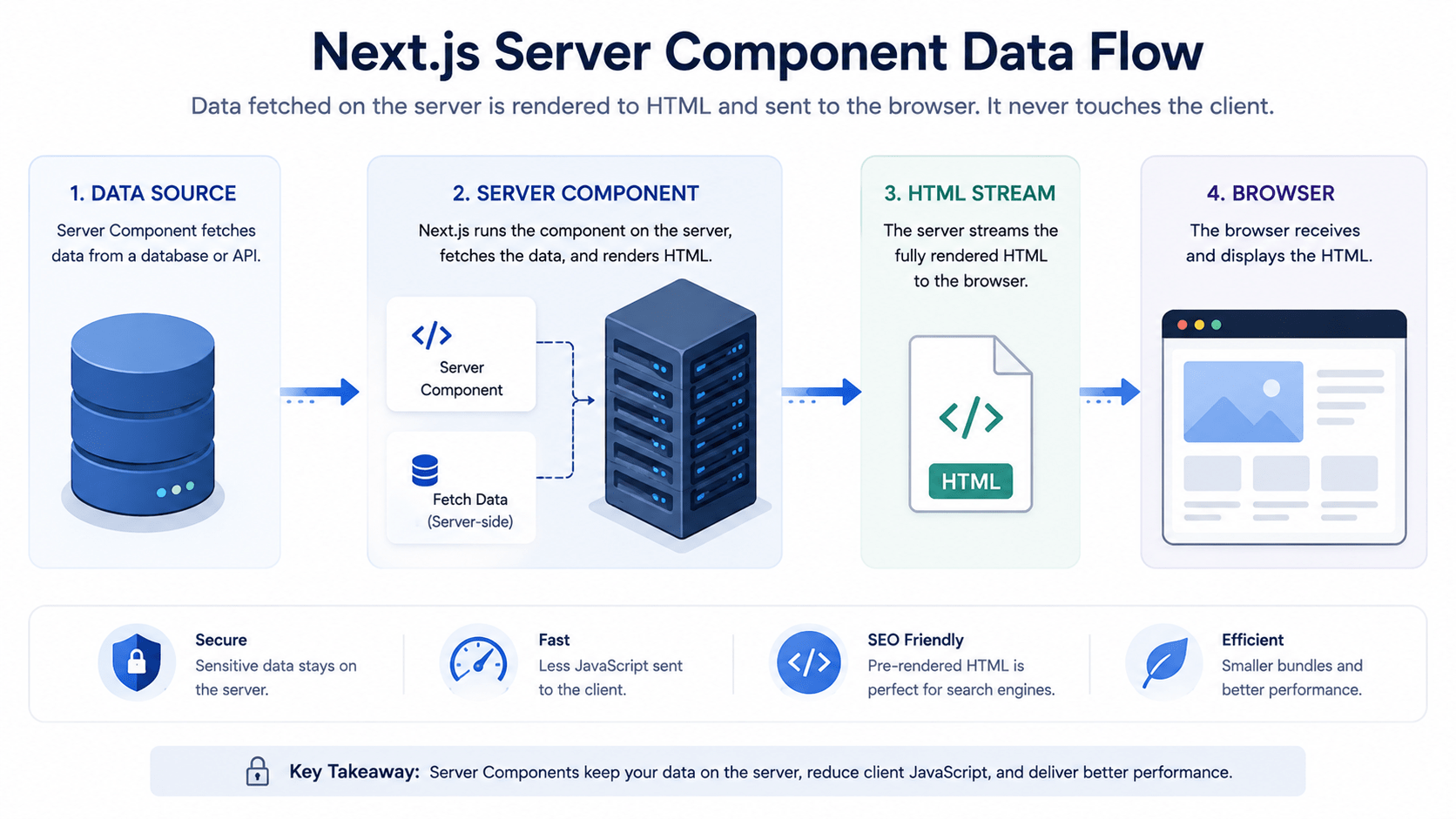
Because they execute safely on the server, you can write asynchronous functions that fetch data or query databases directly inside your component, without reaching for useEffect, useState, or a loading spinner.
Example: Async Server Component
jsx
// app/users/page.jsx (Server Component by default)

async function getUsers() {
  const res = await fetch('https://jsonplaceholder.typicode.com/users', {
    // Next.js automatically caches fetch requests by default
    next: { revalidate: 3600 } // Revalidate data every hour
  });

  if (!res.ok) throw new Error('Failed to fetch user directory');
  return res.json();
}

export default async function UsersPage() {
  // Direct async data fetching inside the component body
  const users = await getUsers();

  return (
    <main style={{ padding: '20px' }}>
      <h1>Team Directory</h1>
      <ul>
        {users.map((user) => (
          <li key={user.id}>
            <strong>{user.name}</strong> {user.email}
          </li>
        ))}
      </ul>
    </main>
  );
}
This runs entirely on the server. The browser never sees the fetch call, the API endpoint, or any loading state it just receives finished HTML.
Opting Into Interactivity With “use client”
Server components handle data fetching and layout structure well, but they cannot handle browser events like onClick or React state hooks like useState.
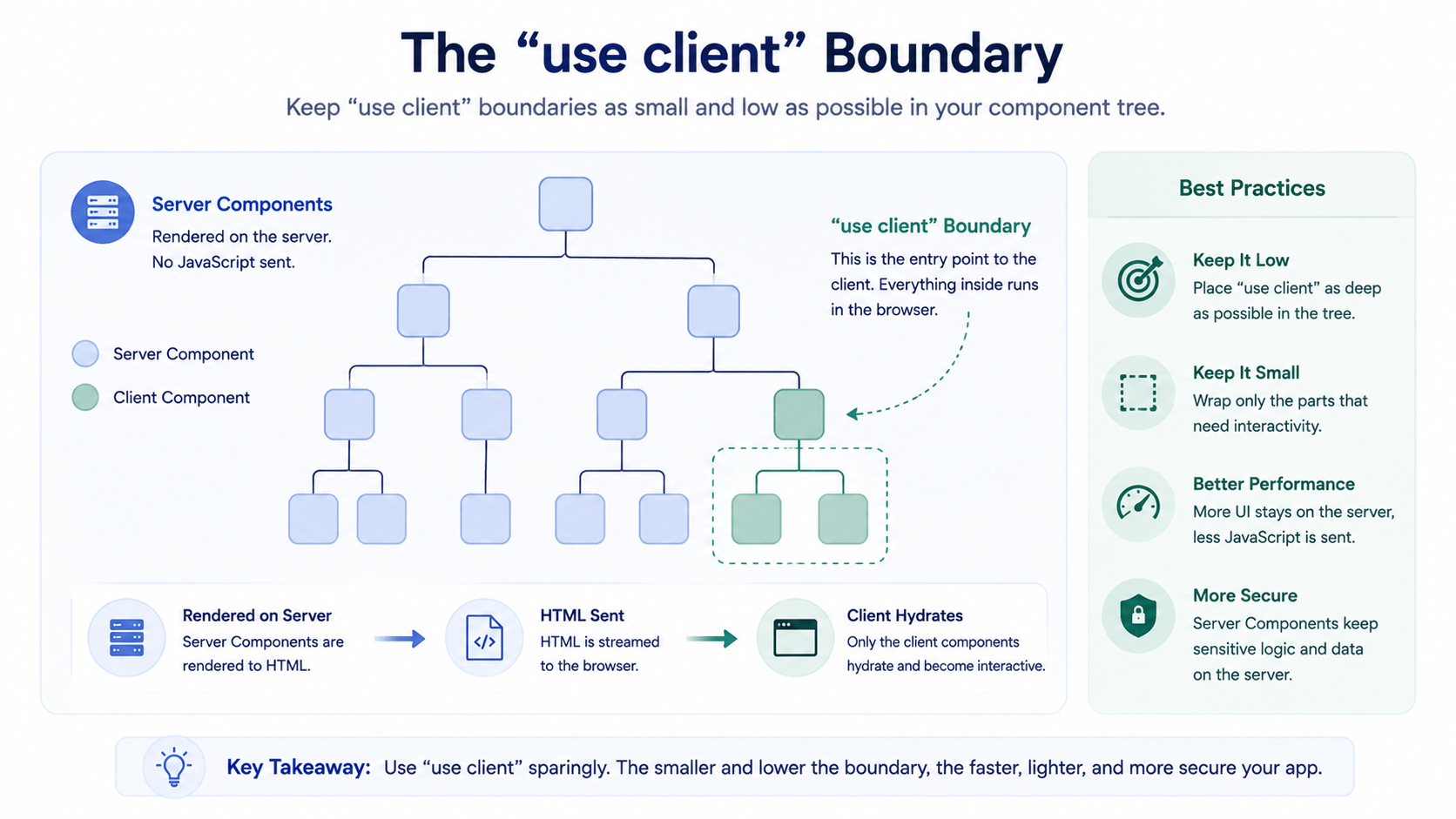
When you need something interactive, like a toggle button, a form input, or a slider, add the "use client" directive at the very top of the file.
Example: Interactivity Boundary
jsx
// app/components/Counter.jsx
"use client"; // Marks this specific component and its imports for client bundling

import { useState } from 'react';

export default function Counter() {
  const [count, setCount] = useState(0);

  return (
    <button onClick={() => setCount(c => c + 1)}>
      Clicks: {count}
    </button>
  );
}
Best Practice: Keep "use client" boundaries as far down your component tree as possible. Render static layouts and data-fetching logic on the server, then pass that data down into small, isolated client components.
Why Choose Next.js for Production?
- Superior performance. Server components ship less JavaScript to the client, which leads to a faster First Contentful Paint (FCP).
- Built-in SEO. Pages deliver fully formed HTML to search crawlers right out of the box, so you do not need a separate pre-rendering step.
- Built-in optimizations. Next.js ships components like
<Image />for automatic compression and WebP conversion, andnext/fontfor zero-layout-shift font loading.
FAQ
Are SSR and Next.js Server Components the same?
Not quite. On each request, the entire site is re-rendered using traditional server-side rendering (SSR). They can be streamed, cached, or revalidated on a schedule after rendering once on the server, which is typically quicker and less expensive.
Do client components completely take the role of server components?
No. Anything interactive, such as buttons, forms, or states, still requires Clieclient components. The two collaborate, with Client Components managing interaction and Server Components handling layout and data.
Is it possible to utilize useState within a Server Component?
No, React hooks like useState and useEffect are not accessible in server components, as they render on the server and never re-render in the browser. If you require them, add “use client” at the top of the code.
Does this approach slow down my build?
Not meaningfully. Since Server Components ship zero JavaScript to the client, they generally reduce your bundle size and speed up First Contentful Paint, even though the server does more work at request time.
Conclusion
Client-side interaction and server-side architecture are connected via Next.js Server Components. You can create full-stack React apps that load quickly and are simple to crawl by combining file-system routing with Server Components for data retrieval and Client Components for interaction. Start by turning one of your own application’s data-rich pages into a server component, then add "use client" only where you actually need interactivity.



